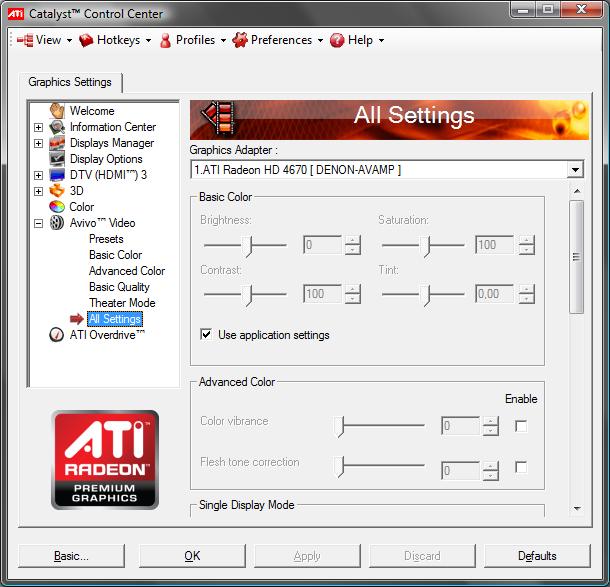
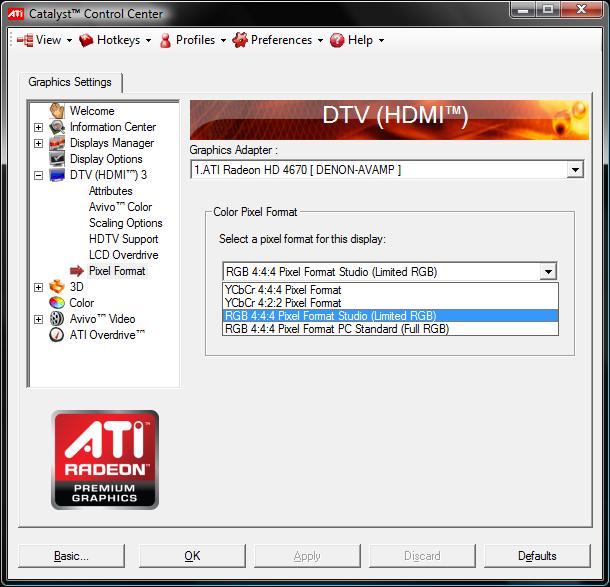
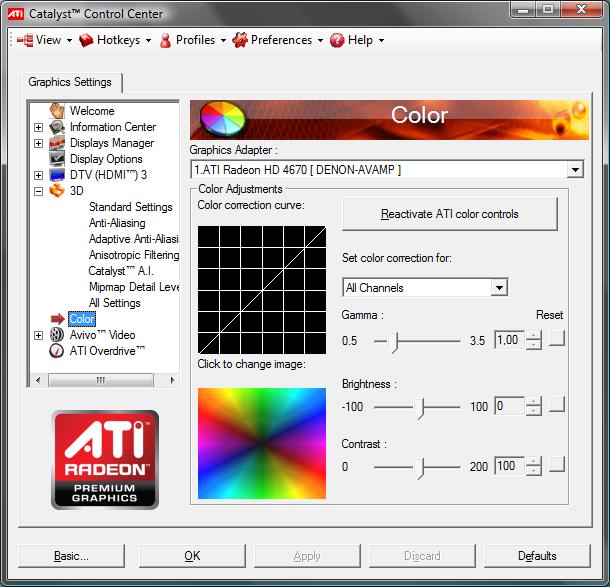
Again is there no setting in the CCC, that forces use of ATI colour space to be used by players, not there own.

View attachment 41745 View attachment 41746
To me this is a basic function, so cannot see why ATI may not have included![]()
Hi Homey
That's weird, because I make visual change in the Nvidia control panel and they are passed on everywhere.
Last resort, what happens if you uninstall the CCC, this should not stop the card from working, just not influence the drivers.
Thanks for checking this out btw, would be nice to get to the bottom of why this is happening.
Disable the AMD External Events Utility service!!!
When I upgraded from Catalyst 9.1 to 9.5 I was having all kinds of problems with my HDMI connection. Everytime I would turn my AVR or TV on the CCC would reset and Pixel Format would go back to PC Standard instead of Studio. All of those issues went away after I disabled that service!
Here's what I recommend:
- Use EVR with Aero enabled
- Leave all the color settings to default in CCC
- Set Pixel Format in CCC to "RGB 4:4:4 Studio Limited"
- Don't touch any of the video levels in your decoders, leave them at their default values
- I recommend MPC Video Decoder for H.264/AVC/VC-1 high-definition video
This is how I have it set up and I have absolutely no issues with black levels.