[Feature Request] Lyrics plugin skin files? (1 Viewer)

Nephilim

Extension Developer
February 8, 2007
805
499
Home Country
Italy Italy
Hhmm, isn't that where a button should become available to display the lyrics for the current song? If not, where am i supposed to "open" and use this plugin? Either way I don't see an entry anywhere in hidden menu's or plugins menu for this plugin :/

Greets, XTails

Since he has not altered now playing xml file you have to get to the my lyrics plugin by the following;
  • Basic Home Screen -> Plugins -> My Lyrics
    (My Lyrics will have to be set as "In Plugins" in MP Config, rather than "In Home")
or

  • Classic Home Screen -> My Lyrics (or) Classic Home Screen -> Plugins -> My Lyrics


Sorry for the delay.
I understand now.

You can also get the my lyrics plugin from the music menu:
10-22-29.jpg

Anyway i modified the Playing Now skin in order to manage my lyrics plugin.
I have also updated the My Lyrics skin.
Check my original post.

Bye,
Nephilim
 
Last edited:
XTails

MP Donator
  • Premium Supporter
  • November 4, 2012
    29
    20
    Home Country
    Netherlands Netherlands
    Hey Nephilim, thanks for the extra effort!

    This is indeed what i meant. It didn't work at first try though which made me look just a little bit further. It turned out that the Plugin Name in MyLyrics config was somehow set to "Lyrics". I don't know whether that's the new default name or if it somehow changed through other means.. Anyway, i changed the name to "My Lyrics" and the visibility checks of the skin were true again and everything works fine.

    Thanks for the work!
     

    TiboTv

    Portal Pro
    June 22, 2009
    244
    39
    Home Country
    Belgium Belgium
    Nephilim, thank you!

    Could you had a shadow box under lyrics to get them easier to read when the fanart is "grey"?

    The same box as you can find under the album thumb and song details.
    Capture.JPG
     

    TheBatfink

    MP Donator
  • Premium Supporter
  • June 11, 2007
    1,286
    222
    Nottingham
    Home Country
    United Kingdom United Kingdom
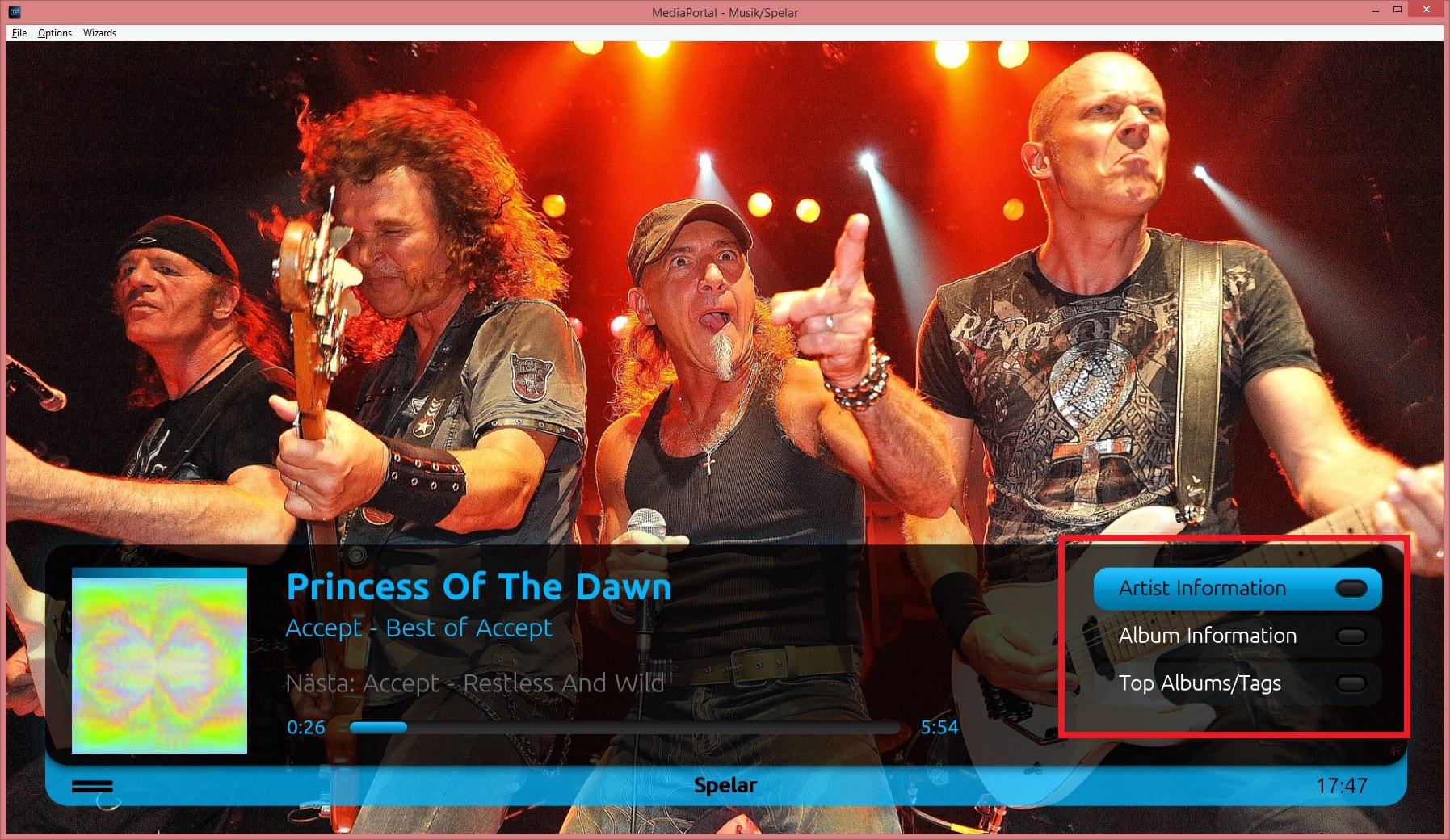
    I noticed a view strange behaviours when using the lyrics skin. When you initially click on the lyrics button in the now playing screen, all the other buttons are lost and the only way to go back is to hit back or go directly to the now playing screen.. Could it not just be a part of the now playing screen like the options for artist and album info etc? - if you click the button it appears, if you click it again it disapears, rather than opening a new screen?

    Also, maybe its just me but there seems there are more positions allowed to be focused on other than the up and down arrows which can not be seen on the screen making it easy to lose the cursor position altogether? Not sure if I have explained that well or not..

    Thanks!
     

    Nephilim

    Extension Developer
    February 8, 2007
    805
    499
    Home Country
    Italy Italy
    I noticed a view strange behaviours when using the lyrics skin. When you initially click on the lyrics button in the now playing screen, all the other buttons are lost and the only way to go back is to hit back or go directly to the now playing screen.. Could it not just be a part of the now playing screen like the options for artist and album info etc? - if you click the button it appears, if you click it again it disapears, rather than opening a new screen?

    Also, maybe its just me but there seems there are more positions allowed to be focused on other than the up and down arrows which can not be seen on the screen making it easy to lose the cursor position altogether? Not sure if I have explained that well or not..

    Thanks!

    When you click lyrics in the now playing screen you run the plugin and its own skin (just like the home screen). The other screen (artist , info) are just panels.

    About the other issue... A screenshot is better... ;)

    Bye,
    Nephilim
     

    u28151

    Portal Pro
    March 24, 2005
    179
    20
    Home Country
    Sweden Sweden
    Hi,

    I have installed MP 1.7.1 and have previosly used your modified xml:s to have My Lyrics on "Playing Now" screen but now it seems not working.
    Is it something you can have a look at?

    Thanks / U
     

    Attachments

    • Now Playing.jpg
      Now Playing.jpg
      727.4 KB

    Users who are viewing this thread

    Similar threads

    I do have most of my Music tagged with Lyrics and it works with My Lyrics. If I remember correctly, you have to set: <Don't search songs with Lyrics in Music tag>
    I do have most of my Music tagged with Lyrics and it works with My Lyrics. If I remember correctly, you have to set: <Don't search...
    Hi. Setting up MyLyrics now. I got version 2.2.2.295 from My Lyrics 2.2.0 for MP 1.10 Final, and above (31-12-2014) . I'm planning...
    Replies
    1
    Views
    3K
    I don't think so, because MP has no way of knowing at which timestamp the external player stopped playback. Best way to achieve this would be to use an auto-resume feature in your external player itself. (MPC-HC can do that, I don't know about VLC)
    I don't think so, because MP has no way of knowing at which timestamp the external player stopped playback. Best way to achieve...
    Hello Folks, Is it possible to enable MP to resume in an External Player, where it left off ? I guess the question also is, can...
    Replies
    2
    Views
    1K
    My bad, I misunderstood your post then :) Yeah, these things can get complicated really quickly. I remember scrapping some of my skin-improvement-ideas because I couldn't get these cross-dependencies sorted out.
    My bad, I misunderstood your post then :) Yeah, these things can get complicated really quickly. I remember scrapping some of my...
    I adjusted the MyMusicPlayingNowInfos.xml for my OldEyes variant of DWHD so it fits without crowding. I now have the issue of text...
    Replies
    7
    Views
    2K
    Are the media/video folders on the Mint host?
    Are the media/video folders on the Mint host?
    I've used Mediaportal for years on a Windows Host with restricted online-access. Lately I reinstalled...
    Replies
    1
    Views
    1K
    I don't know about MP2 but as you said you tried MP1 too, how is the MP music config ? MP(1) will only use LAV if you select "Internal DirectShow player" as music output, but then you lose gapless playback. If you you don't have multichannel music you can choose WASAPI as the output and set the number of speakers to stereo. I have...
    I don't know about MP2 but as you said you tried MP1 too, how is the MP music config ? MP(1) will only use LAV if you select...
    Not sure if this a a bug/config/settings problem. I am running a media portal 2.5 server with 2.41 client but it seems I get the...
    Replies
    1
    Views
    651
    Top Bottom