[WiP] madVR support in MP1 (30 Viewers)

GeYe

MP Donator
  • Premium Supporter
  • January 17, 2009
    197
    132
    Home Country
    Germany Germany
    Tested V266, no real problems so far. Fast stop, no dropped frames. SD, TV, 4K, 3D working fine.

    My 3D problem could also be solved: If zoom is set not on source format, the TV don't triggers 3D, switching zoom level from stretch to source activates 3D.
    While looking 4K I realized some blocky artefactes and stuttering (approx. 10 scenes in whole film). All last some seconds and dont't show up as dropped frames in madvr. Don't think it has something to do with the implementation, if nobody other had seen this. Will revert back my madvr settings.
     

    daWooky

    MP Donator
  • Premium Supporter
  • April 3, 2012
    783
    871
    Home Country
    Germany Germany
    but is playing 3D iso working for one of you guys ?
    sadly no, tried 3d iso too yesterday. tv detect a 3d signal and the madvr stats also show 3d but the picture stay 2d.
    3dmkc seems half ok^^ 3d most off the time -but not always
    with 5 runs (i used stop after each)- on the first run -the file opens with very heavy rendering times and i used F7 to restart the file and return the rendering times as they should be, it was working-3d was ok; on second run-2d; third -3d seems ok again also start and the rendering times; fourth run was ok like the third, fifth run -2d again, f***** 3d...
    atleast xysubs 3d works great and i think the delay also works^^
    but i still have that strange tv 3d detection popup on stop^^


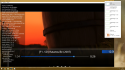
    pretty good but it wont scale-it act like a cut out
    Screenshot (194).png Screenshot (203).png Screenshot (202).png

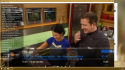
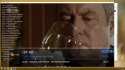
    if i start it windowed or change the tv station it scales but dropps frames again as before and resizes wrong on toggle back to fullscreen
    Screenshot (198).png Screenshot (208).png Screenshot (206).png

    ya getting there seb, just another small step further:sneaky:;)(y)(y)
     
    Last edited:

    GeYe

    MP Donator
  • Premium Supporter
  • January 17, 2009
    197
    132
    Home Country
    Germany Germany
    I get 3D iso neither with PowerDVD, nor with MP really stable to play. So i decided to convert all isos to 3D MVC Mkvs. Which workes really good. Didn't done tests with later versions and with iso.
     

    joecrow

    Test Group
  • Team MediaPortal
  • August 9, 2012
    2,721
    2,074
    Home Country
    Germany Germany
    Sorry for OT - but is playing 3D iso working for one of you guys ?

    @rohnfe Yes works fine for me:):- v264 Mounted a BD3D .iso with win 10 native, no external players enabled, I can then play it in 3D either from Videos or using the Play Disk icon.
    Still have not got 3D playback working using PowerDVD15 as my external player since going to Nvidia, but that's another story.;)

    @Sebastiii old request, but I would still very much like to have an option to switch from 3D to 2D in the MP context menu as I have not been able to use profiles in Madvr to do this. Any chance, pretty please:D
     

    Sebastiii

    Development Group
  • Team MediaPortal
  • November 12, 2007
    16,523
    10,466
    France
    Home Country
    France France
    @daWooky :) Yep it not always resize but i can add a workaround for this :p
    Still if you do 'X' key then it should scale ok, can you confirm ?
     

    Sebastiii

    Development Group
  • Team MediaPortal
  • November 12, 2007
    16,523
    10,466
    France
    Home Country
    France France
    @Sebastiii old request, but I would still very much like to have an option to switch from 3D to 2D in the MP context menu as I have not been able to use profiles in Madvr to do this. Any chance, pretty please:D

    Nope :) It's madVR that switch this and maybe it's possible on C# side with API windows but no clue at all how do to that :( (maybe need DX11 code somewhere lol) MP is DX9.
     

    rohnfe

    Portal Pro
    September 9, 2015
    208
    180
    Home Country
    Germany Germany
    Tested V266, no real problems so far. Fast stop, no dropped frames. SD, TV, 4K, 3D working fine.

    My 3D problem could also be solved: If zoom is set not on source format, the TV don't triggers 3D, switching zoom level from stretch to source activates 3D..

    So you have disabled zoom levels in MP to get 3D activated automatically ? Is it working all the time without enabling it again after playing a 2D file?

    @daWooky hmm sad... i think it was working for a short time.. but i am not sure anymore ;)
     

    Users who are viewing this thread

    Top Bottom