
You are using an out of date browser. It may not display this or other websites correctly.
You should upgrade or use an alternative browser.
You should upgrade or use an alternative browser.
[WiP] madVR support in MP1 (65 Viewers)
- Thread starter Sebastiii
- Start date


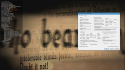
About the deinterlace, it seems to setup like this and it works (not on madVR side but on LAV Video)
yep, but it is software (done by LAV) not dxva deinterlacing (done by madvr), so it can have some impacts on cpu and image quality.
In my case i don't see any improvement using d11 decoder but a bit worse quality in interlaced content.
dxva dec + dxva deinterlacing looks better.
new dx11 c-b sw deinterlacing, wtf
the new D3D11 native is quite nice when you really need 10 bit windowed but otherwise just still too new. for example it has also problems with madvr upscaling with nnedi3...
someone has already made a good video of error:
btw. no major problems with old 322 version, ran pretty well the last week..
the new D3D11 native is quite nice when you really need 10 bit windowed but otherwise just still too new. for example it has also problems with madvr upscaling with nnedi3...
someone has already made a good video of error:
Last edited:

- July 2, 2008
- 147
- 120
- Home Country
-
 Belgium
If you set Software Deinterlacing Algorithm in LAV setup to 'No software deinterlacing', and the rest configured as in Sebastiii's screenshot (i.e. DX11VA Copy-Back), madVR then correctly uses DXVA deinterlacing.yep, but it is software (done by LAV) not dxva deinterlacing (done by madvr), so it can have some impacts on cpu and image quality.
In my case i don't see any improvement using d11 decoder but a bit worse quality in interlaced content.
dxva dec + dxva deinterlacing looks better.
I myself can't see any difference in deinterlacing quality on my GeForce 1050 between DXVA2 and DX11VA (both using copy-back).
i don't understand what do you mean, in my lav nightly(from couple days ago) i don't have any d11 copy back, only for dxva i have copy back. could you please tell me what version of lav are you using? are you sure you are watching interlaced content (eg : 1080i)?If you set Software Deinterlacing Algorithm in LAV setup to 'No software deinterlacing', and the rest configured as in Sebastiii's screenshot (i.e. DX11VA Copy-Back), madVR then correctly uses DXVA deinterlacing.
I myself can't see any difference in deinterlacing quality on my GeForce 1050 between DXVA2 and DX11VA (both using copy-back).
- July 2, 2008
- 147
- 120
- Home Country
-
Belgium
Yes I'm sure , and also using LAV nightly. You need to select a specific GPU in the listbox "Hardware Device to use" for D3D11 decoder to use copy back mode.
I think the way nevcairiel has changed that UI between DXVA2 and D3D11 is a bit confusing.
, and also using LAV nightly. You need to select a specific GPU in the listbox "Hardware Device to use" for D3D11 decoder to use copy back mode.I think the way nevcairiel has changed that UI between DXVA2 and D3D11 is a bit confusing.
Yes I'm sure
I think the way nevcairiel has changed that UI between DXVA2 and D3D11 is a bit confusing.
the answer at madvr forum is quite clean, no DVXA deinterlacing with dx11 lav, maybe you're lucky
EDIT: now i got what you mean, thank you, i'm going to give it a try
EDIT2 : Hey man, awesome it works also for me thanks alot
Last edited:
Hey guys,
i got an answer directly from nevicariel about using copyback in dx11 and it's not good
madVR - high quality video renderer (GPU assisted) - Page 2268 - Doom9's Forum
i got an answer directly from nevicariel about using copyback in dx11 and it's not good
madVR - high quality video renderer (GPU assisted) - Page 2268 - Doom9's Forum
Users who are viewing this thread
Online now: 64 (members: 0, guests: 64)