
You are using an out of date browser. It may not display this or other websites correctly.
You should upgrade or use an alternative browser.
You should upgrade or use an alternative browser.
[WiP] madVR support in MP1 (34 Viewers)
- Thread starter Sebastiii
- Start date
 Germany
with mad default downscaling settings (they're quite high) or different own ones?(on HTPC OSD stutter, i really need to find why)
yep sounds similar like on my side, mepo on start of something goes to unresponsive blackscreen, madvr errors or sometime its even still loaded with previous file or the right one but unresponsive...D3D device not be able to be set from madVR (need to close MP)

- Thread starter
- Moderator
- #4,073
Need to test default madVR settings (for sure Auto3D disable and it's ok  )
)
Need to find what is the culprit for the D3D error (i maybe seen once a freeze) but other blackscreen can be stop but starting again the video failed
Maybe there is a new leak somewhere
)Need to find what is the culprit for the D3D error (i maybe seen once a freeze) but other blackscreen can be stop but starting again the video failed
Maybe there is a new leak somewhere
- Thread starter
- Moderator
- #4,075
I have maybe something that works
Will upload bin after compilation done
On my side the freeze was related to mediainfo not always ok to analyse one file of my playlist (so added another one in place .mpg file instead on .m2ts) and no more freeze
About the D3D device failed with auto3D, it seems to happen because of the image grabbed for analysing was not released correctly lol, so added a dispose for this image and seems now my playlist runs without the D3D error
Will upload bin after compilation done
On my side the freeze was related to mediainfo not always ok to analyse one file of my playlist (so added another one in place .mpg file instead on .m2ts) and no more freeze
About the D3D device failed with auto3D, it seems to happen because of the image grabbed for analysing was not released correctly lol, so added a dispose for this image and seems now my playlist runs without the D3D error
thanks m8, sounds promising
and btw. i used xysubs the whole time... so far no problems with it
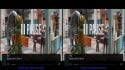
edit: tried with latest a bit and 3d subs, with sbs 3d it seems the subs wont getting doubled with mphc
but i somehow remembered that in old evr times the 3d subs were only working right with auto3d on....strange
and btw. i used xysubs the whole time... so far no problems with it
edit: tried with latest a bit and 3d subs, with sbs 3d it seems the subs wont getting doubled with mphc
but i somehow remembered that in old evr times the 3d subs were only working right with auto3d on.
...strangeAttachments






Last edited:

Users who are viewing this thread
Online now: 34 (members: 0, guests: 34)