
Monochrome (for those who like dark skins), updated... (10 Viewers)

ethanol

Portal Member
January 4, 2008
39
1
Home Country
Really? Hmmm mine looks awful, big overlaid text and none of the gfx (episode gfx) appearing on the main series episode page, though I know they were imported, as was all the file info (height,width etc). It certainly looks nothing like the example jpg's in the monochrome tv series folder. I've tried all the diff mytvseries.xml's. Here's mine with the "Series Info Panel (SVN Required)\TVSeries.xml)

mytvseries.jpg

Firstly, just want to say a huge thanks :D :D to Psycho Reptile for developing a killer skin - I want so badly to get this to work.

I get the same problem - I've read through about the last 30 pages of posts but couldn't see the same problem.

I'm running the latest SVN of MP 0.2.3.0 - 04-08-2008--05-05-Rev18584
I'm also on the new release of MP-TVSeries - 2.0.765
Skin seems to be working OK elsewhere - just have issues with MP-TVSeries on the Season and Episodes views - no graphics appearing (which were working on other skin - Blue 2 wide)

EDIT : In case its important, I'm running on XP with a x1250 onboard graphics - needed to replace FlipY = "true" with flipy= "false" to avoid crashes. Also tried this back with flipy="true" and still get the same issue

Attached some pics of Banners -> Seasons -> Episodes screens

EDIT : Also attached MP log file - loaded and browsed to Season and then Episode list before exiting

was there a fix for this?
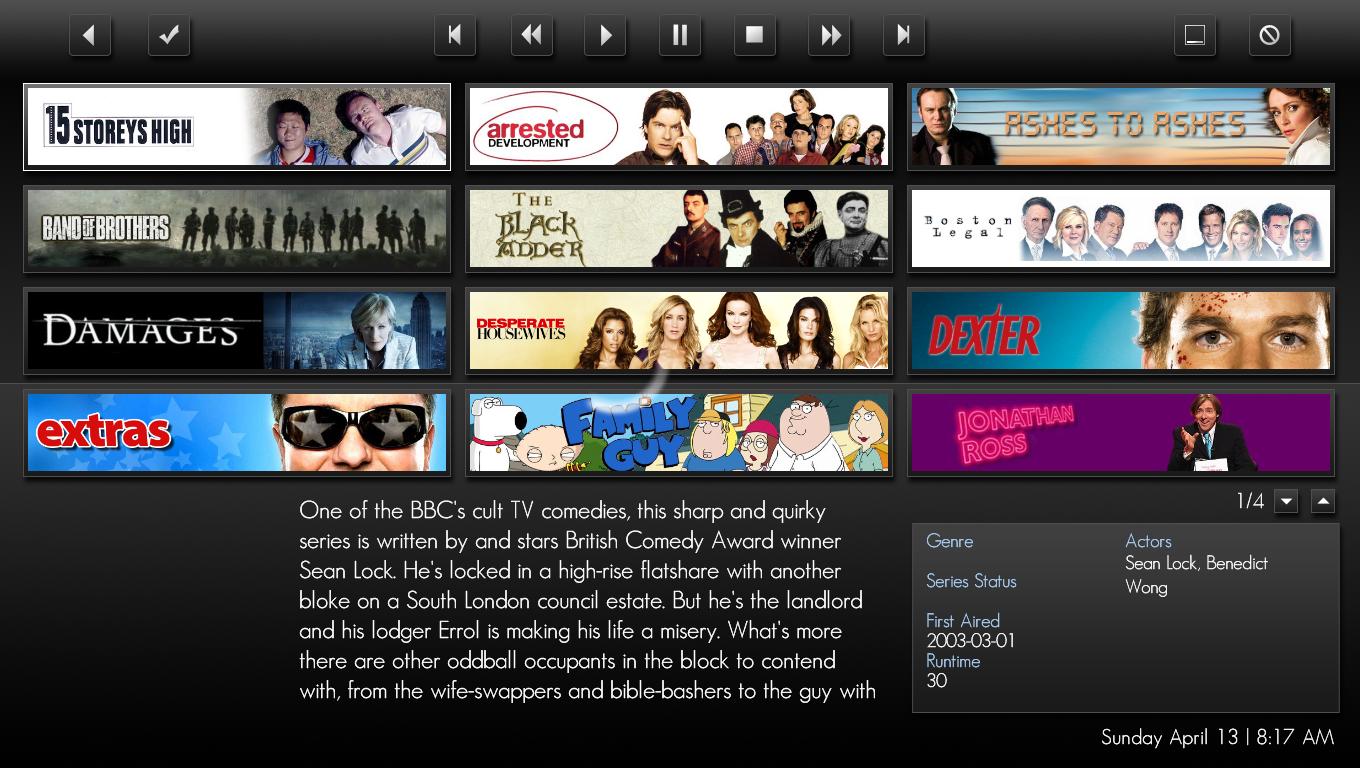
 

Attachments

  • Banners.JPG
    Banners.JPG
    176.4 KB

ltfearme

Community Plugin Dev
  • Premium Supporter
  • June 10, 2007
    6,767
    7,241
    Sydney
    Home Country
    Australia Australia
    Have you tried enabling the option 'Use alternative Image Loading Logic' in the tvseries configuration tool?

    Also, attach your TVSeries log file as well, that might provide useful.

    Damien
     

    ethanol

    Portal Member
    January 4, 2008
    39
    1
    Home Country
    Have you tried enabling the option 'Use alternative Image Loading Logic' in the tvseries configuration tool?

    Also, attach your TVSeries log file as well, that might provide useful.

    Damien

    Yes, tried that ticked aswell. Attached is the TVSeries Log
     

    ltfearme

    Community Plugin Dev
  • Premium Supporter
  • June 10, 2007
    6,767
    7,241
    Sydney
    Home Country
    Australia Australia
    The Log is pretty much empty, can you re-attach after navigating TVSeries plugin within Media Portal. Also if you can set your Log Level to 'Debug' in the TVseries configuration.

    Also, how much physical memory have you got installed? Check your RAM usage whilst Media Portal is in Window Mode.

    Damien
     

    ethanol

    Portal Member
    January 4, 2008
    39
    1
    Home Country
    The Log is pretty much empty, can you re-attach after navigating TVSeries plugin within Media Portal. Also if you can set your Log Level to 'Debug' in the TVseries configuration.

    Also, how much physical memory have you got installed? Check your RAM usage whilst Media Portal is in Window Mode.

    Damien

    New log attached at level Debug.

    2GB installed so that shouldn't be the problem
     

    ltfearme

    Community Plugin Dev
  • Premium Supporter
  • June 10, 2007
    6,767
    7,241
    Sydney
    Home Country
    Australia Australia
    Can you also attach MP-TVSeries.log ?

    You have plenty of memory, so that shouldn't be a problem.

    Damien
     

    ethanol

    Portal Member
    January 4, 2008
    39
    1
    Home Country
    Can you also attach MP-TVSeries.log ?

    Here you go. Any ideas?

    One thing I noticed was that the FanArt directory does not exist on my machine and I don't know how to create it.

    In the old version of the TVSeries Plugin, all the thumbs are downloaded to the same folder, so I have the Banners, Episode Images and FanArt in the same folder and nothing in a FanArt folder - is it possible to point the FanArt folder to the original folder? Could that fix it?
     

    ltfearme

    Community Plugin Dev
  • Premium Supporter
  • June 10, 2007
    6,767
    7,241
    Sydney
    Home Country
    Australia Australia
    Not having the FanArt folder will just disable fanart. You need to create this folder manually in the Thumbs folders. Are you using the FanArt version of tvseries.xml or one of the others that PsychoReptile provided?

    From the logs I see errors about downloading of episode thumbnails and posters failing. Have you got a virus scanner potentially blocking downloads of them?

    Check the thumbs folder for a MPTVSeriesBanners directory and check for each series\eps that you have the season posters episode thumbnails? Alternatively you can check this in the configuration tool as well.
     

    HappyTalk

    Portal Pro
    July 16, 2006
    307
    8
    UK
    Can you also attach MP-TVSeries.log ?

    Here you go. Any ideas?

    In case you're interested I gave up! Though I've coded for decades (+ did some bits for myfilms) I spent about 12 hours messing with it, which is more than enough to achieve results but couldn't. There's no skin shipped with the plug + its not in the regular mp/plugs area, the monochrome skin likewise doesn't seem to be in svn (unless like tvseries its got its own NON-mp area) so no point continuing.

    MP should insist that all plugs/skins are in svn, in the right place and stuff kept up to date, else it just waste's peoples time banging their head against the wall. No way would I have bothered had I realised that luck was involved. That said I didn't plan to use it as MyFilms is already set up to handle tv + films/music/docs etc, just wanted to see how well it worked out of curiosity, which IMHO was not very well. Can't see too many peeps persevering if they get probs as it is very complex, shame...
     

    ThaClown

    Moderator - Dutch Forums
    May 28, 2006
    807
    26
    Den Bosch
    Home Country
    Netherlands Netherlands
    HappyTalk,
    You cannot expect that a BETA and free program like MP will work out of the box for all...
    But as you can see for most of us this works great and its the best skin ever....
     

    Users who are viewing this thread

    Top Bottom