Monochrome (for those who like dark skins), updated... (4 Viewers)

rfong

New Member
February 23, 2008
1
0
fantastic skin!

I absolutely love it.. im really sorry to trouble everyone, but ive just got one thing I'd like to sort out, if anyones willing to help. Basically the summary/description/information box is displayed in the wrong place in the "TV Series" section and there are no thumb previews of each TV epsiode being displayed . I am running MediaPortal at 1360x768 and I think this may be the reason for the error. Im sure I have read a post where a user described a tweak that could be used. I have searched the forums but have not found anything :-(

I have posted 3 screenshots to show what I mean. As you can see, by the third image, the display becomes very cluttered and there are no thumb previews displaying images from each episode.

1.jpg - ImageHost.org
2.jpg - ImageHost.org
3.jpg - ImageHost.org

If anyone at all could help out I would be most grateful as I hope to use this skin indefinately! Thanks for your time everyone,

Richard


EDIT: Ok, just read through each seperate comment on this thread, and found that you need to "enable animations" in the main Media Portal config screen. Hope this helps others who have similar difficulties
 

mruane

Portal Pro
June 4, 2006
182
5
Wellington
Home Country
New Zealand New Zealand
I really like this skin - however I have one problem that I just do not know how to correct and that is in the TV Guide screen. I find it very hard to see which program is highlighted in the guide because the highlighted item is displayed white text on a black cell background against a dark grey guide background.

Does anyone know which values to change (in I guess mytvguide.xml) so that the TVGuide highlighted program is say White on a Red background?

Edit: Figured it out. Re-colored the tvguide_button_selected_middle.png component and cleared the cache. Perfect....

Cheers Mike
 

Furetto

Moderator - Dutch Forums
April 11, 2005
664
61
53
Brussels
Home Country
Belgium Belgium
Two little "cosmetic bugs" and two questions :)

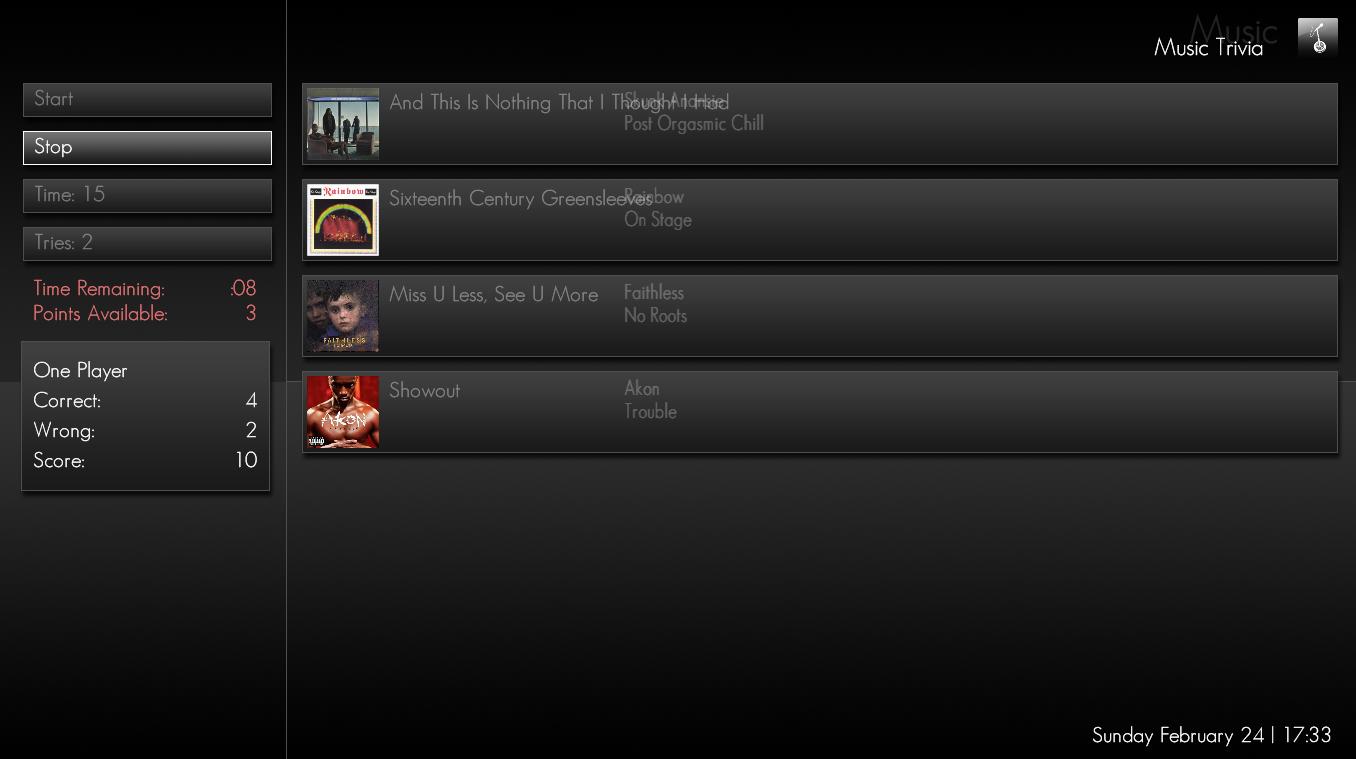
Today, for the first time in a long time I started Music Trivia to show it off. With very long song names, the song name overlaps with the artist. See screenshot one.

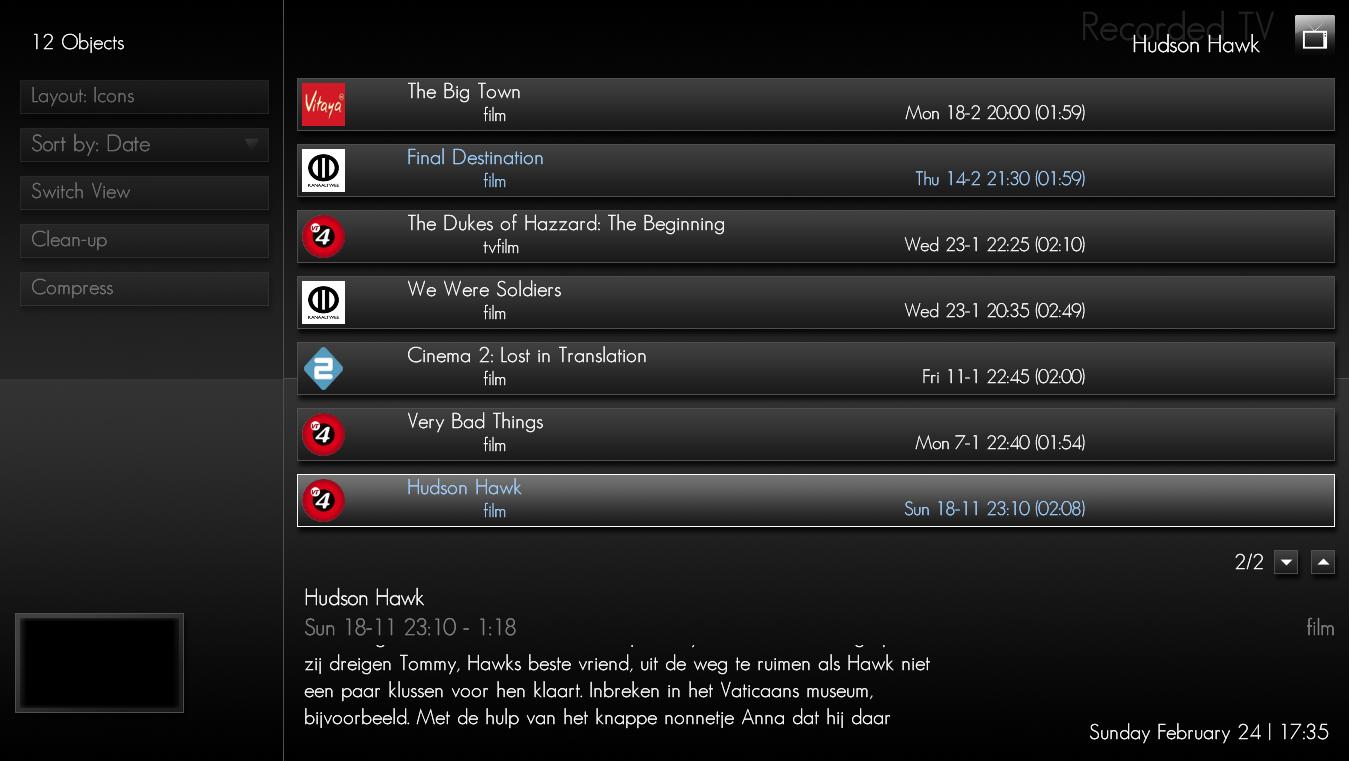
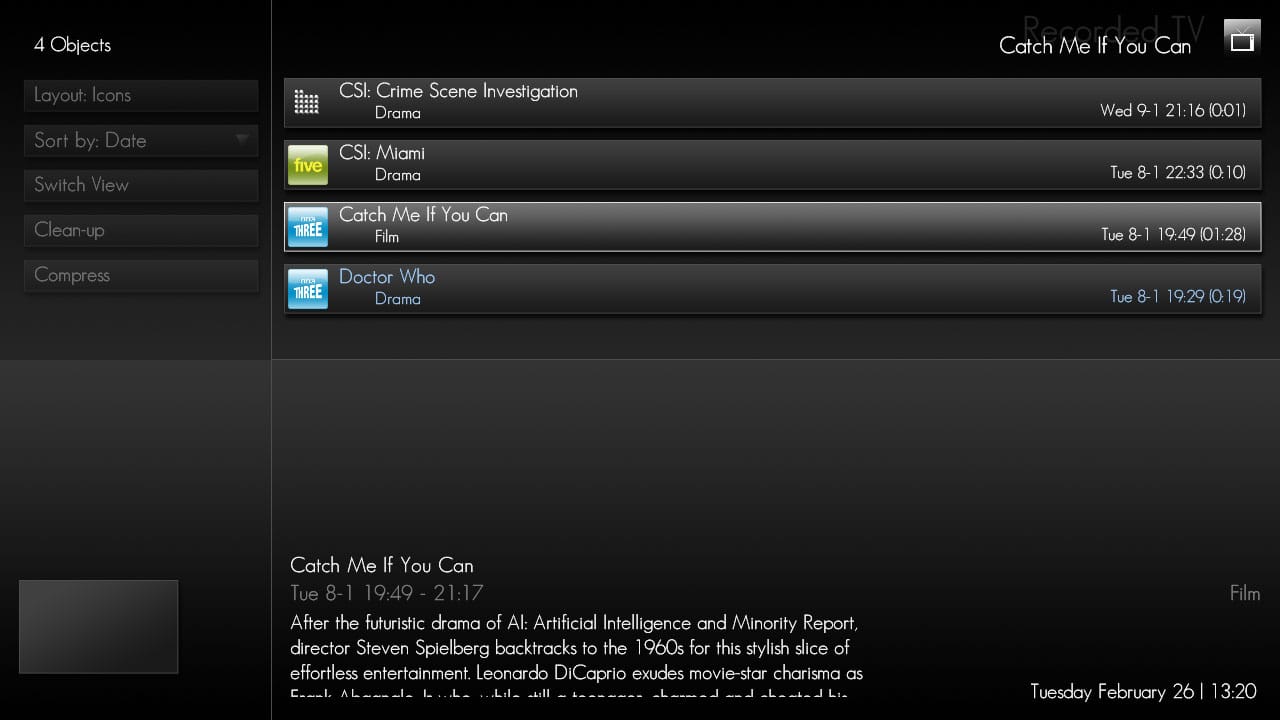
In "Recorded TV" if you go in Icon View, the recording date is right-aligned but not with the right border. Looks as if it aligns with the right border of a 4:3 screen. See screenshot two

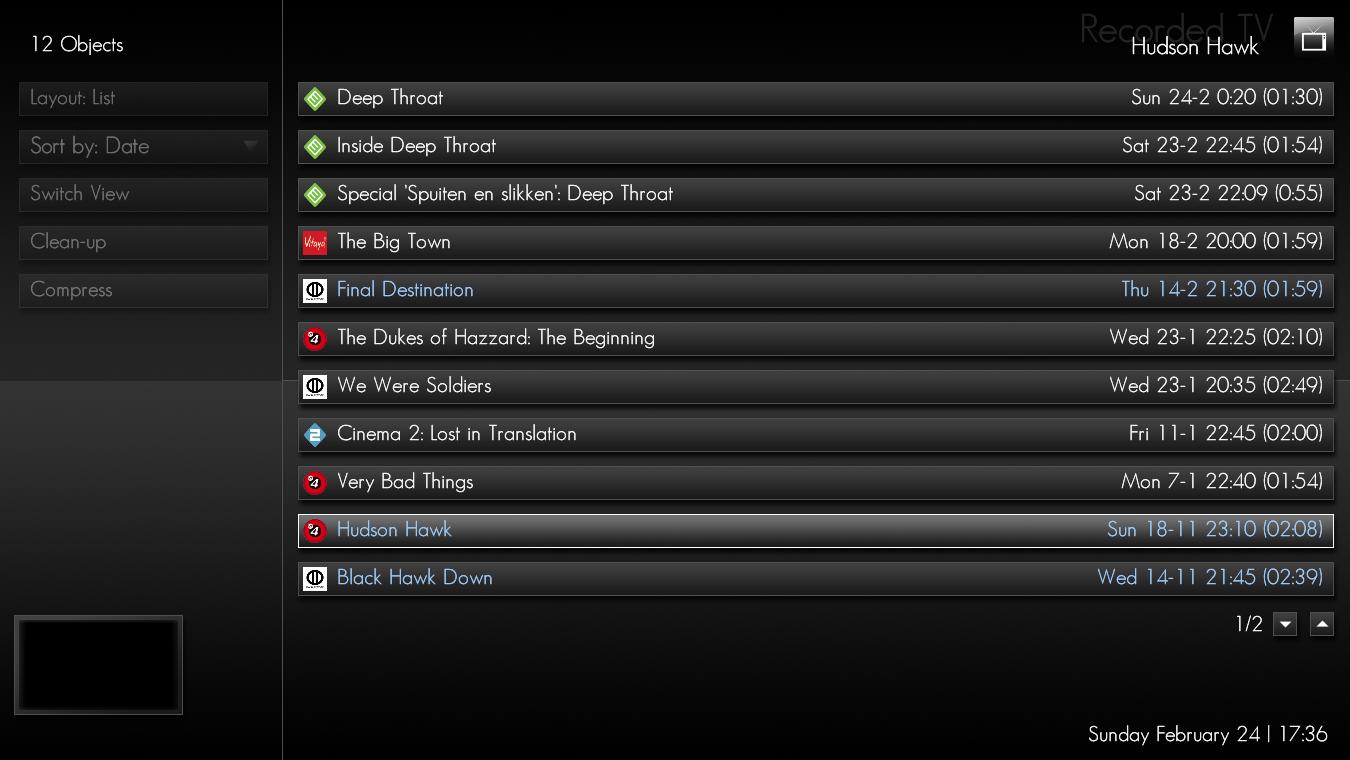
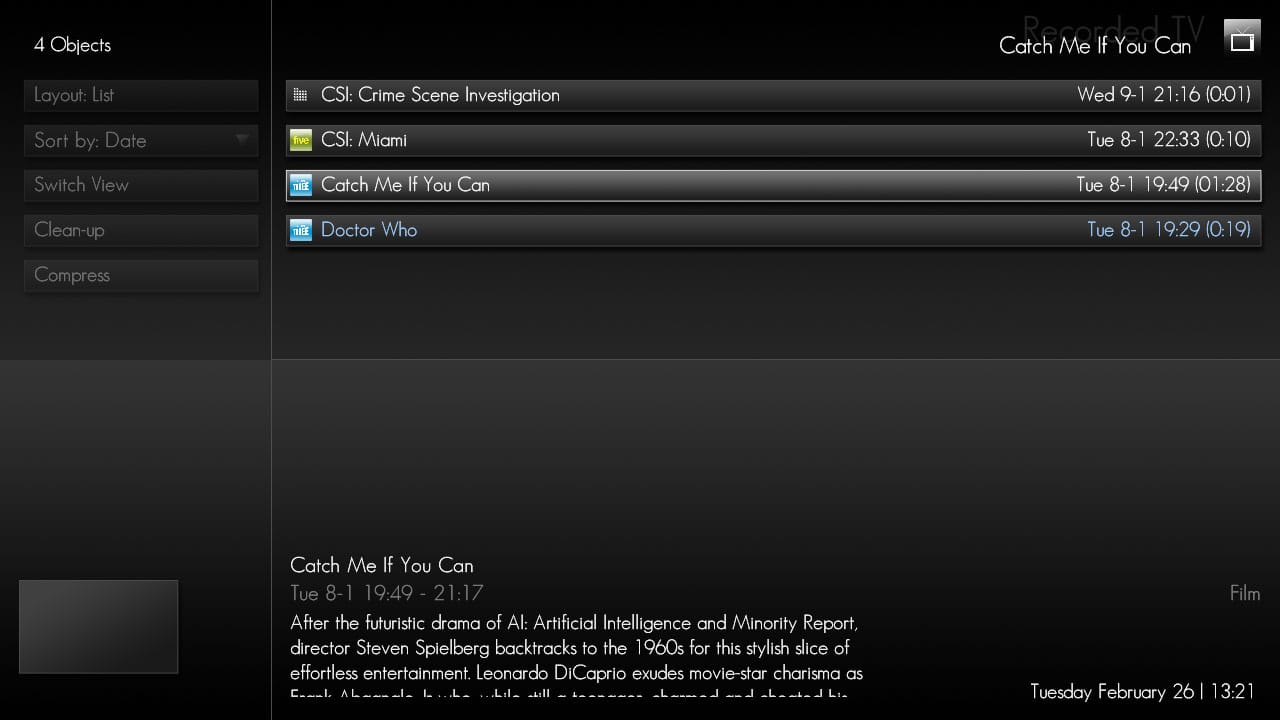
In same "Recorded TV" if you are in list view, the info about the recording is not displayed as in icon view. If this is by design, so be it. If it is an oversight, I guess it could be nice to add. See screenshot three.

The second question is if you already had a look at Tv Recordings 0.2, if it is already supported or will be.

If I was quiet for a long time, it is mostly that I had no bugs to report and that I simply enjoyed using MP with Monochrome. :D
 

Attachments

  • Music Trivia.jpg
    Music Trivia.jpg
    66.2 KB
  • Recorded-Icons.jpg
    Recorded-Icons.jpg
    103.2 KB
  • Recorded-List.jpg
    Recorded-List.jpg
    112.5 KB

WalkmanAA

Portal Pro
January 5, 2007
85
3
Home Country
United States of America United States of America

dwoodzz

Portal Pro
May 2, 2007
102
2
62
Home Country
United States of America United States of America
@Psycho Reptile

Tutorial for customising the Basic Menus is very nice.
I customized my basic home screen and it works fine.
Only a thinks don't work fine for me: i'm not be able to change "Mes Films" in Watch menu with "wwiTV plugin".
With "wwiTV plugin", Watch menu work only with keybord and not with remote too.

Can you help me?


IMDB Data in Shares View
for me don't work fine. I get always the same IMDB for all videos

Thanks
massimo

I get exactly the same behaviour with respect to the IMDB info shown in my videos. Nothing it displayed until I get the imdb info, and then it just stays the same no matter which video I select.

Same here... but thanks for the update btw :D

I also am experiencing this as well-
even tried reinstalling mp, put on the svn, overwrote the 3 files from zeflash , edited the xml manually with the use imdb line--and still no joy-
I am running Vista-
are you guys that are having this trouble using vista as well-
could be something in /program data that needs to be changed.
 

Psycho Reptile

Retired Team Member
  • Premium Supporter
  • April 19, 2006
    1,316
    787
    Cambridge, England
    Home Country
    United Kingdom United Kingdom
    I found a another slight bug.. If you happen to pause the playing music you'll see an extra pause button being added to the music-overlay
    Could you explain how I can replicate this, I have never had this problem...
    Only a thinks don't work fine for me: i'm not be able to change "Mes Films" in Watch menu with "wwiTV plugin".
    With "wwiTV plugin", Watch menu work only with keybord and not with remote too.

    Can you help me?
    Sure, make these changes...
    Code:
        <control>
          <description>My Films Plugin Button</description>
          <type>button</type>
          <id>4</id>
          <posX>559</posX>
          <posY>305</posY>
          <width>253</width>
          <height>166</height>
          <textureFocus>basic_button_focus.png</textureFocus>
          <textureNoFocus>basic_button_nofocus.png</textureNoFocus>
          [COLOR="Red"]<hyperlink>6900</hyperlink>[/COLOR]
          <label>Films</label>
          <textcolor>00ffffff</textcolor>
          <textcolorNoFocus>00ffffff</textcolorNoFocus>
          <onleft>3</onleft>
          <onright>5</onright>
          <onup>21</onup>
          <ondown>99</ondown>
        </control>
        <control>
          <description>My Films Plugin Button Label</description>
          <type>label</type>
          <id>1</id>
          <posX>683</posX>
          <posY>435</posY>
          [COLOR="red"]<label>wwiTV</label>[/COLOR]
          <align>Center</align>
        </control>
        <control>
          <description>My Films Plugin Button Image</description>
          <type>image</type>
          <id>1</id>
          <posX>633</posX>
          <posY>319</posY>
          <width>100</width>
          <height>100</height>
          [COLOR="red"]<texture>hover_wwiTV.png</texture>[/COLOR]
        </control>
    Use the attached hover image.
    I think I found a bug in MyMusic.
    When I start playing an mp3 album there appears a small Cover of it on the down left screen side. When I enter than and leave "Now playing" the small Cover is disappeared (bug?).
    It's a known bug that I'm not able to fix to my satisfaction.

    Two little "cosmetic bugs" and two questions :)
    MusicTrivia has been fixed for the next release.
    I don't have the incon/list problem in recorded TV, see screenshots, but the alignment has been fixed.
    TV Recordings v0.2 is already supported.

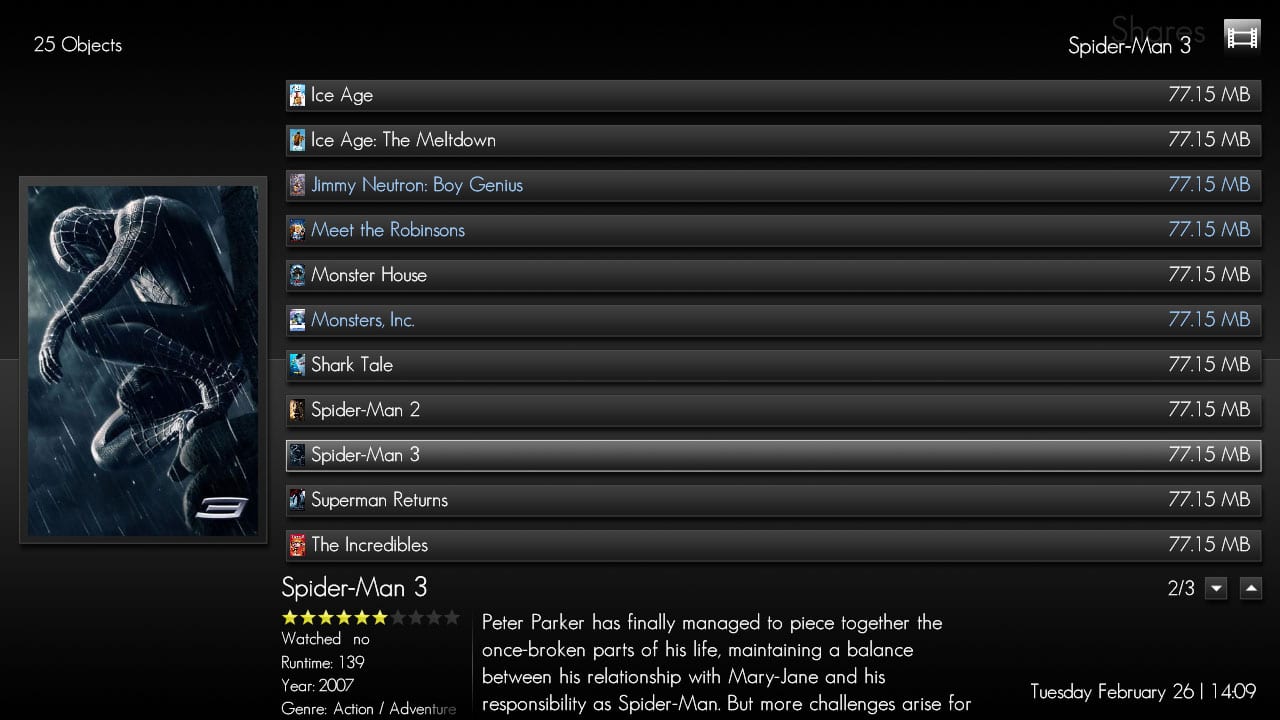
    Those having problems with the IMDB share view:- I have just tried it again using Boelshit's new files, and it works fine. See screenshot. I'm running Vista and all my movies are in the same folder.
    If you are still experiencing problems, please post in this thread :D
     

    Attachments

    • hover_wwiTV.png
      hover_wwiTV.png
      7.7 KB
    • IMDB Shares.jpg
      IMDB Shares.jpg
      170.1 KB
    • Recorded TV List.jpg
      Recorded TV List.jpg
      114.8 KB
    • Recorded TV Icons.jpg
      Recorded TV Icons.jpg
      118.9 KB

    Users who are viewing this thread

    Top Bottom