Moving Pictures Public Beta 0.5.5c (1 Viewer)

Status
Not open for further replies.

emphatic

Design Group
  • Team MediaPortal
  • August 25, 2006
    3,758
    1,250
    Alingsås
    Home Country
    Sweden Sweden
    The movie files I used for "Con Air" are VIDEO_TS + AUDIO_TS folders inside a "parent" folder named "Jailbird" (it's the name of a fanedit of Con Air).

    I recreated the issue it by moving the folder out from the movies folder, then back. Got fresh logs in the attached .zip. After copying the .log-files to a .zip, I also renamed the parent folder to "Con Air", but that didn't help, it's still stuck on "retrieving details for: Con Air". Perhaps the IMDB data is somehow corrupt for that title?

    Emph
     

    marvenius

    Portal Pro
    September 3, 2008
    523
    47
    Belgium
    Home Country
    Netherlands Netherlands
    I tried it with a dummy file and could not get "new text document.txt" renamed to "Con.Air.avi" So my guess it's probable a bad movie.... no matter how you name it.
    j/k
     

    armandp

    Retired Team Member
  • Premium Supporter
  • April 6, 2008
    987
    623
    Zoetermeer
    Home Country
    Netherlands Netherlands
    From what i can tell from the log it's the retrieval of the cover (for this movie) that generates an error.

    Code:
    23-Sep-2008 11:20:32  Info [         DBMovieInfo]: 
    Cover art for 'Con Air ' [] failed minimum resolution requirements:
     http://www.impawards.com/1997/posters/con_air.jpg 
    23-Sep-2008 11:20:34 Fatal [       MovieImporter]: Unhandled error in MediaScanner. 
    System.Runtime.InteropServices.ExternalException: A generic error occurred in GDI+.
       at System.Drawing.Image.Save(String filename, ImageCodecInfo encoder, EncoderParameters encoderParams)
       at System.Drawing.Image.Save(String filename, ImageFormat format)
       at System.Drawing.Image.Save(String filename)
       at MediaPortal.Plugins.MovingPictures.Database.MovingPicturesTables.DBMovieInfo.AddCoverFromURL(String url, Boolean ignoreRestrictions)
       at MediaPortal.Plugins.MovingPictures.DataProviders.ScriptableProvider.GetArtwork(DBMovieInfo movie)
       at MediaPortal.Plugins.MovingPictures.LocalMediaManagement.MovieImporter.AssignFileToMovie(IList`1 localMedia, DBMovieInfo movie)
       at MediaPortal.Plugins.MovingPictures.LocalMediaManagement.MovieImporter.ProcessNextApprovedMatches()
       at MediaPortal.Plugins.MovingPictures.LocalMediaManagement.MovieImporter.ScanMedia()

    We will investigate.
     

    emphatic

    Design Group
  • Team MediaPortal
  • August 25, 2006
    3,758
    1,250
    Alingsås
    Home Country
    Sweden Sweden
    Hmmm. Is there any way to manually edit the "IMDB number" field in Moving Pictures? I could manually add it if only I could edit that field.

    Edit1: Okay, will try a lower setting for the cover for while adding this (my final movie right now).
    Edit2: No, that didn't work. I set the cover minimum sizes at 10, but it still won't import. Has to be something wrong with this IMDB entry.

    Emph
     

    Paranoid Delusion

    Moderation Manager
  • Premium Supporter
  • June 13, 2005
    13,052
    2,978
    Cheshire
    Home Country
    United Kingdom United Kingdom
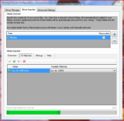
    I think the scan showing can be a bit confusing.

    MP config.JPG

    this shows i'm doing exactly the same as emph with re-adding Con Air, which is shown in bottom of config as being scanned, but when you go into logs, moving pictures is busy updating ALL files, not just the Con Air one, and you get the impression that mp has ceased working, just get a gut feeling this should display updating all\adding file if possible :)

    :D
     

    emphatic

    Design Group
  • Team MediaPortal
  • August 25, 2006
    3,758
    1,250
    Alingsås
    Home Country
    Sweden Sweden
    Sorry Paranoid Delusion, but (at least for me) that's not the case. Try this please:

    Create a folder and name it "Jailbird" and put dummy files inside ( I have VIDEO_TS, .ifo+vob files). When it shows up in the Movie Importer, do a rescan but change "Jailbird" to "Con Air". Won't work. So now you import the files as "Jailbird" instead. Go to the Movie Manager and select "Jailbird" and click "Reassign files to new movie". In the search string, enter "Con Air". As you see, the importer only comes up with "Jailbird" or close matches. So there's gotta be something wrong with the new IMDB handling or IMDB has some kind of corrupt info for Con Air. Now I will try MP's built in scraper in My Videos, just for reference.

    Emph
     

    fforde

    Community Plugin Dev
    June 7, 2007
    2,667
    1,702
    45
    Texas
    Home Country
    United States of America United States of America
    The problem was the filename for the cover-art. It was trying to save it as "Con.Air [573105598].jpg" but in Windows this is an invalid name. CON is a reserved word referring to the console device. I was able to reproduce the error, I modified the naming convention and the error went away. So this will be included in the next release. I think unfortunately this means there is no work around right now though. Emphatic, PM me if you are interested in using a test DLL to verify the fix.
     

    RadyR

    Portal Member
    June 13, 2007
    11
    0
    Home Country
    Hungary Hungary
    Hi everyone,

    i'm experiencing some weird behaviour after i manually remove a media file from the scanned folder.
    MP crashes if i start it up, leaving me with the standard Microsoft error window.
    Tried to search the issue tracker and this forum, but came up with nothing and
    i'm a little hesitant to make another bug report, which might have been discussed already, so...

    This is the exception, which crashes MP:
    Code:
    2008-09-24 07:26:05.718750 [ERROR][PathScanner]: MediaPortal: Unhandled exception occured
    2008-09-24 07:26:06.078125 [ERROR][PathScanner]: Exception   :System.NullReferenceException:
    Object reference not set to an instance of an object.
       at MediaPortal.Plugins.MovingPictures.MovingPicturesGUI.OnMovieDeleted(DatabaseTable obj)
       at Cornerstone.Database.DatabaseManager.ObjectAffectedDelegate.Invoke(DatabaseTable obj)
       at Cornerstone.Database.DatabaseManager.Delete(DatabaseTable dbObject)
       at Cornerstone.Database.Tables.DatabaseTable.Delete()
       at MediaPortal.Plugins.MovingPictures.Database.MovingPicturesTables.MovingPicturesDBTable.Delete()
       at MediaPortal.Plugins.MovingPictures.LocalMediaManagement.MovieImporter.RemoveMissingFiles()
       at MediaPortal.Plugins.MovingPictures.LocalMediaManagement.MovieImporter.ScanAndMonitorPaths()
       at System.Threading.ThreadHelper.ThreadStart_Context(Object state)
       at System.Threading.ExecutionContext.Run(ExecutionContext executionContext, ContextCallback callback, Object state)
       at System.Threading.ThreadHelper.ThreadStart()

    I've also attached my logfiles.
    Thank you for any help in advance.
     

    emphatic

    Design Group
  • Team MediaPortal
  • August 25, 2006
    3,758
    1,250
    Alingsås
    Home Country
    Sweden Sweden
    RadyR: I get the exact same behaviour sometimes. Both with Moving Pictures and MP TV-Series. If you check the latters forum section, you'll see that we're not alone. Since this has happend with both plugins (new media, missing media crashes) I thought it had to do with me using MP SVN builds. I'll post my logs here next time it happens for Moving Pictures.

    Emph
     
    Status
    Not open for further replies.

    Users who are viewing this thread

    Top Bottom