MP-TVSeries v4.3.6 Release [2020-01-24] (4 Viewers)

ltfearme

Community Plugin Dev
  • Premium Supporter
  • June 10, 2007
    6,780
    7,285
    Sydney
    Home Country
    Australia Australia
    Doesn't look like issue has been resolved yet so I will make a quick patch to temporarily solve the issue.

    This is what I propose:

    Add a file in the format <seriesid>.tvdb into the episodes directory e.g.

    X:\TV\House of the Dragon\371572.tvdb where "371572" is the series ID as found when you search online (Search - TheTVDB.com in this case)

    This obviously means that your episodes should be in unique directories for each series.
     

    ninja 12

    MP Donator
  • Premium Supporter
  • April 22, 2009
    133
    62
    Home Country
    Ireland Ireland
    Doesn't look like issue has been resolved yet so I will make a quick patch to temporarily solve the issue.

    This is what I propose:

    Add a file in the format <seriesid>.tvdb into the episodes directory e.g.

    X:\TV\House of the Dragon\371572.tvdb where "371572" is the series ID as found when you search online (Search - TheTVDB.com in this case)

    This obviously means that your episodes should be in unique directories for each series.
    Thanks for the update and your hard work.

    It's much appreciated
     
    Last edited:

    mickb

    Portal Pro
    June 8, 2005
    108
    34
    68
    Travelling Australia
    Home Country
    Australia Australia
    Thanks for the very fast response to this issue. As a bit of a dunce on these things and so I can get prepared for when the update is available, can you confirm my understanding of the process. For the new series that are not working I need to add them, as per your example like this for my set up:

    TV Series\Sci-Fi\House of the Dragon\371572.tvdb\Season 1\House.of.the.Dragon.S01E01

    With 371572.tvdb being an empty notepad txt file named as per above placed in the series folder in which all the Season folder reside.

    Does the txt file belong in "TV Series\Sci-Fi\House of the Dragon" or in "TV Series\Sci-Fi\House of the Dragon\Season 1" and each subsequent season folder?

    Thanks again
     
    Last edited:

    ltfearme

    Community Plugin Dev
  • Premium Supporter
  • June 10, 2007
    6,780
    7,285
    Sydney
    Home Country
    Australia Australia
    Hi @mickb. I will make it for both cases i.e. you can put it in the same folder as the season or the series. Series will most likely be your logical choice.

    Series/
    ├── 12345.tvdb
    ├── Season 01/
    │ ├── episode1.mkv
    │ └── episode2.mkv

    or

    Series/
    ├── Season 01/
    │ ├──12345.tvdb
    │ ├── episode1.mkv
    │ └── episode2.mkv
     

    ltfearme

    Community Plugin Dev
  • Premium Supporter
  • June 10, 2007
    6,780
    7,285
    Sydney
    Home Country
    Australia Australia
    New release published:

    Changes:
    The Series lookup API is currently no longer returning results. This may change in the future, but as a workaround, users can place a <series_id>.tvdb file in the series directory, e.g. C:\TV\House of the Dragon\371572.tvdb. If a .tvdb file is found, the series ID is taken from the filename and used to retrieve the series information.
     

    mickb

    Portal Pro
    June 8, 2005
    108
    34
    68
    Travelling Australia
    Home Country
    Australia Australia
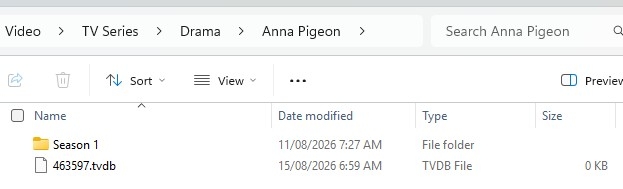
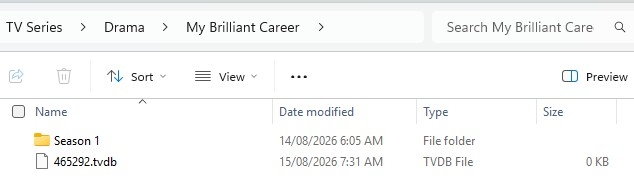
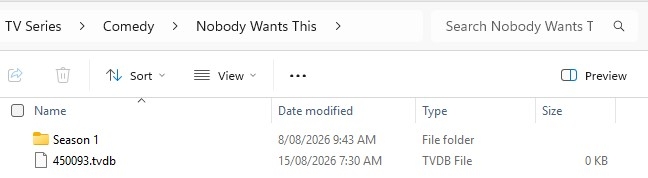
    HI, @Itfearme, thanks for the super fast update to the Plugin. I installed the updates to both TV Series & Trakt. Prior I had 3 Series that were coming up No Found. They were in the list of shows in MP but with out any series details or episode details. They were: Anna Pigeon, My Brilliant Career & Nobody Wants This. I Have attached screen shots of how I have set up the series on my NAS. I currently have 1 Episode of Anna Pigeon, 6 of My Brilliant Career and 10 of Nobody Wants This.

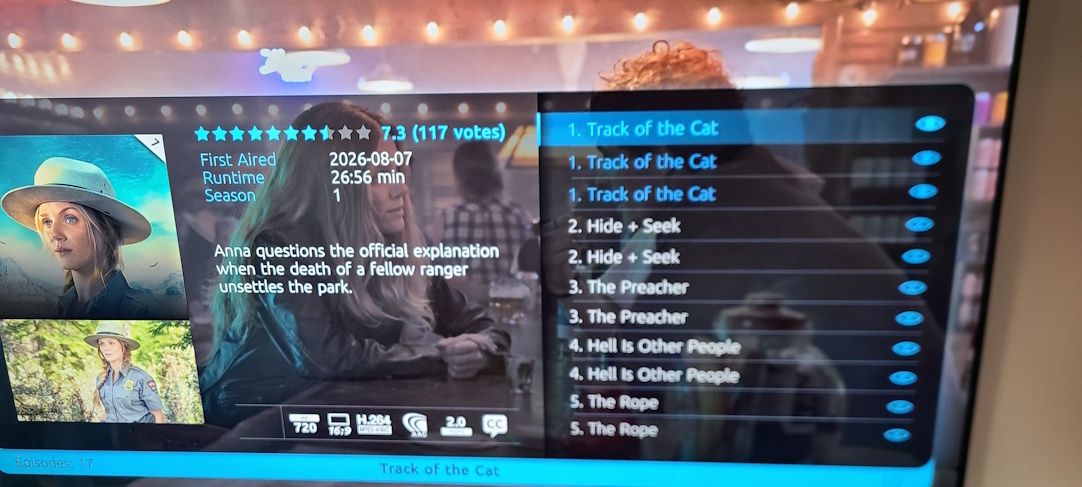
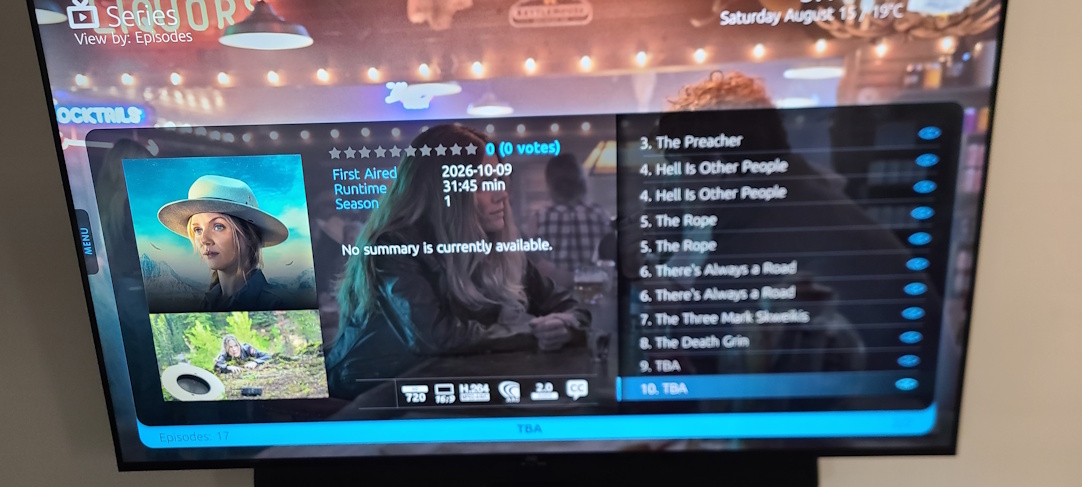
    After running the import Anna Pigeon was recognised correctly, however, it listed every episode regardless of whether I had it in my collection and has added multiple entries per episode (see attached). Episode 1 is marked correctly as watched on all 3 entries. It also brought across the episode synopsis as per TheTVdB. Unfortunately the other 2 series have disappeared altogether from the TV Series listing.

    This is in no way a criticism as the speed this has been done it is a credit to you and your skills. I just thought I would give you the teething issues I had. If there is any other info you would like from me don't hesitate to ask.

    Cheers

    Mick
     

    Attachments

    • Anna Pigeon Details 1.jpg
      Anna Pigeon Details 1.jpg
      339.2 KB
    • Anna Pigeon Details 2.jpg
      Anna Pigeon Details 2.jpg
      305.5 KB
    • Anna Pigeon.jpg
      Anna Pigeon.jpg
      32.8 KB
    • My Brilliant Career.jpg
      My Brilliant Career.jpg
      33.3 KB
    • Nobody Wants This.jpg
      Nobody Wants This.jpg
      31.8 KB

    ltfearme

    Community Plugin Dev
  • Premium Supporter
  • June 10, 2007
    6,780
    7,285
    Sydney
    Home Country
    Australia Australia
    Thanks @mickb, I have done limited testing so far, so I appreciate the feedback.

    Could you try delete from database (not disk) those series in question (you can do it from GUI or Configuration), then run a full import again? I will do some more testing tomorrow.

    It is possible that what you're seeing is some artefact of imports failing previously, although I can't say for sure.
     
    Last edited:

    Users who are viewing this thread

    Top Bottom