
 Netherlands
Thought my previous post was not related to SAF, but I tried the latest SAF again. PowerDVD9 Mpeg codec gives me a completely green screen when watching live TV. Recordings however, play fine in this codec!? Replacing the .ax file with the PowerDVD 8 version solved it instantly.

You are using an out of date browser. It may not display this or other websites correctly.
You should upgrade or use an alternative browser.
You should upgrade or use an alternative browser.
SAF v4.00 ''stable'' (StandAlone Filters) - DXVA ready (H.264 and VC-1). (32 Viewers)
- Thread starter hoborg
- Start date

- Thread starter
- #1,132
How do I configure the PDVD 9 codec? Use if for TV, but i doesn't show up in MP configuration (directshow part) (PDVD8 did) so I'm unable to turn off HW acceleration.
Any tips?
Just select software mode in SAF instalation.

Hi... why after SAF installation if i chose a specific codec (as coreavc..) mediaportal choose what it wants? Merit are disabled in the configuration but, anyway if i try a *.mkv instead to use mpc or coreavc mediaportal use ffdshow.
Not sure what is happening for you, but if i select coreavc for h.264 under video player, then that is being used, same goes for MPC, whichever I chose is used correctly.
You may have screwed up filter settings, especially if you have been playing with merits.
I would uninstall all the filters you have, run filmerit (link in signature) correct any errors found by unlocking the padlock, then install what you actually need, personally SAF works on all my files fine (xvid\mp4), if you have files that do not work correctly, then they need to be fixed with the appropriate software.
Hmm this is weird. If I use regsvr32 they show up in MP config, but no channels work in MediaPortal, but if I install PowerDVD it works perfectly. I'll try do a clean install of Windows and get back to you.
Yes, becouse this ax file needs some other dll's which are in the original installation's VideoFilter directory.
For me 264dsse2.dll and pThreadVC2.dll was needed. Otherwise the output pin of cl264dec.ax filter was not rendered at all.
Hi... why after SAF installation if i chose a specific codec (as coreavc..) mediaportal choose what it wants? Merit are disabled in the configuration but, anyway if i try a *.mkv instead to use mpc or coreavc mediaportal use ffdshow.
Not sure what is happening for you, but if i select coreavc for h.264 under video player, then that is being used, same goes for MPC, whichever I chose is used correctly.
You may have screwed up filter settings, especially if you have been playing with merits.
I would uninstall all the filters you have, run filmerit (link in signature) correct any errors found by unlocking the padlock, then install what you actually need, personally SAF works on all my files fine (xvid\mp4), if you have files that do not work correctly, then they need to be fixed with the appropriate software.
i unistall all codec, also the SAF, i run filmerit and i get:
http://img156.imageshack.us/img156/7261/filmerit.gif
i resolve that problem, so i have tried to install just coreavc and still it doesn't work and mediaport use for video ffdshow and for audio MPC

So i reinstall also SAF but nothing has changed....
Another trial: i disabled the h.264 in ffdshow , and now mediaportal use corevc but in the configuration i choose another codec!!! it appear as mediaportal use merit also if is not enabled.....
How much crap have you got installed to get to 445 filters
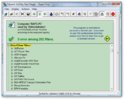
But you need to repair the red ones, unlock padlock, then each filter that is highlighted in red, just delete.
But you need to repair the red ones, unlock padlock, then each filter that is highlighted in red, just delete.
I am using Windows XP SP3 + all important updates. Have an Asus M3A78-EM (780G, set to use 256M RAM) mainboard.
I installed Ati Catalyst 9.2 and that seems the most stable driver so far. And ofcourse I installed MP 1.0.1 (svn) and SAF.
But when I play H.264 material (tvshows or movies, I tested Battlestar Galactica and the movie Christina Barcelona), Mediaportal crashes (exits).
I also tested in MPC-HC. The window resizes, like it's playing the file, but no image and no sound. MPC-HC is set to use VMR9 renderless. When I switch to VMR7 renderless I do get to see the movie! But without DXVA (CPU is AMD X2 5050e and using between 35-65 %).
Does this have to do with the Ati driver? I hope not... Would downgrading to 9.1 help? is this even possible if you have already installed a newer version?
I installed Ati Catalyst 9.2 and that seems the most stable driver so far. And ofcourse I installed MP 1.0.1 (svn) and SAF.
But when I play H.264 material (tvshows or movies, I tested Battlestar Galactica and the movie Christina Barcelona), Mediaportal crashes (exits).
I also tested in MPC-HC. The window resizes, like it's playing the file, but no image and no sound. MPC-HC is set to use VMR9 renderless. When I switch to VMR7 renderless I do get to see the movie! But without DXVA (CPU is AMD X2 5050e and using between 35-65 %).
Does this have to do with the Ati driver? I hope not... Would downgrading to 9.1 help? is this even possible if you have already installed a newer version?

@zilexa - For XP use 8.12, For Vista 9.2 is ok
Distorted/reverb sound when playing DTS audio
I use analog (to receiver) or HDMI (to TV) audio output, and I configured MPA filter to downmix DTS to stereo.
But whichever output I choose from the above two, the sound is like it has some reverb effect. So far it is only with DTS sound, for others everything is ok.
I tried to search the forum for this, but I couldn't find a solution yet. Any suggestion?
Ok, I don't know how, but it is solved now.
I use analog (to receiver) or HDMI (to TV) audio output, and I configured MPA filter to downmix DTS to stereo.
But whichever output I choose from the above two, the sound is like it has some reverb effect. So far it is only with DTS sound, for others everything is ok.
I tried to search the forum for this, but I couldn't find a solution yet. Any suggestion?
Ok, I don't know how, but it is solved now.

H, i for the first time wantet to use the sub's on a Mkv file, but its not working, but i installed and said yes to sub's..
ive have try several mkv files but non work?? is it just me or??
With DXVA enabled you won't get subs. This feature is being worked on and will be included in MP 1.0.2 release.
Note: You can make it work now but it's not part of the initial install.
Ahh i see thanks
H, i for the first time wantet to use the sub's on a Mkv file, but its not working, but i installed and said yes to sub's..
ive have try several mkv files but non work?? is it just me or??
Did you put them inside MKV?
Yeahh the subs are inside the mkv file..
Same here with internal subs! Any ideas?
Thanks in advance
Users who are viewing this thread
Online now: 33 (members: 0, guests: 33)