SAF v4.00 ''stable'' (StandAlone Filters) - DXVA ready (H.264 and VC-1). (8 Viewers)

Should i integrate FFDshow in to SAF?

  • Yes

    Votes: 406 85.5%
  • No

    Votes: 69 14.5%

  • Total voters
    475

hoborg

Portal Pro
June 13, 2008
4,413
1,644
Nový Jičín
Home Country
Czech Republic Czech Republic
Too bad, that none of your files are in standart MKV. On top of this threat you can read, that SAF is designed for MKV and files handled by Haali media spliter. MOV and ASF formats are different story, they arent open source.
But i will try all of your files. Just give me a litle time for this, it is not an easy task...

I just try your first video in MOV format.
You need use MKVmerge and convert MOV to MKV (takes just few seconds). This only change container type, video & audio remain the same. Now it is working perfectly for me under MP :)
You can try it with other non MKV files too, but Windows ASF is not supported becouse of licence...
Try to understand - i am trying to create standart, and i choose MKV format.
I don't think it is a format specific problem in my case as mkv files don't work either- see graphs below. MPC decoder does work with WM-ASF Reader as you can see on the graph for Dark Knight trailer in MPC-HC. In MediaPortal for some reason it doesn't use MPC decoder and uses WM Video decoder instead and I don't get any picture (I get sound though).

MediaPortal Smallville mkv graph (no picture or sound)
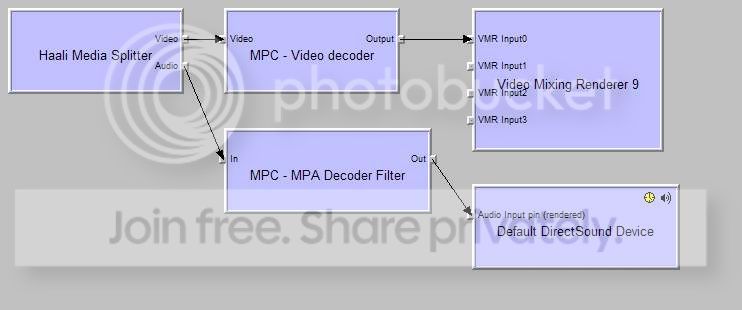
medportsmallvillemkvgraph.jpg


MPC-HC Smallville mkv graph using DXVA
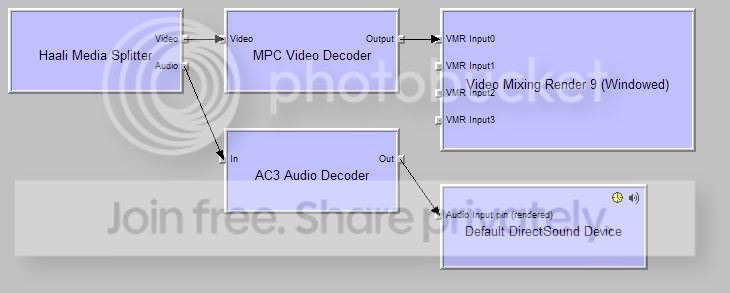
mpchcsmallvillemkvgraph.jpg

If i understand you - if you click on PlayDVD in MP nothing happend?
Yes, with "cyberlink DVD navigator"

And if you rip this DVD to your harddisk it start to work?
Yes BUT impossible to change audio channel and subtitles

So, instead of "cyberlink DVD navigator" I put "DVD navigator" and everything is working perfectly so don't worry, everything is fine for me!!

The only thing: just tell me how to read .flv and .dvr-ms files with your pack??

:D

What OS do you have?
I am ask again, can you post examples of flv and .dvr-ms files?
 

Jean-Marc

Portal Pro
February 28, 2007
382
32
Home Country
France France
I forgot: my OS is windows XP pro
dvr-ms files I have are too big, impossible to attach: you obtain these files if you register TV in MP, so that you can try it (or may be the extension has changed now with the RC3 release, I still use the RC1)?
 

hoborg

Portal Pro
June 13, 2008
4,413
1,644
Nový Jičín
Home Country
Czech Republic Czech Republic
I forgot: my OS is windows XP pro
dvr-ms files I have are too big, impossible to attach: you obtain these files if you register TV in MP, so that you can try it (or may be the extension has changed now with the RC3 release, I still use the RC1)?

OK, i managed to make FLV format start in MP, but i need to update SAF...
Are you sure you don't have 2 or 3 seconds recording to post it here? I Believe you can make one :)

BTW - did you add .FLV to movie extensions in MP configuration?

About Power DVD navigator - "DVD Navigator" is not 100% compatible with all DVDs, so i add Power DVD navigator.
Can you try to start this DVD by using Windows Media Player? I just want to know if it will be wanting to select region or not...
 

jo16v

Portal Pro
August 23, 2008
263
8
Home Country
United Kingdom United Kingdom
Ok, lets try to find solution for MKV files now...
Can you start Smallville mkv in MP, connect graph and display information about every filter used, so i can see informations about version of each filter? Just right click on filter.
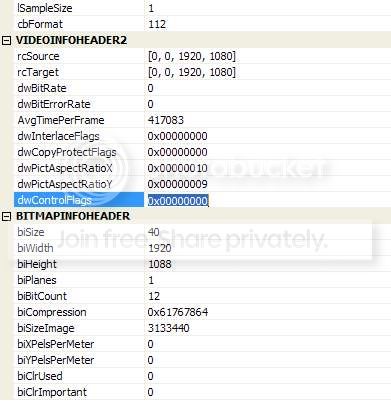
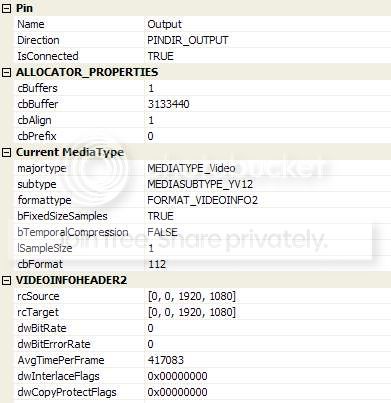
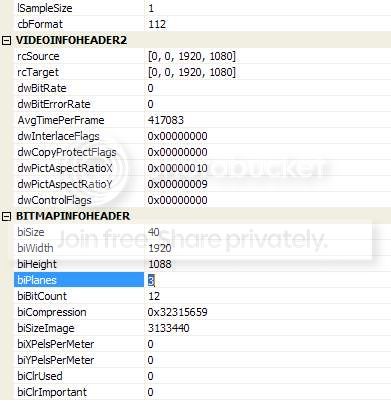
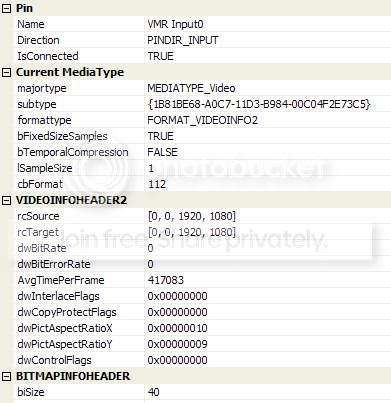
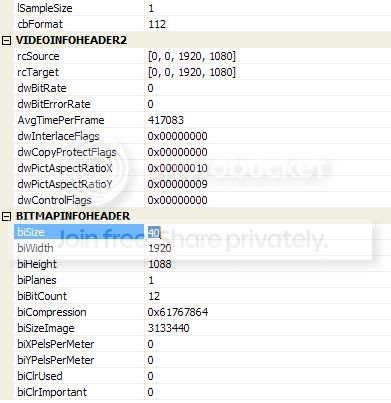
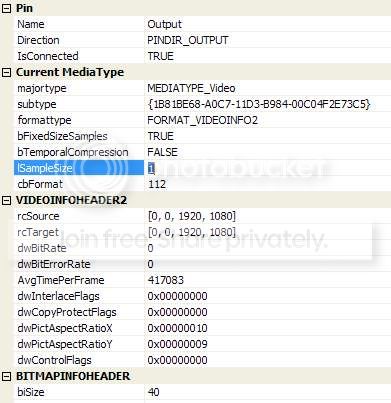
OK, I haven't posted all of them, but here's the MPC Video Decoder output properties for the Smallville mkv clip in MediaPortal and MPC-HC. These are the only parts that differed in the MPC Video Decoder properties between MediaPortal and MPC-HC. All Haali properties were the same- I haven't posted audio or VMR9 properties as different things were bring used (AC3Filter in MPC-HC, MPC MPA Decoder in MediaPortal, VMR9 (renderless) in MPC-HC, standard VMR9 in MediaPortal). Sorry the images overlap a bit.

MPC Video Decoder output properties Smallville mkv in MPC-HC using DXVA
part1
mpcinmpcvidoutproperties1.jpg

part2
mpcinmpcvidoutproperties2.jpg


MPC Video Decoder output properties Smallville mkv in MediaPortal
part1
mpcvidoutputproperties1.jpg

part2
mpcvidoutputproperties2.jpg


Something I noticed is that using VMR9 (renderless) in MPC-HC all progressive files work without YUV mixing selected, but interlaced files show no picture and require YUV mixing to be activated. I am still not clear what version of VMR9 is being used in MediaPortal as according to this page on Zoomplayer support there are 3 versions of VMR9- windowed, windowless, and renderless, but MediaPortal does not show what version it uses.
 

hoborg

Portal Pro
June 13, 2008
4,413
1,644
Nový Jičín
Home Country
Czech Republic Czech Republic
Something I noticed is that using VMR9 (renderless) in MPC-HC all progressive files work without YUV mixing selected, but interlaced files show no picture and require YUV mixing to be activated. I am still not clear what version of VMR9 is being used in MediaPortal as according to this page on Zoomplayer support there are 3 versions of VMR9- windowed, windowless, and renderless, but MediaPortal does not show what version it uses.

OK, thanks for post, but i am missing the most important information, so please, try it again - use graphstudio (here)

Just open details about MPC decoder and VMR9 (only from MP) like on this screen:
Snap1.png
 

jo16v

Portal Pro
August 23, 2008
263
8
Home Country
United Kingdom United Kingdom
OK, thanks for post, but i am missing the most important information, so please, try it again - use graphstudio (here)

Just open details about MPC decoder and VMR9 like on this screen:
View attachment 28098
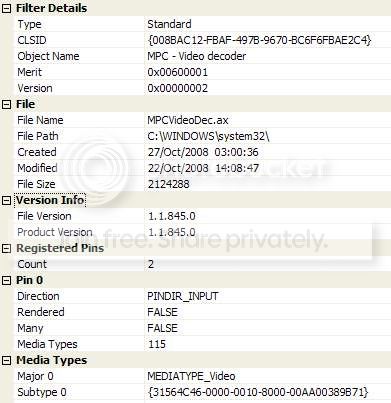
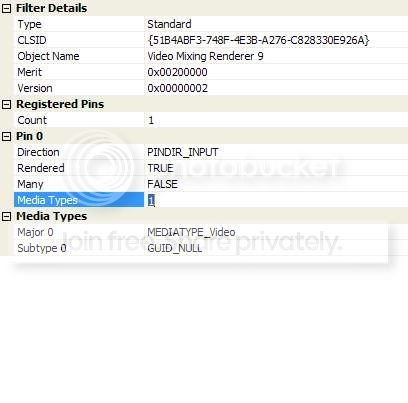
The MPC Video Decoder properties for "Filter" and "Video" were identical in both MPC-HC and MediaPortal, only the "Output" was different and that it what I posted. Even so, below is the 1st page of Filter data for MPC Video Decoder and the VMR9 data for MediaPortal. As MPC-HC uses a different version of VMR9 (renderless or windowed) I don't see that it would be any use to compare these.

What I notice is that the number given for Merit for the MPC Video Decoder is different in yours:
yours says 0x40000001
mine says 0x00600001

MPC Video Decoder filter properties
mpcviddecodfilterpropert1.jpg

VMR9 Filter properties
vmr9filtprop.jpg

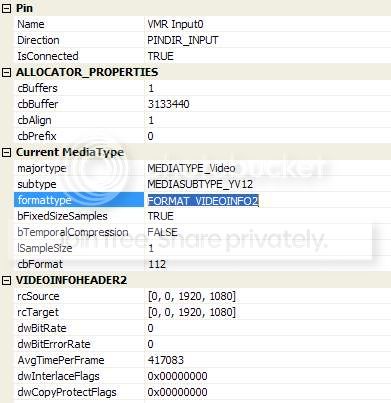
VMR Input0 part1
vmrinput0part1.jpg

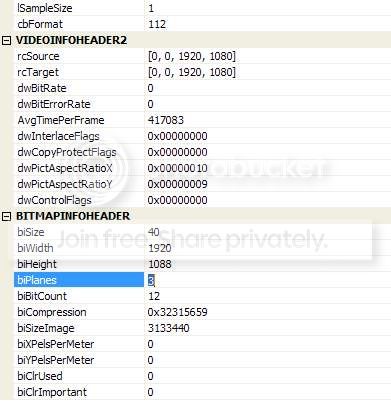
VMR Input0 part2
vmrinput0part2.jpg

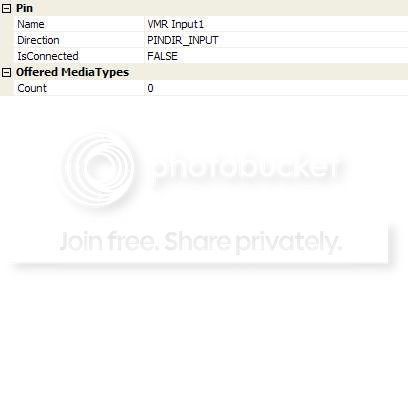
VMR Input1
vmrinput1.jpg

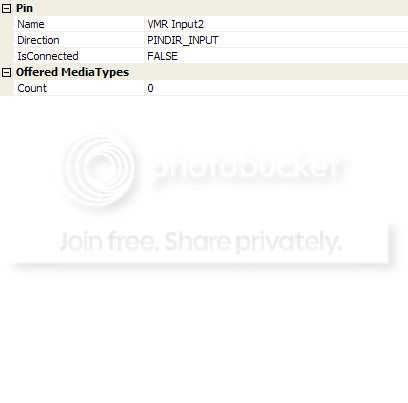
VMR Input2
vmrinput2.jpg

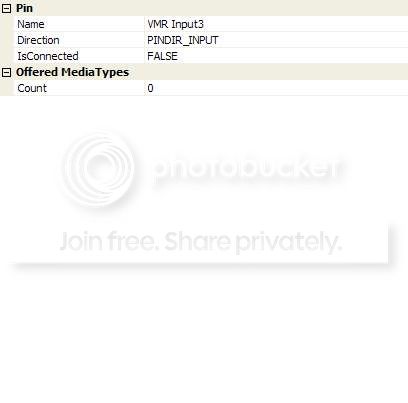
VMR Input3
vmrinput3.jpg
 

hoborg

Portal Pro
June 13, 2008
4,413
1,644
Nový Jičín
Home Country
Czech Republic Czech Republic
OK, thanks for post, but i am missing the most important information, so please, try it again - use graphstudio (here)

Just open details about MPC decoder and VMR9 like on this screen:
View attachment 28098
The MPC Video Decoder properties for "Filter" and "Video" were identical in both MPC-HC and MediaPortal, only the "Output" was different and that it what I posted. Even so, below is the 1st page of Filter data for MPC Video Decoder and the VMR9 data for MediaPortal. As MPC-HC uses a different version of VMR9 (renderless or windowed) I don't see that it would be any use to compare these.

What I notice is that the number given for Merit for the MPC Video Decoder is different in yours:
yours says 0x40000001
mine says 0x00600001

Ok, but i missing VMR9 info:
Snap2.png

Hmm, i check again and you post such a screen, but there are some inforamtions missing (like version info, quartz.dll location,...).
Can you check your Windows\system32 folder for "quartz.dll" file - it is VMR9 renderer. Can you post this file here?
 

jo16v

Portal Pro
August 23, 2008
263
8
Home Country
United Kingdom United Kingdom
Ok, but i missing VMR9 info, this screen please (MP only):
View attachment 28099

I already posted that (under "VMR9 Filter properties" above)- what is odd is it is different to yours as no file (quartz.dll) or version no. are given?

Here are the info for MPC-HC VMR Input0 using VMR 9 (windowed)- it is slightly different to the data for MediaPortal inthat is lacks "ALLOCATOR PROPERTIES" and some of the numbers are different.
pt1
mpchcvmrinput0pt1.jpg

pt2
mpchcvmrinput0pt2.jpg
 

hoborg

Portal Pro
June 13, 2008
4,413
1,644
Nový Jičín
Home Country
Czech Republic Czech Republic
Ok, but i missing VMR9 info, this screen please (MP only):
View attachment 28099

I already posted that (under "VMR9 Filter properties" above)- what is odd is it is different to yours as no file (quartz.dll) or version no. are given?

Here are the info for MPC-HC VMR Input0 using VMR 9 (windowed)- it is slightly different to the data for MediaPortal inthat is lacks "ALLOCATOR PROPERTIES" and some of the numbers are different.

Please post your quartz.dll file (read prewious post).
It is possible you have modified/damaged quartz.dll,...
 

Users who are viewing this thread

Top Bottom