Streamed MP: Community Mods & Bug Fixes (8 Viewers)

Status
Not open for further replies.

CKB

Portal Pro
July 7, 2008
62
4
Home Country
Looking at myhome.xml

homebladeleft.png is the background image, so you'd need to play with that to get the effect you want.

It appears to default to the hover*.png images for the art, but I can't see where it does this as yet.

I'm sticking with BasicHome and my mod :D
 

explodedk

Portal Pro
December 27, 2008
265
20
Copenhagen
Home Country
Denmark Denmark
Id second that... thanks...

id also like to see how you changed the basic home so that moving pictures and my tv series points to its own media. this would save updated the media folders in the skin all the time.

Thanks

The basic trick is to open the xml and locate the section for, say TV.

<imagepath>tv</imagepath> is the line, simply replace 'TV' with the location for your fanart.

<imagepath>C:\Documents and Settings\All Users\Application Data\Team MediaPortal\MediaPortal\thumbs\Fan Art\fanart\original</imagepath>

I've attched both my XML and my modded background for basic home so you can see

Do you think that the MyHome.xml also could be modded to support that!?

Have been looking for the code for MyHome.xml... And i cannot see where i loads pictures anywhere!?? :/


the myhome uses hover... so if you are on my plugin it uses the file : streamedmp/media/hover_my plugins.png - change those pictures to what ever you want and you should be good...

its the very first control that define the background :
Code:
<control>
 <type>image</type>
 <id>0</id>
 <posX>0</posX>
 <posY>0</posY>
 <width>1280</width>
 <height>720</height>
[B] <texture>#header.hover</texture>[/B]
 <animation effect="fade" time="200" delay="300">WindowOpen</animation>
 </control>
 

rasmuskarlsen

Portal Pro
October 9, 2008
235
12
Home Country
Denmark Denmark
the myhome uses hover... so if you are on my plugin it uses the file : streamedmp/media/hover_my plugins.png - change those pictures to what ever you want and you should be good...

its the very first control that define the background :
Code:
<control>
 <type>image</type>
 <id>0</id>
 <posX>0</posX>
 <posY>0</posY>
 <width>1280</width>
 <height>720</height>
[B] <texture>#header.hover</texture>[/B]
 <animation effect="fade" time="200" delay="300">WindowOpen</animation>
 </control>[/QUOTE]

Ya... But then i would only be able to replace one specific image :( I would like to use my fanrat folder, which ex. MovingPictures uses...

And not using the BasicHome because of the compatible issues with using ex. a mouse on the BasicHome... Therefore i'm using a MyHome alligned to the left, so it looks like BasicHome...
 

Jeditrav

Portal Pro
May 17, 2007
319
20
Home Country
New Zealand New Zealand
jeditrav is the focused series always in centrum ?

No - starts focused at the left, moves into the middle, then the filmstrip scrolls along.
I do really like the idea of the focus always being in the middle tho' - not sure how that will be done (anybody want to chime in?), but will have a look!
 

Jeditrav

Portal Pro
May 17, 2007
319
20
Home Country
New Zealand New Zealand
I got the 'Playlists' button working in the main Music page - only a minimal change, had the wrong id no. - was <id>9</id>, should have been <id>10</id>
Replace current files with attached files (don't forget to backup your current files:D)

BTW, this is Issue 59 at the project page
 

Attachments

  • mymusicgenres.xml
    30.6 KB
  • mymusicsongs.xml
    30.6 KB

ftothe3

Portal Pro
January 13, 2008
178
17
Home Country
United States of America United States of America
jeditrav is the focused series always in centrum ?

No - starts focused at the left, moves into the middle, then the filmstrip scrolls along.
I do really like the idea of the focus always being in the middle tho' - not sure how that will be done (anybody want to chime in?), but will have a look!

try changing this in your filmstrip view control:
Code:
<scrollOffset>3</scrollOffset>
 

bigernie

New Member
June 17, 2008
1
0
Home Country
England England
Hi Everyone,

Enjoying this great skin but would like to modigy the filmstrip view in movingpictures to just remove the info box that covers up half of the strip?

I have seen HulleBulle's update, which is nice but the cover ars too large for my liking and I would prefer no transparency on the covers not in focus, all I want is it as it is now, less the info box.

Can some one point me to the section I need to remove to take it off? Im sure I will screw it up if I go in blind!

Many Thanks
 

Liquidtouch

Portal Pro
February 25, 2007
98
4
Victoria, BC Canada
Home Country
Canada Canada
Canadian Logos

Here are some Canadian TV Logos you can add as well. I will be posting them in MP's regular logo spot as well.

Adding them into the installer is an AWSOME idea!

Thanks,

Liquidtouch
 

Attachments

  • Canadian Logos.jpg
    Canadian Logos.jpg
    224.8 KB
  • Canadian Logos.zip
    30.6 KB

Trypa

Portal Member
February 21, 2009
20
0
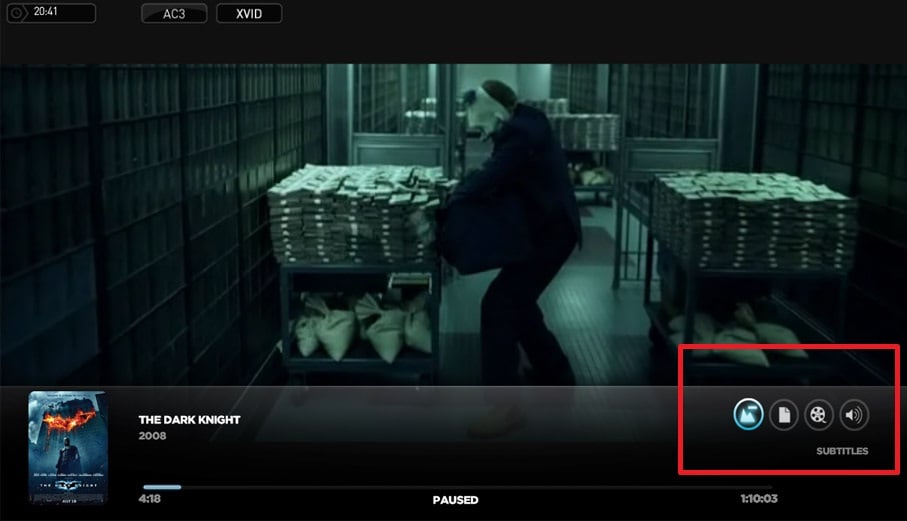
guys, how can I put those buttons on the OSD?
 

Attachments

  • screen_2.jpg
    screen_2.jpg
    80.8 KB
Status
Not open for further replies.

Users who are viewing this thread

Top Bottom