Stutter HD Television playback (1 Viewer)

mhoogenbosch

MP Donator
  • Premium Supporter
  • April 21, 2008
    308
    70
    Utrecht, Netherlands
    Home Country
    Netherlands Netherlands
    Looking at the TsReader log you posted (where are the other logs ???) -

    Code:
    31-05-2012 22:58:10.541 [195c]open \\MEDIAPORTAL\For The Record Timeshift\Card2-1-0.ts.tsbuffer, isTimeshift:1, isUNC:1

    ...which looks like a UNC path - are you recording/timeshifting to a network drive ? (unless it's just the way FTR does things)

    Also

    Tony
    Yes, that's how FTR works (mediaporta is the local machine), but i've just did a fresh reinstall of the complete OS and have not installed FTR (for testing i use TV Server). So the attached logs are bit outdated.

    I've added a new set of logs.
     

    Owlsroost

    Retired Team Member
  • Premium Supporter
  • October 28, 2008
    5,539
    5,038
    Cambridge
    Home Country
    United Kingdom United Kingdom
    In the logs, it's reporting the screen refresh rate as 25Hz in some places, and 50Hz in others - I'd check the refresh rate settings carefully in Windows and the nVidia control panel (and in MP's refresh rate changer settings), just in case it's causing some of the problems.

    If you are playing 50Hz material (e.g. European TV and DVDs) the screen refresh should be 50Hz (not 25Hz).

    Tony
     

    mhoogenbosch

    MP Donator
  • Premium Supporter
  • April 21, 2008
    308
    70
    Utrecht, Netherlands
    Home Country
    Netherlands Netherlands
    In the logs, it's reporting the screen refresh rate as 25Hz in some places, and 50Hz in others - I'd check the refresh rate settings carefully in Windows and the nVidia control panel (and in MP's refresh rate changer settings), just in case it's causing some of the problems.

    If you are playing 50Hz material (e.g. European TV and DVDs) the screen refresh should be 50Hz (not 25Hz).

    Tony
    Default input from cable is 1080i, could it be some kind of interlancing problem?

    I'll set my system to 50hz and disable the refreshrate changer (i've got it turned on) and see if it improves. But that'll be tomorrow.

    Apart from the refreshrate, no weird stuff? Should I try a different TSReader? DShowFilter? MPAR? Do you think this could make a difference?
     
    Last edited:

    Owlsroost

    Retired Team Member
  • Premium Supporter
  • October 28, 2008
    5,539
    5,038
    Cambridge
    Home Country
    United Kingdom United Kingdom
    .....otherwise it just looks like some sort of weird performance issue (even though your system is easily powerful enough to run HDTV in MP).

    Tony
     

    mhoogenbosch

    MP Donator
  • Premium Supporter
  • April 21, 2008
    308
    70
    Utrecht, Netherlands
    Home Country
    Netherlands Netherlands
    Ive put the default refreshrate in Windows on 50hz and turned off the Dynamic Refreshrate changer but exactly the same problem accures. Could it be some kind of Deinterlancing issue?
     

    mhoogenbosch

    MP Donator
  • Premium Supporter
  • April 21, 2008
    308
    70
    Utrecht, Netherlands
    Home Country
    Netherlands Netherlands
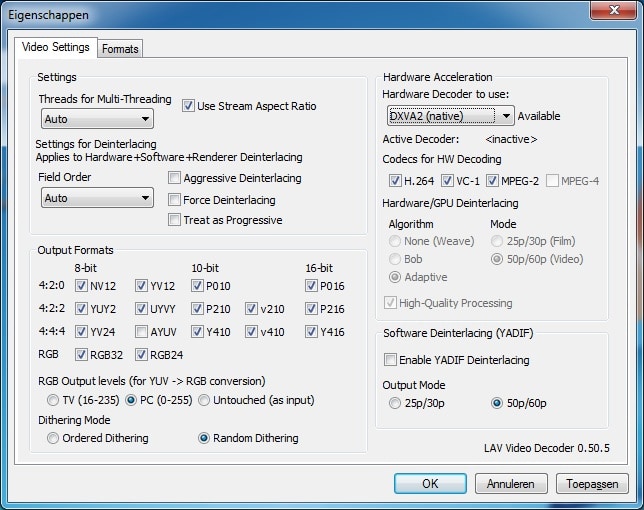
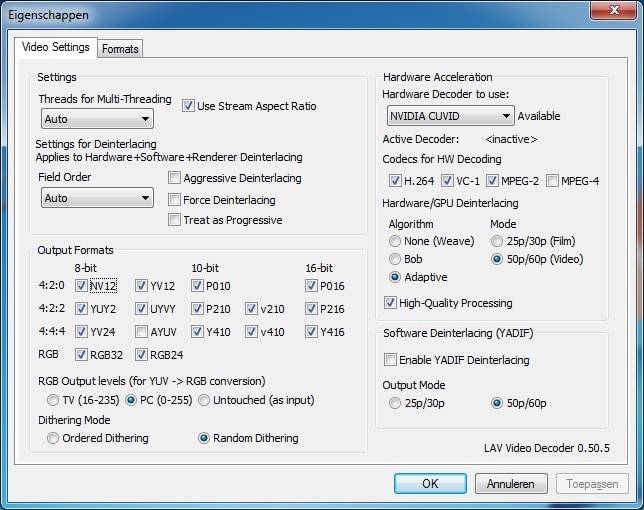
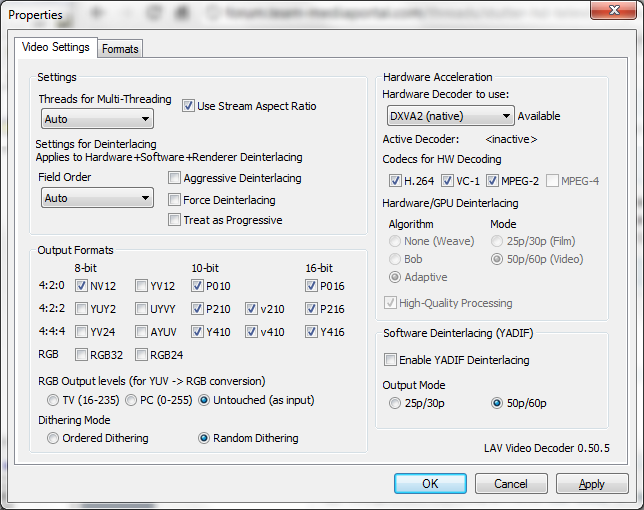
    Why not attach a screen capture of the LAV video decoder settings screen ?

    Tony
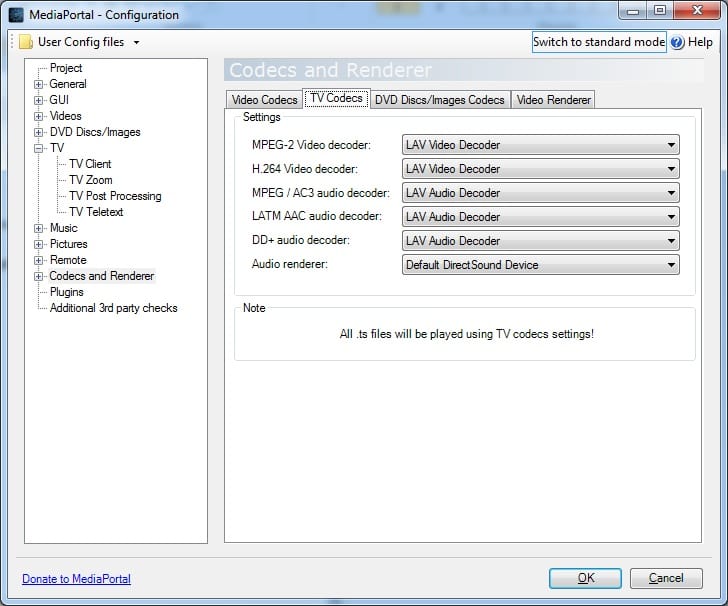
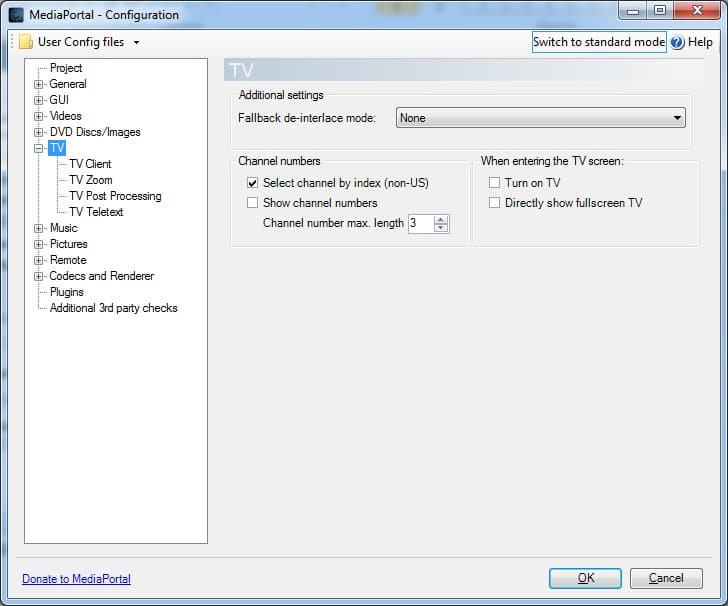
    no problem. I tried nuberous of different settings. I really don't have a clue where this comes from. My previous Mediaportal HTPC (amd 2350, 2GB, eg much lower specs) did run the HDTV just fine. Unfortunately i've already sold this. But, i can't remember setting anything special, the only difference is back then i used 1.1.3 version of MP instead of the current 1.2.3
     

    Attachments

    • settings3.jpg
      settings3.jpg
      104.8 KB
    • settings4.jpg
      settings4.jpg
      79.5 KB
    • settings2.jpg
      settings2.jpg
      120.4 KB
    • settings1.jpg
      settings1.jpg
      121.5 KB

    Owlsroost

    Retired Team Member
  • Premium Supporter
  • October 28, 2008
    5,539
    5,038
    Cambridge
    Home Country
    United Kingdom United Kingdom
    It probably won't make a difference, but try changing the LAV video output settings to match the ones in the picture.

    Tony
     

    Attachments

    • LAV video settings 1.png
      LAV video settings 1.png
      64.9 KB

    mhoogenbosch

    MP Donator
  • Premium Supporter
  • April 21, 2008
    308
    70
    Utrecht, Netherlands
    Home Country
    Netherlands Netherlands
    It probably won't make a difference, but try changing the LAV video output settings to match the ones in the picture.

    Tony
    Unfortunately you are right. This doesn't make a difference. I'll try -against better judgement- 1.3.0 alpha :) If that doesn't work. Do you have any other idea left what this could be?

    It can't be CPU, almost can't be GFX (and i dont have a option to add a different GFX).
    Can't be MEM?!

    USB drivers? My tuner is a USB device. But then again. Got the same problem on both my USB3 controllers and my USB2 controller.

    ... Any toughts left?

    edit:

    No improvement with default settings clean installation 1.3.0, again tried with the mediaportal audiorender, but still same issues.
     
    Last edited:

    Users who are viewing this thread

    Top Bottom