Black Glass Nova Skin 1.0.0 (1 Viewer)

Tgx

Retired Team Member
  • Premium Supporter
  • January 22, 2008
    1,560
    1,115
    Home Country
    Italy Italy
    This was mentioned earlier but thought i would mention the stars also don't align right under mediaportal 1.0.2 (5th star half offscreen).....

    I downloaded the fix files from the fix thread, overlayed the old ones in the skin dir and reran...problem still existed....thought I might have done something wrong so I copied them AGAIN...made sure the cache was deleted....tried again... 5th star is still going off the screen (on mediaportal 1.0.2).
    What resolution are you using?

    Tgx
     

    famewolf

    Portal Pro
    June 7, 2009
    145
    11
    Home Country
    United States of America United States of America
    This was mentioned earlier but thought i would mention the stars also don't align right under mediaportal 1.0.2 (5th star half offscreen).....

    This was mentioned earlier but thought i would mention the stars also don't align right under mediaportal 1.0.2 (5th star half offscreen).....

    I downloaded the fix files from the fix thread, overlayed the old ones in the skin dir and reran...problem still existed....thought I might have done something wrong so I copied them AGAIN...made sure the cache was deleted....tried again... 5th star is still going off the screen (on mediaportal 1.0.2).
    What resolution are you using?

    Tgx

    I'm using the svideo out @ 1024x768 because the JVC tv refuses to talk to a pc on the hdmi port but your regular black glass as well as the rest of the nova theme seems to scale just fine downwards as it does upwards.
     

    UNOPARATOR

    MP Donator
  • Premium Supporter
  • September 19, 2007
    231
    70
    Istanbul
    Home Country
    Turkey Turkey
    I'm having problems with Video Progress.
    - Actual time is OK
    - Selected skip step text position is lower than it should be which causes approximately the top half of it to be shown.
    - Remaining time text shows only half of its first character.

    NOTE: I'm using 1920x1080 resolution with MP 1.1.0 RC1.
     

    Tgx

    Retired Team Member
  • Premium Supporter
  • January 22, 2008
    1,560
    1,115
    Home Country
    Italy Italy
    I'm having problems with Video Progress.
    - Actual time is OK
    - Selected skip step text position is lower than it should be which causes approximately the top half of it to be shown.
    - Remaining time text shows only half of its first character.

    NOTE: I'm using 1920x1080 resolution with MP 1.1.0 RC1.

    In one of my computers i get the same problem.

    It occurs if you are playing a video from TVSeries or Moving Pictures. If you are playing a video from MyVideos, the osd is ok. Recorded TV is ok.
    In this computer, the same occurs with the Blue3wide skin, i mean, playing labels in osd are misplaced.

    Is it the same for you?

    I think that this does not depend on the skin, but it's a bug from Mediaportal 1.1 RC1 that occurs on some systems. I suspect that it depends on video drivers as it's the only pc with a nvidia board.

    Anyone else with this problem?

    Thanks

    Tgx
     

    spitjo

    Portal Pro
    October 23, 2006
    144
    25
    Udine
    Home Country
    Italy Italy
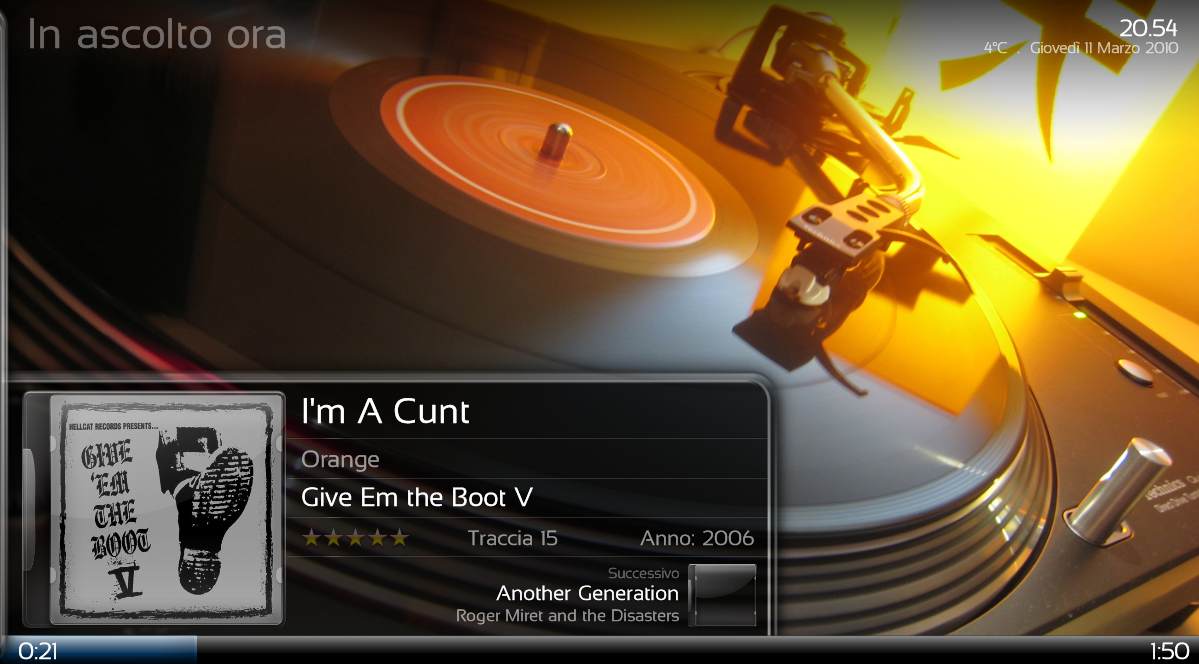
    In music now playing section should appear the cover of the next track?
    Cause i see only the "cd box"
    Look at the attachment

    But when i play a whole album it appear
    When adding tracks to playlist from different albums it doesn't show...

    Note that tracks in the screenshot are from same album, but they were added to playlist in two different moments.
     

    Attachments

    • 7.jpg
      7.jpg
      75.6 KB

    UNOPARATOR

    MP Donator
  • Premium Supporter
  • September 19, 2007
    231
    70
    Istanbul
    Home Country
    Turkey Turkey
    I'm having problems with Video Progress.
    - Actual time is OK
    - Selected skip step text position is lower than it should be which causes approximately the top half of it to be shown.
    - Remaining time text shows only half of its first character.

    NOTE: I'm using 1920x1080 resolution with MP 1.1.0 RC1.

    In one of my computers i get the same problem.

    It occurs if you are playing a video from TVSeries or Moving Pictures. If you are playing a video from MyVideos, the osd is ok. Recorded TV is ok.
    In this computer, the same occurs with the Blue3wide skin, i mean, playing labels in osd are misplaced.

    Is it the same for you?

    I think that this does not depend on the skin, but it's a bug from Mediaportal 1.1 RC1 that occurs on some systems. I suspect that it depends on video drivers as it's the only pc with a nvidia board.

    Anyone else with this problem?

    Thanks

    Tgx
    I'm having the same problem with both my HTPC and my laptop and they both have AMD ATI based graphics...

    And I remember my laptop started to have this problem with Black Glass 2.2.0 (with New Home beta) but not my HTPC at that time... And I thought it was a resolution dependent problem (HTPC --> 1920x1080; laptop --> 1366x768)... And as you can image this was before MP RC1 with MP Beta before RC1...

    One more thing, two days ago I uninstalled RC1 and reinstalled it clean from scratch to my HTPC and before that Black Glass Nova was just fine...
     

    Tgx

    Retired Team Member
  • Premium Supporter
  • January 22, 2008
    1,560
    1,115
    Home Country
    Italy Italy
    I'm having the same problem with both my HTPC and my laptop and they both have AMD ATI based graphics...
    The same skin on Mp 1.1 svn pre RC1 was fine on my system.
    I've checked all the osd code and it's ok. Tomorrow i'm going to reinstall Mp 1.1 rc1 from scratch.

    Thanks

    Tgx
     

    Tgx

    Retired Team Member
  • Premium Supporter
  • January 22, 2008
    1,560
    1,115
    Home Country
    Italy Italy

    Tgx

    Retired Team Member
  • Premium Supporter
  • January 22, 2008
    1,560
    1,115
    Home Country
    Italy Italy
    Uploaded files to support MyTrailers plugin in the updates thread!

    Thanks

    Tgx
     

    Users who are viewing this thread

    Top Bottom