[WiP] madVR support in MP1 (33 Viewers)

Sebastiii

Development Group
  • Team MediaPortal
  • November 12, 2007
    16,514
    10,467
    France
    Home Country
    France France
    Seb,
    I gave it (Core_V297_WIP_Planescene_OSD_resize.zip) a try through RDP. Still the same issue using apollo skin.
    I will post log this evening. (kid is using TV now)

    Q: what would you like me to test? altgr enter a couple of times? screenshots or X a number of times? Certain skins?
    If you point me in the right direction with what to test, I will be most useful for you :)
    Greetz

    Thanks :)
    Yep a few Alt+enter and see if video scale and OSD, you can try on any skin but Apollo is Good (maybe titan is good to compare)
     

    daWooky

    MP Donator
  • Premium Supporter
  • April 3, 2012
    783
    871
    Home Country
    Germany Germany
    Yep x twice and one two seconds patience until it recalculates scale....all good most likely...

    About the subs undersea ;)
    Weird, but have you tried without auto3d plugin too? Earlier while testing, I had no auto3d and I hadn't noticed any misplaced on ares apollo theme and also the old apollo skin or new defhd all ok. Even with some karaoke anime subs......maybe lav/hevc files weirdness..strange that;)

    About the old dxva bug
    awesome, thank you in advance :)
     

    Sebastiii

    Development Group
  • Team MediaPortal
  • November 12, 2007
    16,514
    10,467
    France
    Home Country
    France France
    Yep x twice and one two seconds patience until it recalculates scale....all good most likely...

    About the subs undersea ;)
    Weird, but have you tried without auto3d plugin too? Earlier while testing, I had no auto3d and I hadn't noticed any misplaced on ares apollo theme and also the old apollo skin or new defhd all ok. Even with some karaoke anime subs......maybe lav/hevc files weirdness..strange that;)

    About the old dxva bug
    awesome, thank you in advance :)
    Oh i forget one word (so i have edited my message) and it lead to wrong answer !!!
    I have already try to fix it with no luck :(
     

    edterbak

    Portal Pro
    March 4, 2008
    2,114
    1,176
    Home Country
    Netherlands Netherlands
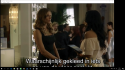
    Sebastiii, just to show you what I see when I talk about the jerky playback, I added a recording from my phone. It shows what I mean.

    Start: panning shot moving up to the girls face... judder
    After 2 sentenses I add Stats... and skip back 15 sec. to show the same panning shot. clear difference.
    This is with the latest core you added in this thread.

    Tested 295610_Core_XySubFilter_PlaneScene_V1 as well. The same result.
    Tested Intel quicksync as HW decoder as well, same results as DXVA CB.
    Switched scale up/down MadVR settings from DXVA2 > Bilinear. No effect.
     
    Last edited:

    edterbak

    Portal Pro
    March 4, 2008
    2,114
    1,176
    Home Country
    Netherlands Netherlands
    During playback > ALT + ENTER gives me wrong screensize.
    It seems there is no scaling done, so the picture is just cut off where the windows border is. screenshot F11 is fine, but a prt sc shows the issue.. se below

    Screenshot F11:
    23-42-19.png

    Prt sc:
    upload_2017-6-12_23-46-17.png

    Other funny thing;
    Still using the "Core_XySubFilter_PlaneScene_V1" version.
    When windowd and focus >> Jerky playback as I showed in the movie.
    When windowd and NOT in focus > Playback is smoooooth as it should be.
    Puting focus back again on MP, Jerky playback has returned.
    See logs.
     

    Sebastiii

    Development Group
  • Team MediaPortal
  • November 12, 2007
    16,514
    10,467
    France
    Home Country
    France France
    Yep latest core V297 should fix the scaling but maybe need to do 'X' key twice to correct it :)
    I can see clearly the jerky playback but no clue why ( i mean not sure why no focus fix it :( )
    We are agree that this is only with XySubFilter (the jerky playback) ?
     

    Sebastiii

    Development Group
  • Team MediaPortal
  • November 12, 2007
    16,514
    10,467
    France
    Home Country
    France France
    I have tested also Lucifer @ 11minutes and i didn't trigger the jerky playback :( but not the same madVR option too but i don't think it's the diff like it works when no focus !!!!
     

    Sebastiii

    Development Group
  • Team MediaPortal
  • November 12, 2007
    16,514
    10,467
    France
    Home Country
    France France
    @edterbak can you try those settings ?

    The most important one is the second setting (ignore ......)
    I can see in your log something related to video device removed etc.
    Does it happen with watchdog (first option) ?

    upload_2017-6-13_7-18-47.png


    @daWooky i have disable and removed Auto3D and the subtitle stay undersea lol (when video reduced)
     

    joecrow

    Test Group
  • Team MediaPortal
  • August 9, 2012
    2,714
    2,077
    Home Country
    Germany Germany
    @edterbak can you try those settings ?

    The most important one is the second setting (ignore ......)
    @Sebastiii Hi
    Just curious to know what the benefits are to checking this setting? My reason for asking is because for me, at least, when I check this setting it kills MP Auto play stone dead, which is not good.(n)
     

    Users who are viewing this thread

    Top Bottom