France
- Thread starter
- Moderator
- #4,281
Hey 
I have made a small change in Auto3D about remote (i'm using MCE official remote) and when setting a KEY for auto3D and in MCE remote, that doesn't works. (Older Auto3D before MP1.16) was working (not on my side because i was using the remote to displaying the menu) but with the change with HID it wasn't working anymore.
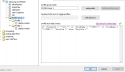
So in final, in HID MCE settings from MP configuration, i was able to assign a divide "/" without quote on RecordedTV button (button that i rarely used).
Then with the change in Auto3D when pressing the button on remote, Auto3d analyse it and like i have set this Divide Menu key too, it is working
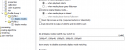
So 111 is Divide "/" :


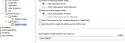
And now it works from remote
You can assign the "111" to what ever button you don't use lol.
Ps : Will update the Auto3D change MPEI in first post
I have made a small change in Auto3D about remote (i'm using MCE official remote) and when setting a KEY for auto3D and in MCE remote, that doesn't works. (Older Auto3D before MP1.16) was working (not on my side because i was using the remote to displaying the menu) but with the change with HID it wasn't working anymore.
So in final, in HID MCE settings from MP configuration, i was able to assign a divide "/" without quote on RecordedTV button (button that i rarely used).
Then with the change in Auto3D when pressing the button on remote, Auto3d analyse it and like i have set this Divide Menu key too, it is working
So 111 is Divide "/" :
And now it works from remote
You can assign the "111" to what ever button you don't use lol.
Ps : Will update the Auto3D change MPEI in first post