
You are using an out of date browser. It may not display this or other websites correctly.
You should upgrade or use an alternative browser.
You should upgrade or use an alternative browser.
[WiP] madVR support in MP1 (47 Viewers)
- Thread starter Sebastiii
- Start date
Found out that 4k h264 dont work with FSE (files stutter extreme or has picture corruption, made tests with evr and some madvr modes) while 4k h265 files with and without hdr have no problems. My solution is now using window overlay as normal behaviour and use a profile switch for FSE only for 3D files. My 3D files are named with (3D), so the profile was not hard to made. Downside is 3D on TV is not activated automatically, but thats a minor problem and on some on my tests madvr crashes on stop of 3D file.
And for NO FSE and D3D11 mode I have a black screen on starting the 4k h264 files. Using minimode and than fullscreen again brings the picture back.
So for now the profiles help to get a better solution for 3D, 4k, 4k HDR and I can go back with madvr for TV.
On my tests I activated GPU Scaling in AMD Settings. Funny thing 3D MVC files are converted automatically to SBS and you can use Auto3D for switching to SBS 3D on TV. Downside here: I believe to see the lowered resolution from 3D SBS on fast moving scenes compared to 3D MVC. But maybe this is a solution for some people, so the difference is not big.
And for NO FSE and D3D11 mode I have a black screen on starting the 4k h264 files. Using minimode and than fullscreen again brings the picture back.
So for now the profiles help to get a better solution for 3D, 4k, 4k HDR and I can go back with madvr for TV.
On my tests I activated GPU Scaling in AMD Settings. Funny thing 3D MVC files are converted automatically to SBS and you can use Auto3D for switching to SBS 3D on TV. Downside here: I believe to see the lowered resolution from 3D SBS on fast moving scenes compared to 3D MVC. But maybe this is a solution for some people, so the difference is not big.
Attachments

- Thread starter
- Moderator
- #4,795
HI Markus,
In latest/recent installer, there is a new dll for audio : in your log i can see :
[2017-12-31 07:50:30,059] [Error ] [MPMain ] [ERROR] - Mixer: error occured in ChangeAudioDevice: CSCore.CoreAudioAPI.CoreAudioAPIException (0x80070490): IMMDeviceEnumerator::GetDefaultAudioEndpoint caused an error: 0x80070490, "Element nicht gefunden.".
bei CSCore.CoreAudioAPI.MMDeviceEnumerator.GetDefaultAudioEndpoint(DataFlow dataFlow, Role role)
bei MediaPortal.Mixer.Mixer.ChangeAudioDevice(String deviceName, Boolean setToDefault)
It's related to this dll, so either, the dll is not copied or it lead to something wrong with it
Can you tell me if the dll 'CSCore.dll' is copied on C:\Program Files (x86)\Team MediaPortal\MediaPortal ?
Screenshot from mine :

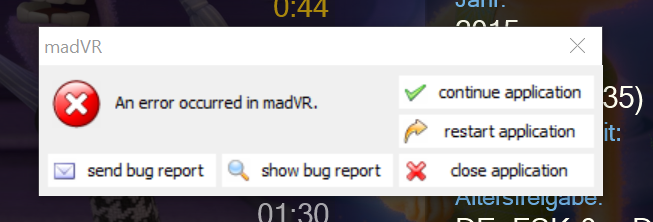
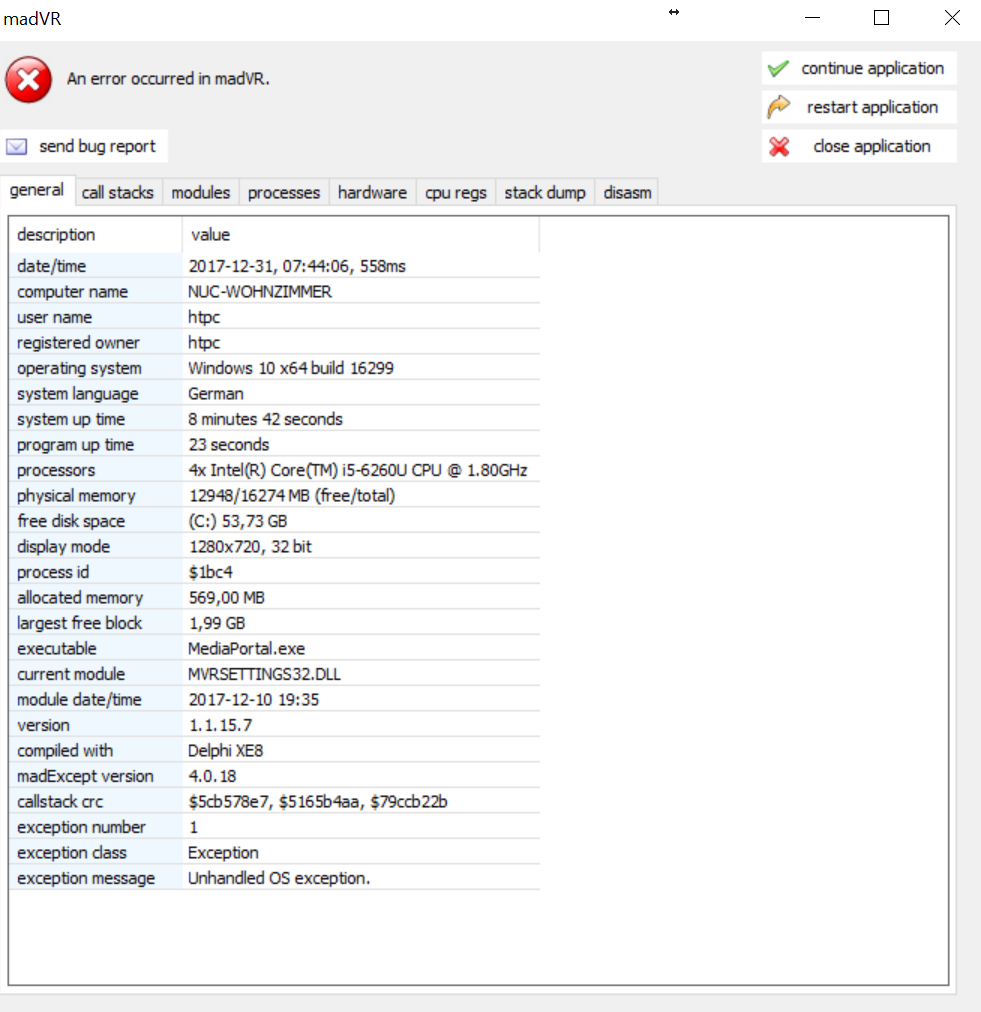
When madVR crash, it could be nice to try to click on send report (to get the whole text from the crash and copy past to a file) or get the crash report (sometimes copied itself on desktop or you can try manually to generate it by the combination key defined in madVR config tool :

This can be changed to CTRL+F for ex :

Thanks.
In latest/recent installer, there is a new dll for audio : in your log i can see :
[2017-12-31 07:50:30,059] [Error ] [MPMain ] [ERROR] - Mixer: error occured in ChangeAudioDevice: CSCore.CoreAudioAPI.CoreAudioAPIException (0x80070490): IMMDeviceEnumerator::GetDefaultAudioEndpoint caused an error: 0x80070490, "Element nicht gefunden.".
bei CSCore.CoreAudioAPI.MMDeviceEnumerator.GetDefaultAudioEndpoint(DataFlow dataFlow, Role role)
bei MediaPortal.Mixer.Mixer.ChangeAudioDevice(String deviceName, Boolean setToDefault)
It's related to this dll, so either, the dll is not copied or it lead to something wrong with it
Can you tell me if the dll 'CSCore.dll' is copied on C:\Program Files (x86)\Team MediaPortal\MediaPortal ?
Screenshot from mine :
When madVR crash, it could be nice to try to click on send report (to get the whole text from the crash and copy past to a file) or get the crash report (sometimes copied itself on desktop or you can try manually to generate it by the combination key defined in madVR config tool :
This can be changed to CTRL+F for ex :
Thanks.
- Thread starter
- Moderator
- #4,796
Some on my tests madvr crashes on stop of 3D file.
On my tests I activated GPU Scaling in AMD Settings. Funny thing 3D MVC files are converted automatically to SBS and you can use Auto3D for switching to SBS 3D on TV. Downside here: I believe to see the lowered resolution from 3D SBS on fast moving scenes compared to 3D MVC. But maybe this is a solution for some people, so the difference is not big.
Hi,
Yep, it crash on D3D so are to tell if it's really MP or GPU drivers or Windows
When the 3D MVC is on SBS, the resolution is lowered, i can confirm that too.
Does MPC-HC does the same ?
- Thread starter
- Moderator
- #4,798
@Freuli ofc need debug logs but in your actual log, after adding the audio decoder (LAV Audio), there is audio device removed :
[2017-12-31 07:50:28,546] [Log ] [MPMain ] [INFO ] - Main: Audio Renderer Intel(R) Display-Audio removed
This is breaking something on MP i can't reproduce it so hard to tell what happen exactly, but it can be related to the same kind of issue seen @Helios61 this summer.
I remember that GPU driver version was the culprit but not only (also refresh rate changer) so could be nice to try also with DRR off (from madVR and MP) just to confirm if it's better or not
EDIT : Ah also to test with EVR
[2017-12-31 07:50:28,546] [Log ] [MPMain ] [INFO ] - Main: Audio Renderer Intel(R) Display-Audio removed
This is breaking something on MP
i can't reproduce it so hard to tell what happen exactly, but it can be related to the same kind of issue seen @Helios61 this summer.I remember that GPU driver version was the culprit but not only (also refresh rate changer) so could be nice to try also with DRR off (from madVR and MP) just to confirm if it's better or not
EDIT : Ah also to test with EVR
Last edited:

- August 9, 2012
- 2,715
- 2,078
- Home Country
-
 Germany
Hmmn, maybe something to do with the dreaded CFU@joecrow some users on madVR domm9 forum has some issue with AMD and 3D and FSE is needed
, my HTPC is still on 1703 (reverted back after several failed attempts to update to 1709). I do not use FSE either, never have, and 3D MVC works fine. My desktop which is at 1709 sadly has no 3D capability, so can't test there.
- January 19, 2007
- 791
- 741
- Home Country
-
England
Hi Seb, the only issue I'm getting with the latest is a madVR crash, but seemingly during video/TV playback without user interaction. It's happened 3 times over last day (all fine bar that) but I just managed to get a decent log for it. See attached. I've also included the madVR log. Any thoughts?
Users who are viewing this thread
Online now: 46 (members: 0, guests: 46)