Czech Republic
- Thread starter
- #3,761
Hi hoborg,
okay. I was a little bit unsure with passthrough through the installation process of SAF. I have clicked so it should be used.
If your answer means, that the better way is to disable passthrough, do I have to re-install SAF now? Or is there a configuration option wich I can disable passthrough?
Daniel
Reinstall SAF.
Done!
Have installed SAF again without passthrough.
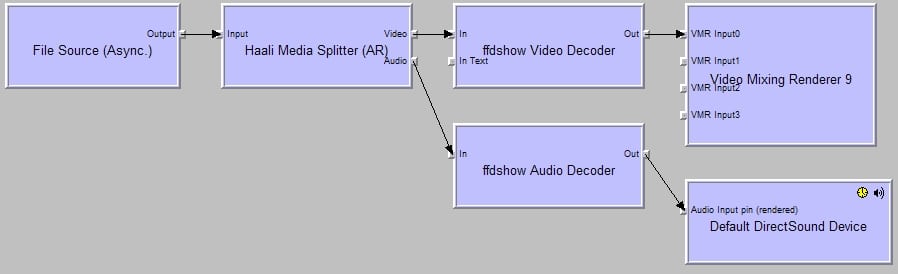
Then I tried to play an AVI in MPC-HC and it works like a charm. Sound, Video. All is fine. See attached Graph from MPC-HC.
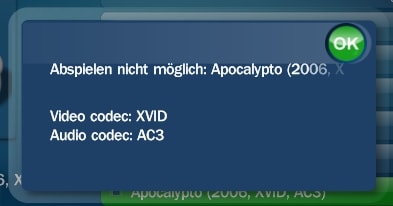
After that, I open Mediaportal and try to play the same video. Nothing happens.
My MP error log tells me:
2009-11-23 12:36:08.796875 [ERROR][MPMain]: VideoPlayer9:exception while creating DShow graph Creating an instance of the COM component with CLSID {51B4ABF3-748F-4E3B-A276-C828330E926A} from the IClassFactory failed due to the following error: 80040273. at MediaPortal.Player.VMR9Util.AddVMR9(IGraphBuilder graphBuilder)
at MediaPortal.Player.VideoPlayerVMR9.GetInterfaces()
2009-11-23 12:36:08.796875 [ERROR][MPMain]: VideoPlayerVMR9: Exception while cleanuping DShow graph - Object reference not set to an instance of an object. at MediaPortal.Player.VideoPlayerVMR9.Cleanup()
2009-11-23 12:36:08.906250 [ERROR][MPMain]: PlaylistPlayer: *** unable to play - \\192.168.0.218\Videos\Apocalypto (2006, XVID, AC3).avi - skipping track!
I am absolutely unsure in this case.
What I noticed is, that WMP11 is not on my PC. I have installed it before installation of MP and SAF. But now its not longer on my PC. Can this cause the error? Does SAF uninstall WMP11? Do I need WMP11 on the PC?
A lots of questions. Hope, you can assist.
Daniel
{51B4ABF3-748F-4E3B-A276-C828330E926A} - that is VMR9 renderer. No idea what causing problem (?drivers?).
If you double click on you video from explorer, will it play correctly using MPC-HC?
Please try play your file from local drive/USB stick.
SAF log can help too.