New Zealand
ssjunior, just an idea, might not work b/c tsreader and ffdshow don't like each other.
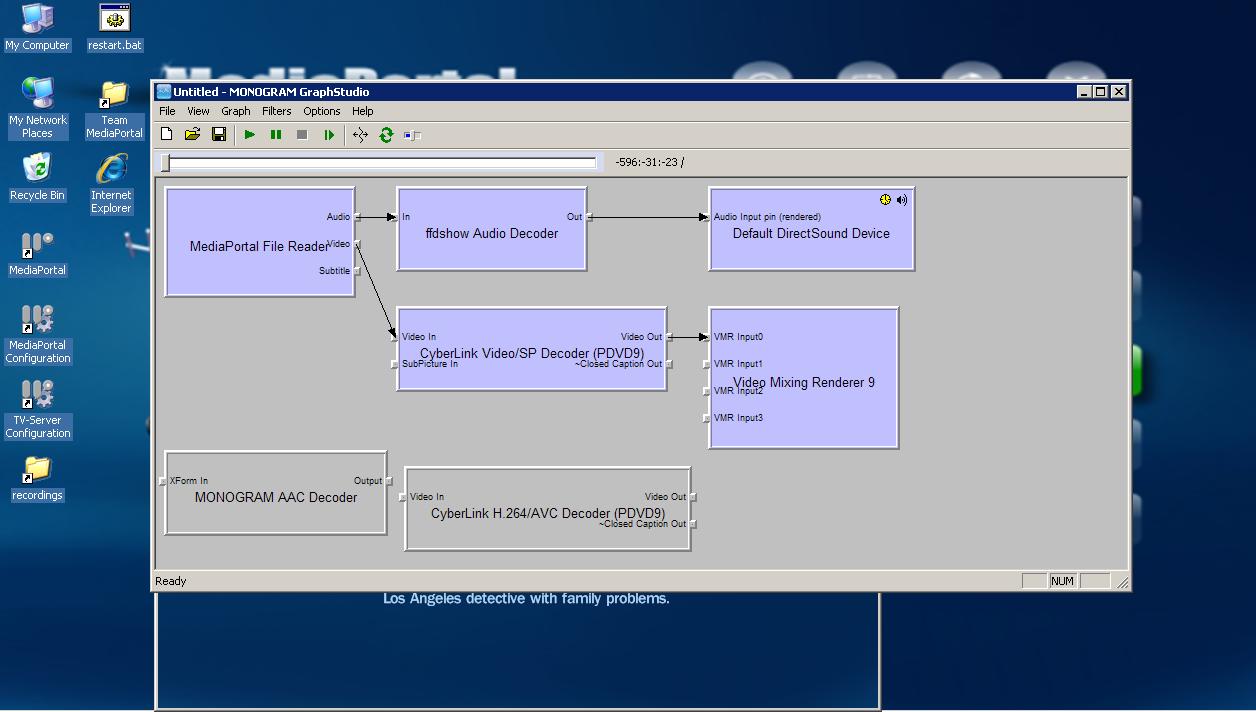
Enable aac for ffdshow as you have already done.
Deregister monogram aac (unregsvr32 /u) (This will prevent it from being used)
Add 'ffdshow audio' to tv post processing.
The above might force MP to use ffdshow for aac.
There is also hd pack 2.2 - DVB Support - HD Pack
It contains elecard aac decoder and divx aac decoder that you could try.
PS: If mp config tv section is not letting you choose codecs, you could try letting it use directshow merits, then change the merits manually to try and force the desired audio codec. To adjust merits you can use 'radlight filter manager', after adjusting merits you need to relogin to windows for the changes to take effect.
Enable aac for ffdshow as you have already done.
Deregister monogram aac (unregsvr32 /u) (This will prevent it from being used)
Add 'ffdshow audio' to tv post processing.
The above might force MP to use ffdshow for aac.
There is also hd pack 2.2 - DVB Support - HD Pack
It contains elecard aac decoder and divx aac decoder that you could try.
PS: If mp config tv section is not letting you choose codecs, you could try letting it use directshow merits, then change the merits manually to try and force the desired audio codec. To adjust merits you can use 'radlight filter manager', after adjusting merits you need to relogin to windows for the changes to take effect.
 The problem is related to TsReader too, thats why it needs to be patched. I was trying to avoid using a patched version of TsReader, but, as you can see...