1.38 Titan Skin Bug (1 Viewer)

MediaPortal Release 1.38

Trigo

MP Donator
  • Premium Supporter
  • December 29, 2009
    281
    34
    Home Country
    Germany Germany
    MP 32bit 1.38.003
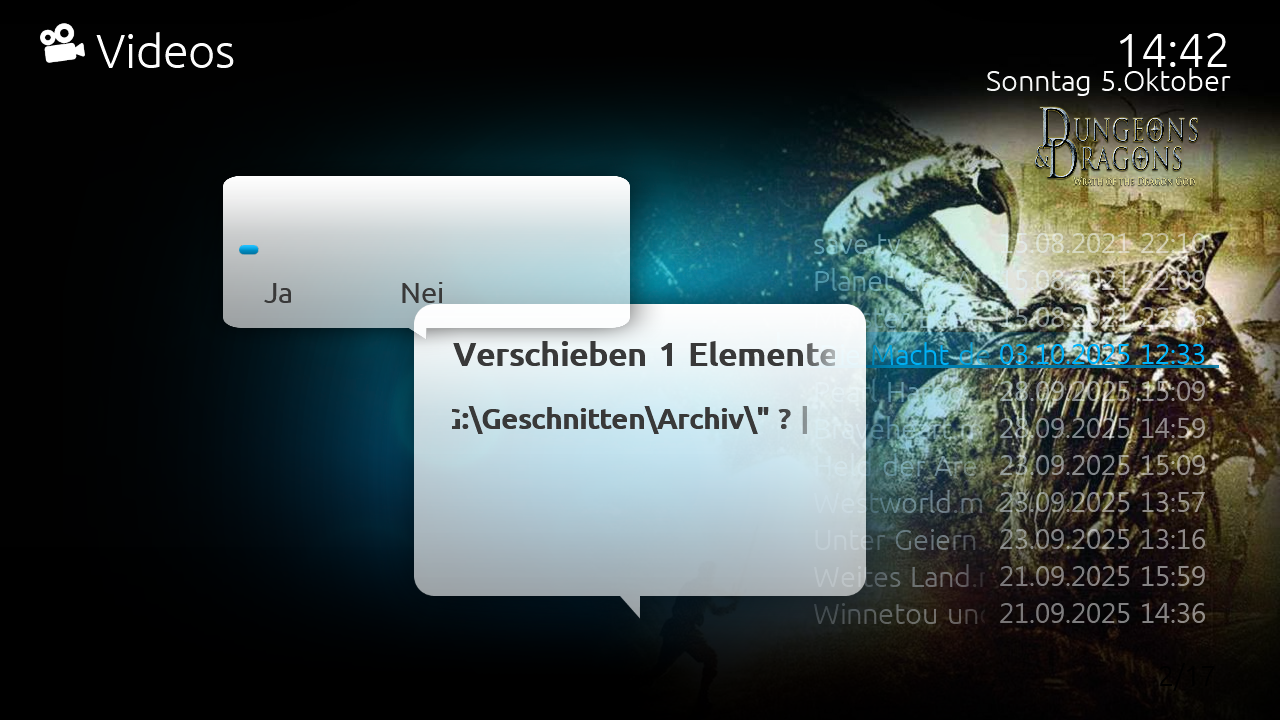
    A bug is in the videos section.
    I use the folder-view.
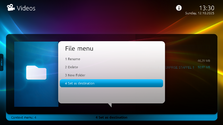
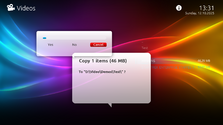
    When I try to move a file to another folder, I get the following message. I can't select anything there either.
     

    Attachments

    • 14-43-02.png
      14-43-02.png
      729.2 KB

    Trigo

    MP Donator
  • Premium Supporter
  • December 29, 2009
    281
    34
    Home Country
    Germany Germany
    Hmm, I don´t have any menu entry to move files in MyVideo Folder view? :confused:
    Chose an folder with F9,
    press file menu,
    press set as target

    Than chose a file
    press F9
    press file menu
    press move
     

    Attachments

    • 17-38-07.png
      17-38-07.png
      443.9 KB
    • 17-39-04.png
      17-39-04.png
      688.7 KB
    Last edited:

    High_Five

    Design Group
  • Team MediaPortal
  • February 10, 2023
    239
    1,167
    Home Country
    Germany Germany
    I fixed the bug, the file menu should work again now! You just need to copy the attached DialogFile.xml to the Titan folder and the graphic files to the corresponding media folder! ;)

    1.png 2.png

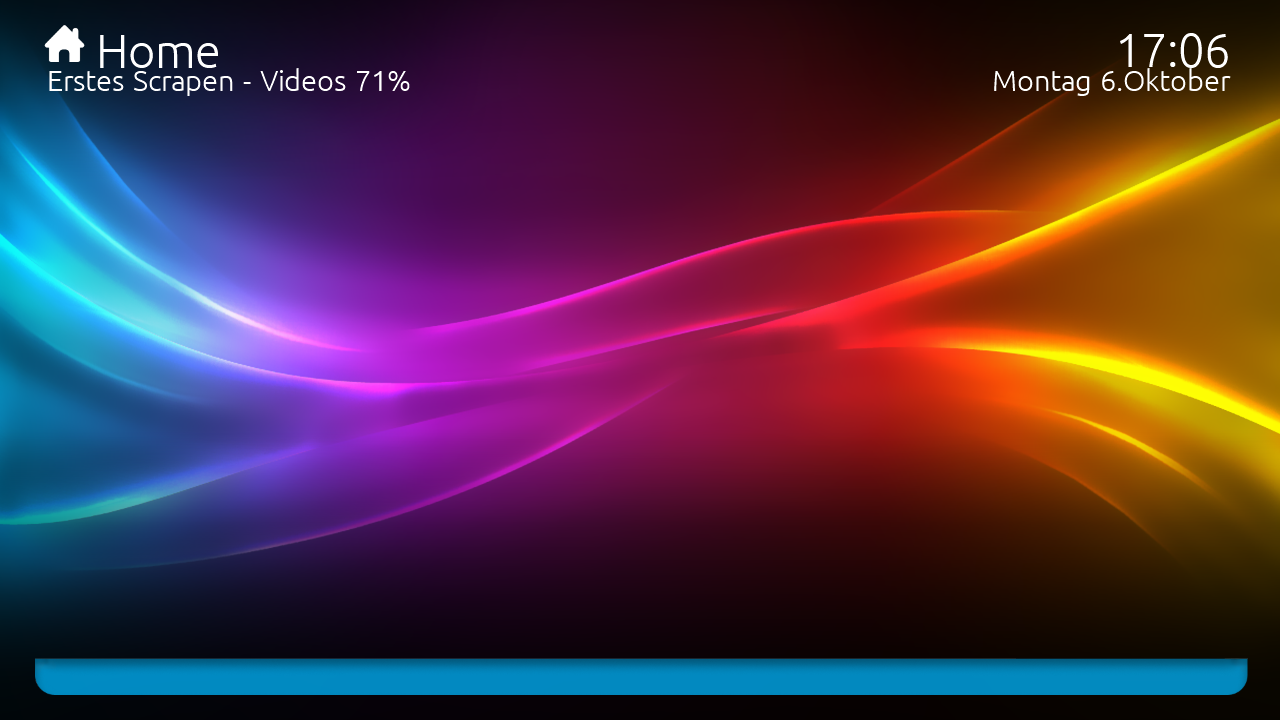
    There also seems to be a problem with the background displayed, which @ajs might be able to fix! ;)
     

    Attachments

    • Titan skin bug.7z
      13 KB

    Users who are viewing this thread

    Similar threads

    I am following the official documentation for setting up the Kodi plugin in media portal. I have got no issues with media portal, nor media portal plugin on Kodi, but with the Kodi plugin that must be installed in the media portal, as it is not getting detected. I have made a copy of the dll file into the plugins folder as found in my...
    I am following the official documentation for setting up the Kodi plugin in media portal. I have got no issues with media portal...
    I am following the official documentation for setting up the Kodi plugin in media portal. I have got no issues with media portal...
    Replies
    0
    Views
    198
    Hi. I was probably being a bit fast and loose with my terminology. I meant "somewhere within the files that MP2 uses in its database". Anyway, I found a way to do this which was far from automated but relatively low effort. I found what looked like all the images (CD covers, DVD covers, backgrounds etc all lumped together in...
    Hi. I was probably being a bit fast and loose with my terminology. I meant "somewhere within the files that MP2 uses in its...
    I am in the process of setting up a legacy media player (Mede8er) which I happened to have laying around into my home cinema setup...
    Replies
    2
    Views
    411
    I switched back to MePo 1 some time ago, and havent really used it that much. But i wanted to watch some old movies stored as ISO file. Virtuel Clone drive is installed, and it can mount the ISO file. However when i try to select it from MePo i only get an error that i cannot mount it. [2026-06-07 14:56:35,994] [Error ] [MPMain ]...
    I switched back to MePo 1 some time ago, and havent really used it that much. But i wanted to watch some old movies stored as ISO...
    I switched back to MePo 1 some time ago, and havent really used it that much. But i wanted to watch some old movies stored as ISO...
    Replies
    0
    Views
    347
    I don't know about MP2 but as you said you tried MP1 too, how is the MP music config ? MP(1) will only use LAV if you select "Internal DirectShow player" as music output, but then you lose gapless playback. If you you don't have multichannel music you can choose WASAPI as the output and set the number of speakers to stereo. I have...
    I don't know about MP2 but as you said you tried MP1 too, how is the MP music config ? MP(1) will only use LAV if you select...
    Not sure if this a a bug/config/settings problem. I am running a media portal 2.5 server with 2.41 client but it seems I get the...
    Replies
    1
    Views
    792
    I made some updates to the Wiki page describing the <import> and <include> tags, including adding a couple of new xml examples. For the first example, I highlighted the example text and eventually found the location in the menus where I could select the CODE macro to have the example text formatted as a code example. So far, so good...
    I made some updates to the Wiki page describing the <import> and <include> tags, including adding a couple of new xml examples. For...
    I made some updates to the Wiki page describing the <import> and <include> tags, including adding a couple of new xml examples. For...
    Replies
    0
    Views
    829
    Top Bottom