
Unwanted recording (1 Viewer)

HTPCSourcer

Retired Team Member
  • Premium Supporter
  • May 16, 2008
    11,382
    2,369
    Home Country
    Germany Germany
    And I can't find a MediaPortal Extension Installer in the program directory of any of its subdirectories.
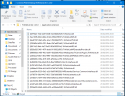
    There is no plugin installer. You need to place the dll manually into the SlimTV plugin subdirectory.
     

    CyberSimian

    Test Group
  • Team MediaPortal
  • June 10, 2013
    3,613
    2,641
    Southampton
    Home Country
    United Kingdom United Kingdom
    I thought I could skip the step of scheduling an unwanted recording and editing its name and just add new entry to the xml file.
    The reason that I suggested creating a "dummy" new recording from the EPG was so that all of the other recording parameters would be correct. If you set up the dummy recording as you want it, only the programme name needs changing in the xml file.

    However if I do this and re-import the new entry isn't shown on the TV Server Schedule.
    This should work for a repeated recording (often called a "series"). However, if the series is not currently in the EPG, there will be nothing to see in the list of scheduled recordings. Instead, you need to switch the panel to show the list of series recordings (there should be a button somewhere on the panel that you can click to do this, or to bring up a menu with a list of selections).

    In principle you could edit the xml file to create a single (one-off) recording that was not currently in the EPG. I have never tried that, so I do not know quite what "TV Server" or the MP2 client would do -- they may or may not show it on the "Series Schedule" panel. I am inclined to think that they would not show it, since it is not a series.

    So you don't have to schedule an unwanted programme: just change the name of a wanted one that's already there!
    But but but but... the wanted recording is wanted, so I don't want to change that. I want to change an unwanted recording. :D

    -- from CyberSimian in the UK
     
    Last edited:

    TVWatcher

    Portal Pro
    January 9, 2020
    65
    5
    Home Country
    United Kingdom United Kingdom
    TVWatcher said:

    However if I do this and re-import the new entry isn't shown on the TV Server Schedule.


    However, if the series is not currently in the EPG, there will be nothing to see in the list of scheduled recordings.
    I didn't expect to see it the list of scheduled recordings in the client, but I did in the list in the TV Server configuration program.
    But but but but... the wanted recording is wanted, so I don't want to change that. I want to change an unwanted recording. :D
    My point was that if you change the name of any recording in the xml file, when you reload it you will see that the entry for the original programme is still there as well as that for the new name. I wasn't expecting that, but it does make the process rather easier. I have an entry in the TV Configuration list for a programme titled "Enter Name of Programme Here" so to add a programme to the wish-list I just have to rename it in the xml file and when I reload it I've still got a programme called that for use next time!
    I'm quite prepared to believe this wasn't the designer's intention, but as I say it's a very usefulfeature (?bug).
     

    CyberSimian

    Test Group
  • Team MediaPortal
  • June 10, 2013
    3,613
    2,641
    Southampton
    Home Country
    United Kingdom United Kingdom
    My point was that if you change the name of any recording in the xml file, when you reload it you will see that the entry for the original programme is still there as well as that for the new name.
    When you import the schedule, "TV Server" merges the entries in the imported file with those already present.

    If you import the complete schedule, and only one is different, those that are unchanged will remain unchanged (you don't get duplicate entries), but the one that is changed is added.

    If you want the imported schedule to replace entirely the existing schedule (e.g. because you have copied the schedule from another HTPC), you need to delete the existing schedule before importing the replacement schedule. You can delete the entire schedule by using Windows multi-select feature (select first, scroll to bottom of list, press and hold SHIFT key, select last, release SHIFT key, click "Delete" button).

    What this means is that you can keep a import file that contains a single entry, and edit and import that each time you want to schedule a programme that is not present in the EPG.

    -- from CyberSimian in the UK
     

    TVWatcher

    Portal Pro
    January 9, 2020
    65
    5
    Home Country
    United Kingdom United Kingdom
    What this means is that you can keep a import file that contains a single entry, and edit and import that each time you want to schedule a programme that is not present in the EPG.
    Aha! So not only do I not need to create a dummy entry in the schedule, I don't even need to export the xml and edit it! Things get easier and easier!
     

    Users who are viewing this thread

    Similar threads

    TV Server plugins are listed on this page, and "EPG Cleaner" can be downloaded from this page. Note: I don't know what bitness the plugin has. It might be 32-bit, or it might be "any cpu". The plugin is not listed by the "MP Extensions" tool, so I don't know whether it has been tested with the most-recent MP releases. -- from...
    TV Server plugins are listed on this page, and "EPG Cleaner" can be downloaded from this page. Note: I don't know what bitness the...
    I'm looking for a better recording scheduler. Many recording titles (at least in the UK) change between episodes, sometimes being...
    Replies
    4
    Views
    1K
    MP1 MP2 Comskip Ad removal DE
    Hi all Was just looking at Ad Removal - Comskip and note: - MP1 only - 4 The Record 1.3.3 seems to no longer exist Question: Does anybody have pointers as to how I/we can setup or install something to automatically remove ads during playback on MP2? Thanks in advance Henry
    Hi all Was just looking at Ad Removal - Comskip and note: - MP1 only - 4 The Record 1.3.3 seems to no longer exist Question...
    Hi all Was just looking at Ad Removal - Comskip and note: - MP1 only - 4 The Record 1.3.3 seems to no longer exist Question...
    Replies
    0
    Views
    668
    MP1 MP2 Not working! DE
    O Frabjous Joy! That seems to have done the trick. Thank you so much for your help and advice, CyberSimian. I hadn't thought of deleting the various folders, but I'll bear that in mind for any future disasters. Now I can record King & Conqueror on Sunday! Cheers Ralph
    O Frabjous Joy! That seems to have done the trick. Thank you so much for your help and advice, CyberSimian. I hadn't thought of...
    I've been running MediaPortal on my PC for several years, but the most recent update "MediaPortal 1.38 Release " does...
    Replies
    5
    Views
    2K
    Perhaps... Only way to confirm would be for me to invest in a different USB DVB-S2 tuner (like the Hauppauge WinTV-NOVA-S2), which I might do if the issue persists.
    Perhaps... Only way to confirm would be for me to invest in a different USB DVB-S2 tuner (like the Hauppauge WinTV-NOVA-S2), which...
    I have a dedicated TV Server x64 v1.36 running on Windows 11, with a Hauppauge WinTV-dualHD tuner for DVB-T channels (Freeview) and...
    Replies
    8
    Views
    3K
    i think info but I'm really not sure
    i think info but I'm really not sure
    When I import new films using Moving Pictures, it takes an incredibly long time for the information to be found and downloaded...
    Replies
    3
    Views
    747
    Top Bottom