BleazleWide Skin V 6 (86 Viewers)

Status
Not open for further replies.

eetaylog

Portal Pro
March 6, 2007
874
41
44
South London
Home Country
England England
...as for my text issue, yeah i think my text is definately larger than everyone elses settings, and i dont think its a resolution issue as ive tried playing around with it but still no cigar....maybe if i reduce the font size to 8 or something?

Yeah that's ugly (I hate big text!). If you've got a good "search and replace" programme it won't take you long to do but it looks like you'll need to change the 12 to 10 and the 10 to 8 and maybe the 11's to 9. Bit of a pain really. I'd love to know why it looks different on your system.

Good luck with getting it sorted (and you not so secret new HTPC project!)

Dave

yeah thats gonna be a lot of buggering about, do you think it could be something to do with my fonts file in c:\windows\fonts?

any idea which fonts MP uses for its text? wipeoutfusion?

EDIT: Dont worry, ive just had a look and the fonts.xml file seems to show that it uses Franklin Gothic Medium. All sorted now :)...

18290.jpg
 

Spaldo

MP Donator
  • Premium Supporter
  • May 7, 2008
    495
    12
    FlashFXP Development Team
    Home Country

    Bleazle

    Portal Pro
    July 14, 2007
    1,122
    257
    Pukekohe
    Home Country
    New Zealand New Zealand
    ....This is what one of the screens looks like. I suppose it's not too bad but the plugin is downloading fan art but not showing it.... Just think it could be a little more polished...

    I am using the Blue3Wide XML file having copied it to the BleazleWide directory...

    That's strange you'd think the Blue3Wide XML file(s) would be set to use the fanart - are you sure you transferred everything over? If the weather's as crap as it's supposed to be this weekend I'll have a look at it then..

    Bleazle, not sure if there is any difference for the skin, but Moving Pictures 0.7.1 was released : https://forum.team-mediaportal.com/moving-pictures-284/new-moving-pictures-0-7-1-a-55040/

    Great :) And from what I can see it doesn't look like any skin changes are required which suits me fine!

    ..Also, looks like there will be a new TVSeries shortly that will allow you to change the front page view from within the skin/app! That might make it easier for everyone than having to edit the XML :)

    Cool, I was hoping (like all other TVSeries users) that that feature wouldn't be too long in coming :)

    Cheers

    Dave
     

    eetaylog

    Portal Pro
    March 6, 2007
    874
    41
    44
    South London
    Home Country
    England England
    Also, looks like there will be a new TVSeries shortly that will allow you to change the front page view from within the skin/app! That might make it easier for everyone than having to edit the XML :)

    anyone know when this is coming out? im hoping it will let you change the view of the season and episode pages as well. i like the way its layed out in bluewide, but cant quite get it right in bleazle (see above) :-(
     

    2BitSculptor

    Super Moderator
  • Team MediaPortal
  • January 23, 2008
    2,007
    1,052
    South Central Wisconsin
    Home Country
    United States of America United States of America
    The 2.2 (beta) is available for download... comes with all the bells and whistles in the Blue3Wide skin files... I'm using it to convert my Blue3 based 800x300 skin. The Blue3 (4x3) skin provided isn't updated yet with the hidden menu.

    regards,

    Chuck
     

    Bleazle

    Portal Pro
    July 14, 2007
    1,122
    257
    Pukekohe
    Home Country
    New Zealand New Zealand
    Got Drives????

    Hi all,

    I've just posted this on the Drive Free Space Plugin thread (https://forum.team-mediaportal.com/plugins-47/drive-free-space-plugin-54798/index5.html#post381311)but I thought I should post it here too for those of you that aren't following that thread.

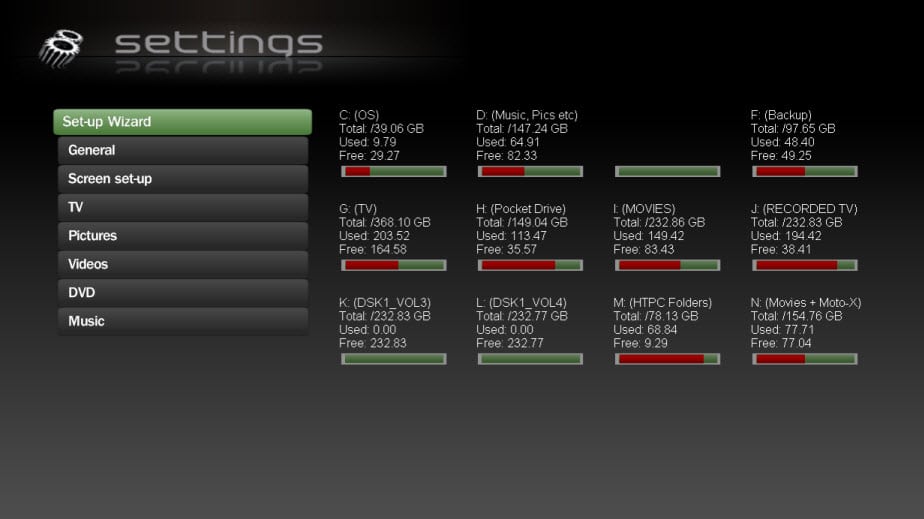
    Included in V6.1.2 are the skin files and .dll files for the SysInfo and Drive Free Space Plugins. Unfortunately I've found that MP throws error messages after a while when SysInfo is running, so I'm not using it anymore. However I still wanted up to date info on my HDDs so I've added the Drive Free Space information to the Settings screen, as below. That makes it easy to find and uses a screen which has spare space to burn.

    I don't usually have this many HDDs hooked up to my HTPC but I wanted a good looking screenshot :D If anyone uses more drives than this another line could be added very easily.

    The attached zip file includes the PNG files I used (just drop them into the BleazleWide/Media directory) + the XML file.

    This is the text that goes in the GUI settings when configuring the plugin:

    %drive% (%label%)
    Total: %totalspace% %unit%
    Used: %usedspace%
    Free: %freespace%


    Note: The reason one of the drives (E) is blank in the screenshot is because that's my CD drive, which isn't selected in my configuration (because it just throws an "error" message)

    Bleazle
     

    Attachments

    • Settings screen.jpg
      Settings screen.jpg
      61 KB
    • Drive Free Space.zip
      30.6 KB

    Cressari

    MP Donator
  • Premium Supporter
  • October 29, 2008
    681
    42
    59
    Konstanz
    Home Country
    Germany Germany
    Great solution! *lifts up coffee cup and shouts "Cheers and Thanks" in direction New Zealand :)
     

    mruane

    Portal Pro
    June 4, 2006
    182
    5
    Wellington
    Home Country
    New Zealand New Zealand
    Hi Dave

    I have just noticed an interesting thing. Previously I have always started MP with the alternative Home screen - which looks really great on the Bleazle Wide, but today I started in the standard Home screen (i.e. the one with the menu at the right) and noticed that I have duplicates of all of the entries other than TV. By duplicates I mean two Picture, Videos and Music menu entries etc. Either entry takes me to the correct location but I cannot understand why I should have two entries for the same thing. I must have missed something during an installation of one of the previous versions perhaps.

    Has anyone else noticed this?

    Edit: Figured it out. The problem arises when you rename a DLL to use a different version. So when I installed the version of WindowsPlugins.dll that came with the BleazleWide skin and renamed the existing version of that DLL I just renamed the "filename" part rather than the extension i.e. WindowsPlugins-old.dll instead of Windows Plugins.dll-old. MP was still loading the WindowsPlugins-Old.dll for obvious reasons. But renaming the .dll part rather than the name part fixed the problem i.e. it was no longer considered to be a DLL and so it was no longer loaded!!!

    Cheers Mike
     

    Bleazle

    Portal Pro
    July 14, 2007
    1,122
    257
    Pukekohe
    Home Country
    New Zealand New Zealand
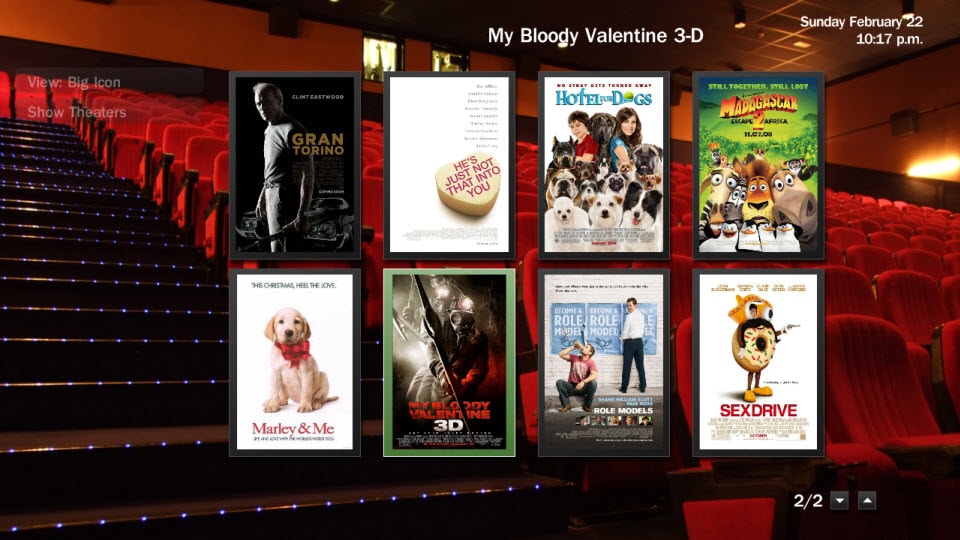
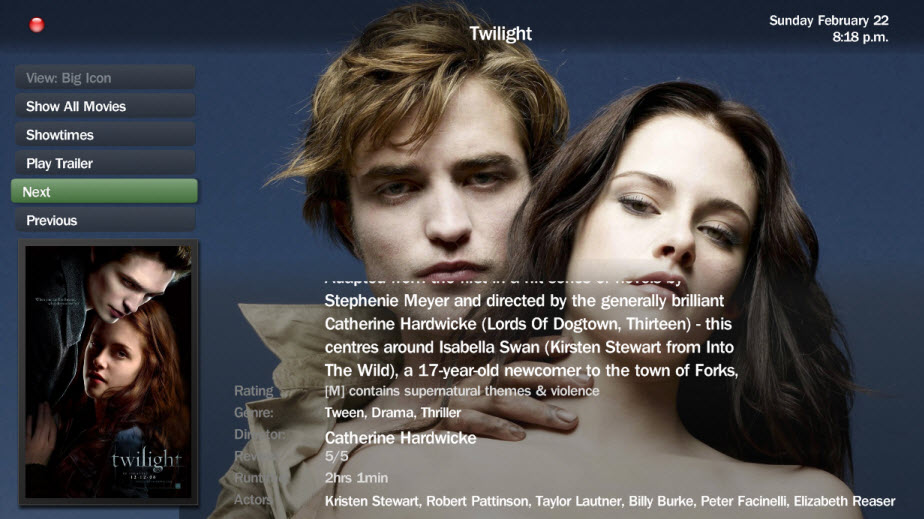
    @ TommySharp Re: ShowTimes Plugin:

    ...I suppose it's not too bad but the plugin is downloading fan art but not showing it.... Just think it could be a little more polished...I am using the Blue3Wide XML file having copied it to the BleazleWide directory...

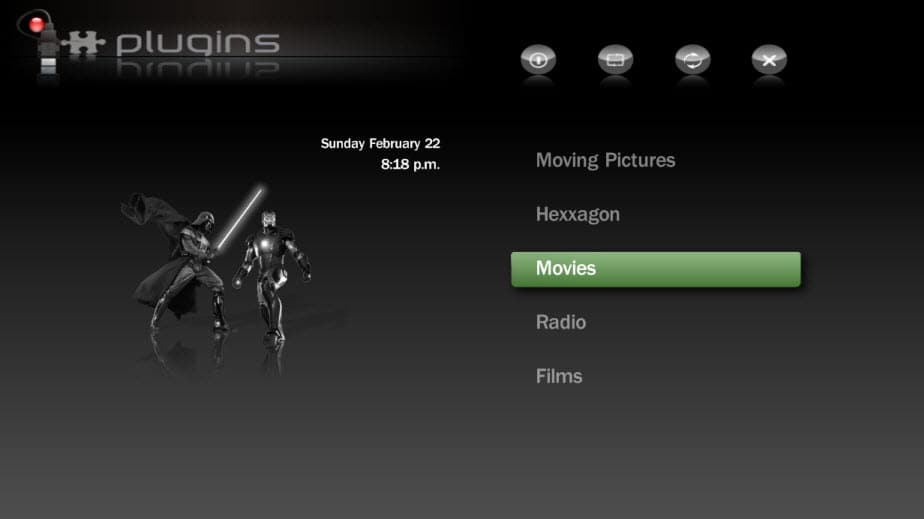
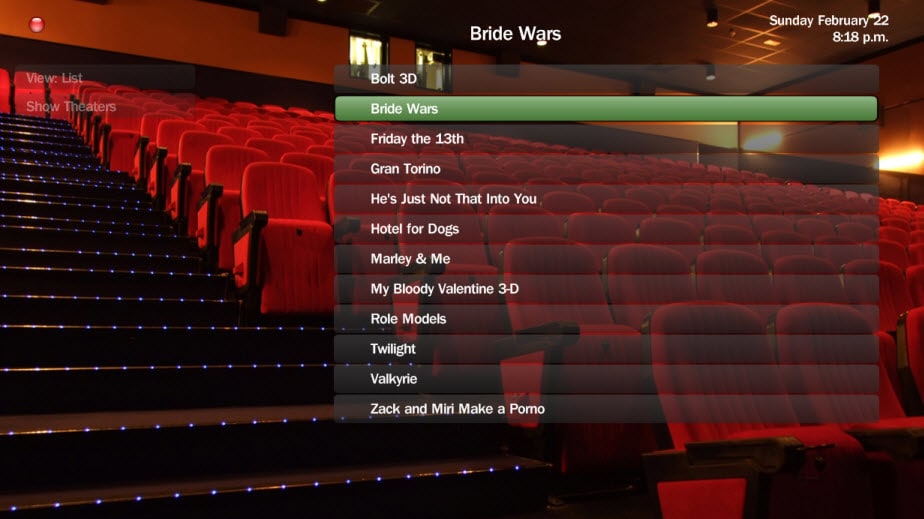
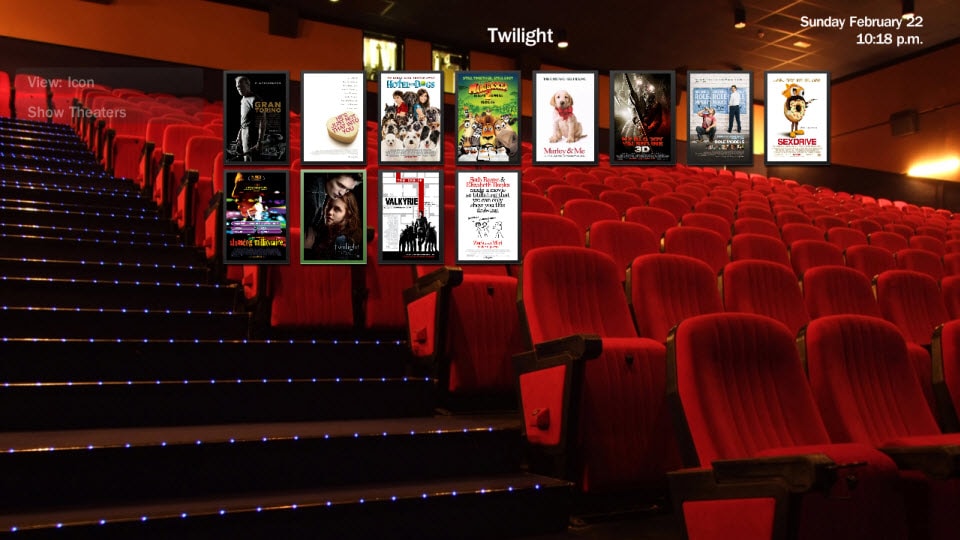
    After installing the plugin I saw what you meant - it looked pretty bare without fanart, so as promised I did a bit of work on it (basically tweaked the layout in Monochrome to suit the Bleazle skin) and the results are as per the attached screenshots. Drop the XML files into the BleazleWide directory and the PNG files into the BleazleWide/Media directory, delete the skin cache and you should be good to go :)

    If you don't like the "hover" image (my kids had a lot of say in that!) feel free to use something else :) - maybe just copy and rename the "my films" one...

    Great solution! *lifts up coffee cup and shouts "Cheers and Thanks" in direction New Zealand :)
    Coffee cup? What about a beer stein (or should that be "Steinkrug"?)??? :D

    ....The problem arises when you rename a DLL to use a different version. So when I installed the version of WindowsPlugins.dll that came with the BleazleWide skin and renamed the existing version of that DLL I just renamed the "filename" part rather than the extension i.e. WindowsPlugins-old.dll instead of Windows Plugins.dll-old. MP was still loading the WindowsPlugins-Old.dll for obvious reasons. But renaming the .dll part rather than the name part fixed the problem i.e. it was no longer considered to be a DLL and so it was no longer loaded!!!

    Cheers Mike

    Glad you got it sorted!

    And so another weekend in front of the computer ends... damn I need to get out on the kiteboard!!

    Dave
     

    Attachments

    • sthover.jpg
      sthover.jpg
      32.9 KB
    • stlist.jpg
      stlist.jpg
      96 KB
    • stsmallthumbs.jpg
      stsmallthumbs.jpg
      119.1 KB
    • stbigthumbs.jpg
      stbigthumbs.jpg
      143.5 KB
    • stdetails.jpg
      stdetails.jpg
      97.9 KB
    • ShowTimes.zip
      30.6 KB
    Status
    Not open for further replies.

    Users who are viewing this thread

    Top Bottom