I can't answer the ripped to folders question (though I believe the answer is Yes).
As far as ISO - that's what I do with my DVD collection. I've got them all ripped to HD as ISOs. To do this (assuming the disks are already ripped):
1) Install Daemon Tools for mounting images.
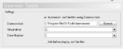
2) In configuration, general, tell it where Daemon tools is installed, and which drive to use (if you have >1 virtual drive set up)
3) In configuration, Movies->Movie Extensions, add the iso file type so MP knows they are movies.
4) Movies->Movie Folders, tell MP where your ISOs are stored.
5) Movies->Movie Database, do a scan of your movie folders. It'll look them up in imdb, add descriptions and cover art.
Now in MP switch to a database view (e.g. Title view instead of Shares). When you select a movie, it'll mount the image using Daemon Tools and start the disk just like you put the DVD in the drive.
Hi milhouse,
After a disc crash I needed to redo my old MP installation, and everything works great EXCEPT from loading DVD image files (.img, .iso). I have done exactly as above, and the images won't load automatically... They show up, however, as a movie in the virtual drive in MP, so I can play them, but I have to back up all the way to the top level of "My Videos" to get it going. As always, there should be an easy/quick fix - but I am stuck. Any tips?
Which version of Daemon Tools are you using? I think the older one 3.47 tends to work better with MP.
Do you have only one virtual drive set up? I've got three virtual drives, two of which are game ROMs, and the third is for mounted DVD images in MP. So my setup uses virtual drive G and drive number 2 (as in 0, 1, and 2 are the virtual drives).
As always, there is a stupid fix to a problem... For some /&#"(/& reason I did not change the virtual drive in the MP configuration. Since I have 2 HD in the HTPC the default setting was wrong. Just changing to the correct virtual drive solved the problem. :sorry:
Thanks for the help! Will be more thorough the next time...
Hi.
I was probably being a bit fast and loose with my terminology. I meant "somewhere within the files that MP2 uses in its database".
Anyway, I found a way to do this which was far from automated but relatively low effort. I found what looked like all the images (CD covers, DVD covers, backgrounds etc all lumped together in...
Hi.
I was probably being a bit fast and loose with my terminology. I meant "somewhere within the files that MP2 uses in its...
I am in the process of setting up a legacy media player (Mede8er) which I happened to have laying around into my home cinema setup...
As Alexander Pope said:
A little learning is a dangerous thing,
and Dr Google explains this as:
The quotation warns that superficial knowledge of a subject can make people arrogant or foolish, suggesting one should either learn deeply or not at all.
"Superficial", and "arrogant or foolish" would be me :eek: . However...
I would...
As Alexander Pope said:
A little learning is a dangerous thing,
and Dr Google explains this as:
The quotation warns that...
I have just discovered that I can no longer receive any of the independent radio channels broadcast on DVB-T in the UK. In...
I loaded an older disk image of MP (x86) 1.38.3 to check the issue again, and you're right - after refreshing the update information in the Extension Manager, it shows me the latest version, 1.5.0.12!
I loaded an older disk image of MP (x86) 1.38.3 to check the issue again, and you're right - after refreshing the update...
I tried to access the Wiki yesterday and again today, but the page does not load.
After some timeout, I get 502 Bad Gateway.
Is...
For music you may use -->
https://www.team-mediaportal.de/erweiterungen/musik/global-search
With GlobalSearch you can search for any entry in your music database: Artist, Album, Title, Lyrics...
I'm afraid there is no such plugin :unsure:
For music you may use -->
https://www.team-mediaportal.de/erweiterungen/musik/global-search
With GlobalSearch you can search for...
HI,
I'm new to MediaPortal and have a question about searching for data. I have an extensive collection of music, films, and TV...




 Sweden