[WiP] madVR support in MP1 (15 Viewers)

joecrow

Test Group
  • Team MediaPortal
  • August 9, 2012
    2,714
    2,077
    Home Country
    Germany Germany
    Can you try with watchdog log to try to see what happen ? :) Thanks.
    I maybe knows why, i need to test, but in latest Auto3D version, it analyse the video twice (one after the movie start and another one 10 secs after) so maybe something goes wrong, try log too for this one :p
    So can you try to select 2D after 30 secs ? (to know if it's the reason of this issue ?)
    The attached logs cover the corrupted home screen at 19.09 and the switch back to SBS at 19.10.
    If I wait 30 secs before selecting 2D it switches OK and stays that way. (not in the logs, tried separately but definitely works.);)
     

    Sebastiii

    Development Group
  • Team MediaPortal
  • November 12, 2007
    16,514
    10,467
    France
    Home Country
    France France
    The attached logs cover the corrupted home screen at 19.09 and the switch back to SBS at 19.10.
    If I wait 30 secs before selecting 2D it switches OK and stays that way. (not in the logs, tried separately but definitely works.);)

    Ok thanks for confirming the 3D issue, so i need to add some check, if 3D is detected then stop the second analysing, because right now the second analysing is only started if it's 2D. But in our case we manually does the 2D switch.

    About the first issue (Skin one) it happen because i reset texture and reload skin on stop but some how here something goes wrong.

    Can you explain again what step did you do ? (does it happen on all DVD) if not a sample can be nice to have to ba able to reproduce it.
     

    joecrow

    Test Group
  • Team MediaPortal
  • August 9, 2012
    2,714
    2,077
    Home Country
    Germany Germany
    That new Auto 3D has fixed the switch back to SBS problem(y). Regarding the corrupt home screen with DVD playback, I have MP autoplay set to "play" for video (Win 10 autoplay is off) and from the home screen (fullscreen) I just insert a disk, wait a little and about 10 secs. before playback starts the home screen changes as per the screenshot in my earlier post and stays that way till playback starts, the playback itself is fine and stop returns to a normal home screen. The same effect happens if I have a disk already inserted (after a stop) and use the "Play disk" utility to start it.
     

    Sebastiii

    Development Group
  • Team MediaPortal
  • November 12, 2007
    16,514
    10,467
    France
    Home Country
    France France
    Can you try again a clean full watchdog log please ? :) (for the DVD case home screen)
    Thanks :p
     

    joecrow

    Test Group
  • Team MediaPortal
  • August 9, 2012
    2,714
    2,077
    Home Country
    Germany Germany
    Can you try again a clean full watchdog log please ? :) (for the DVD case home screen)
    Attached log, first DVD playback is manual disk insert, second is with Play disk (disk already inserted).
    BTW have tried 3 different DVDs all the same result.:p
     

    joecrow

    Test Group
  • Team MediaPortal
  • August 9, 2012
    2,714
    2,077
    Home Country
    Germany Germany
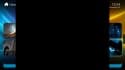
    Same problem with Titan skin. see attached screenshot, shows what it looks like a bit better, also noticed that whole screen flashes black before showing the corruption and at least in the case of manually inserting the disc, my remote looses focus and I have to click the mouse on screen to re-establish control and I guess that is more of a problem than the screen going funny for a few seconds.:oops:
    titan.jpg
     

    Users who are viewing this thread

    Top Bottom