
You are using an out of date browser. It may not display this or other websites correctly.
You should upgrade or use an alternative browser.
You should upgrade or use an alternative browser.
[WiP] madVR support in MP1 (29 Viewers)
- Thread starter Sebastiii
- Start date
- January 31, 2008
- 541
- 493
- Home Country
-
 Spain
Spain
We found some problems on my setup (and others) during dev. going out of full screen and to full after, was allowing 3DMVC playback. I think its no longer needed. I never actually used as the madvr implementation went furder more stable.Hey
Thanks, I didn't remember why I added this.
Hoping that there is information in wiki.
For sure, I will test also to see if it fix it on my side too.
Tapatalk
Its not needed to play 3D MVC videos.

- August 9, 2012
- 2,715
- 2,078
- Home Country
-
Germany
Something seems to have changed with Win 10 2004. I have set up Madvr to enable (default) or disable 3D playback using 2 profiles which can be toggled using my remote to turn off or on 3D when playing a 3DMVC. This worked perfectly with Win 10 1909 and MP 1.24 but now instead of switching off 3D I get a black screen with audio and eventually a windows hang/crash. After a reboot the 3D setting in Windows is on and various strange refresh rates may be set, (1.0 in one case). If I try the same with the vid playing in windowed mode rather than full screen it will switch 3D on or off once or twice but not reliably before crashing out of MP or Win 10.
Any thoughts or suggestions? I note that it has been a long while since there were any Madvr updates and wonder if it has become incompatible with the latest Win 10, and ideas what is happening?
I did try using a couple of older and non 2004 supporting vid drivers but no difference.
Any thoughts or suggestions? I note that it has been a long while since there were any Madvr updates and wonder if it has become incompatible with the latest Win 10, and ideas what is happening?
I did try using a couple of older and non 2004 supporting vid drivers but no difference.
Last edited:
- August 9, 2012
- 2,715
- 2,078
- Home Country
-
Germany
Further to the above I have tested using MPC-HC, it does not crash or go black screen but despite obviously doing something it does not switch off 3D, it remains enabled in Windows. On the other hand if I open Madvr setting during playback manually disable the "Enable stereo 3D playback" tick box it does stop playing in 3D and does reset the Win 10 setting. Not sure what is going on.

- Thread starter
- Moderator
- #5,665
Hi
Didn't upgrade yet, but I fear something wrong going on windows side, but can't confirming it, I'm less active lately, busy on something else but maybe this will be fixed in win10 2004 patch ?
Didn't upgrade yet, but I fear something wrong going on windows side, but can't confirming it, I'm less active lately, busy on something else but maybe this will be fixed in win10 2004 patch ?
- August 9, 2012
- 2,715
- 2,078
- Home Country
-
Germany
Only thing I can add is that on selecting the 3D off profile with MPC-HC the vid restarts from the beginning and I'm not sure it did that before, I felt sure it did a brief pause then continued on from the same place, maybe restarting the vid sets it back to 3D on. Not sure what happens in MP though with the black screen? and crash tough??
I can go back to 1909 from an image backup relatively easily so will give that a try.
I can go back to 1909 from an image backup relatively easily so will give that a try.
Last edited:
- August 9, 2012
- 2,715
- 2,078
- Home Country
-
Germany
OK, went back to Win 10 1909 and it works fine and can confirm it switches off 3D playback and after a short pause continues playing the vid in 2D, i.e. it does not restart the vid.
There is only a .net framework update pending to the 2004 version, I'll try that and if no fix I will raise the issue in the Madvr forum on Doom 9.
There is only a .net framework update pending to the 2004 version, I'll try that and if no fix I will raise the issue in the Madvr forum on Doom 9.
- August 9, 2012
- 2,715
- 2,078
- Home Country
-
Germany
Seems I had forgotten my password for Doom 9 and after resetting it screwed up an attempt to post a question in the Madvr forum.
So then decided to play with it further and have found a fix.
In the screenshots below the first profile is the failing one for Win 10 2004 which worked with 1909 and earlier and the second one works with 2004 perfectly again.
Not sure why Win 10 2004 does not like the first profile but happy to have fixed it.
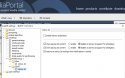
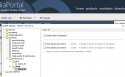
So then decided to play with it further and have found a fix.
In the screenshots below the first profile is the failing one for Win 10 2004 which worked with 1909 and earlier and the second one works with 2004 perfectly again.
Not sure why Win 10 2004 does not like the first profile but happy to have fixed it.
Hi
I managed to get Geforce 3070 which replaced my Radeon 580.
I have it connected to Samsung Q70R. With Radeon 580 I haven't had any issues with madvr in SDR or HDR (all perfect in my opinion).
It looks like HDR with Geforce 3070 is hard to do due to driver issues (?) I have tried many different drivers for 3070 but on the ones that I can get HDR to work I get the following issues:
1) Switch on Mediaportal 1.27
2) Play SDR content - all good
3) Play HDR content - all good; HDR switches on on the Q70R
4) Play SDR content - all colors disturbed, Q70R reports HDR off

5) Play HDR content - all good
If I restart Mediaportal - SDR is OK until I play HDR, then it starts again. Basically once I play HDR I need to restart Mediaportal to play SDR content.
I can't imagine myself not using Mediaportal (been using more than 10 years), so if I can't solve this I will return Geforce 3070 and put back Radeon 580 (I like Mediaportal that much).
My settings:

Same SDR playback issues after HDR also happen on DXVA2 (copy back) and DXVA2 Native.
Madvr settings:


how many video frames are presented in advance = "1" sorts out micro stutter on Geforce RTX GPUs according to some posts on Doom9's Forum - Powered by vBulletin. Generally people say that they manage to get the HDR playback sorted with MPC in full-screen fine in Geforce RTX GPUs but Mediaportal is different...
Can anyone help me pls? I'm guessing here but it seems like madvr is not properly disabled after playing HDR in Mediaportal on Nvidia card? Or maybe some madvr settings need adjusting? I have spent close to 12 hours on this but can't solve this issue
I have tried many times to export logs using MediaPortal WatchDog but every time I try to play HDR content with it running colors are washed (no proper HDR displayed) and then SDR is working correctly.
If i just fire up Mediaportal and play HDR then it's OK but if I play SDR all content colors are disturbed until Mediaportal restart.
Getting desperate here as I have now less than 12 days to return the card to the seller. Very willing to donate if this issue with SDR colors after playing HDR via passthrough HDR to display is fixable.
I managed to get Geforce 3070 which replaced my Radeon 580.
I have it connected to Samsung Q70R. With Radeon 580 I haven't had any issues with madvr in SDR or HDR (all perfect in my opinion).
It looks like HDR with Geforce 3070 is hard to do due to driver issues (?) I have tried many different drivers for 3070 but on the ones that I can get HDR to work I get the following issues:
1) Switch on Mediaportal 1.27
2) Play SDR content - all good
3) Play HDR content - all good; HDR switches on on the Q70R
4) Play SDR content - all colors disturbed, Q70R reports HDR off
5) Play HDR content - all good
If I restart Mediaportal - SDR is OK until I play HDR, then it starts again. Basically once I play HDR I need to restart Mediaportal to play SDR content.
I can't imagine myself not using Mediaportal (been using more than 10 years), so if I can't solve this I will return Geforce 3070 and put back Radeon 580 (I like Mediaportal that much).
My settings:
Same SDR playback issues after HDR also happen on DXVA2 (copy back) and DXVA2 Native.
Madvr settings:
how many video frames are presented in advance = "1" sorts out micro stutter on Geforce RTX GPUs according to some posts on Doom9's Forum - Powered by vBulletin. Generally people say that they manage to get the HDR playback sorted with MPC in full-screen fine in Geforce RTX GPUs but Mediaportal is different...
Can anyone help me pls? I'm guessing here but it seems like madvr is not properly disabled after playing HDR in Mediaportal on Nvidia card? Or maybe some madvr settings need adjusting? I have spent close to 12 hours on this but can't solve this issue
I have tried many times to export logs using MediaPortal WatchDog but every time I try to play HDR content with it running colors are washed (no proper HDR displayed) and then SDR is working correctly.
If i just fire up Mediaportal and play HDR then it's OK but if I play SDR all content colors are disturbed until Mediaportal restart.
Getting desperate here as I have now less than 12 days to return the card to the seller. Very willing to donate if this issue with SDR colors after playing HDR via passthrough HDR to display is fixable.

I understand how you feel, but this will definitely not be fixed within 12 days, that I can tell you for sure.
It needs a lot of investigation and troubleshooting and (most likely) code adjustments. Not every developer has a HDR capable device, so that also makes troubleshooting difficult.
If you want to play on the safe side, you can return the card and buy it again once this is fixed.
It needs a lot of investigation and troubleshooting and (most likely) code adjustments. Not every developer has a HDR capable device, so that also makes troubleshooting difficult.
If you want to play on the safe side, you can return the card and buy it again once this is fixed.
Users who are viewing this thread
Online now: 30 (members: 0, guests: 30)