[solved] No sound after clean install? (1 Viewer)

cbr954rr

Portal Pro
October 31, 2016
121
7
52
Home Country
Germany Germany
If the PC has sound, it should be possible to teach MP2 to stop being speechless.
I trust that you have tried to switch off the PC (really off) and starting it again, have you?
What drivers are you using in MP2 for the audio player? LAV? Then the LAV settings may be wrong.

No, mp is not muted. Volume is set to 100% and I see it in the audio mixer of windows.

Now I deinstalled all audio Devices over the device manager and do a restart. Then I installed all unkown devices over the device manager and do a restart again. Same result no sound in mp, all other apps have sound.

Yes, I use the lav filter, but that should not be the problem because MP do also not play skin sounds.

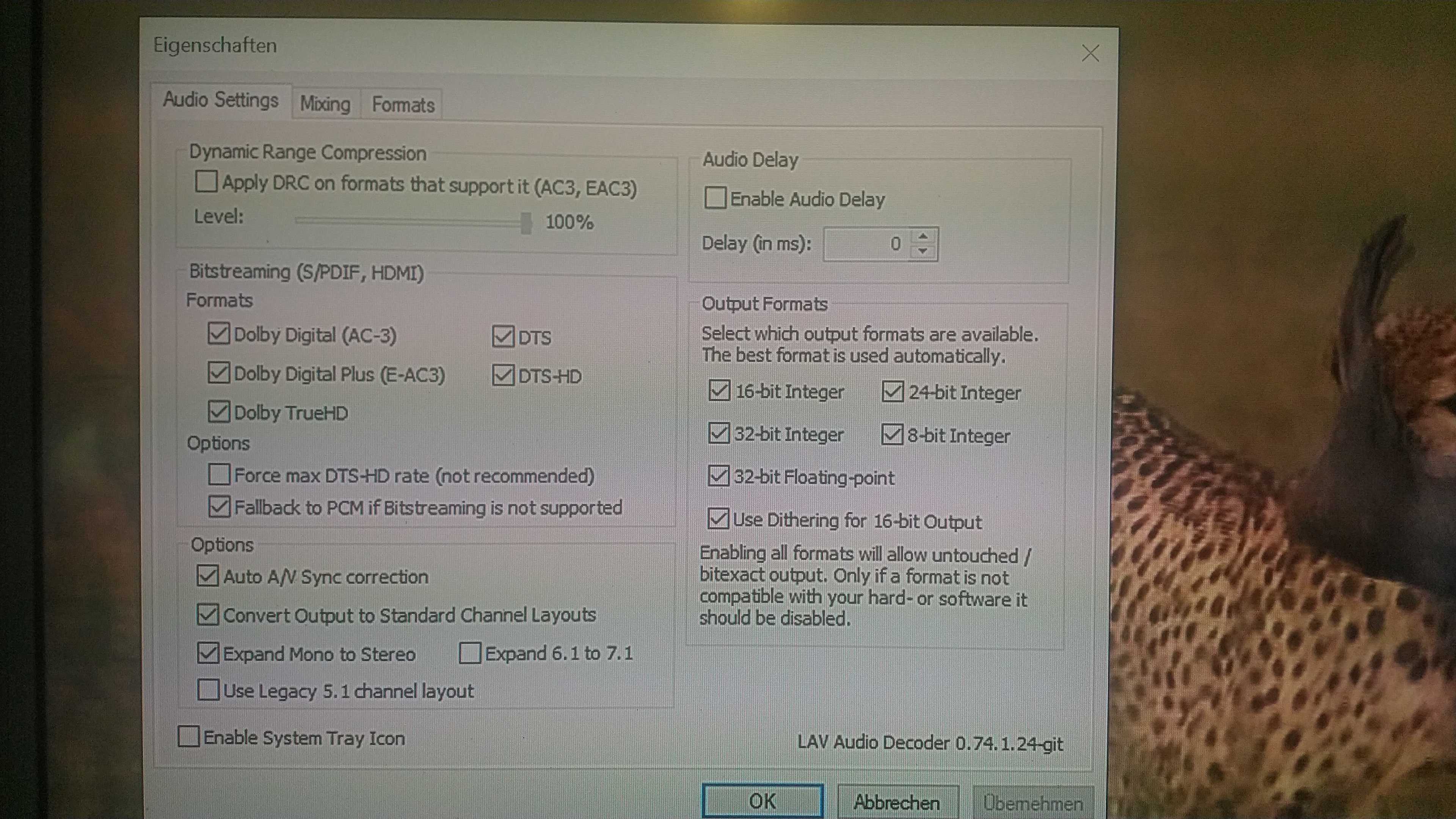
Attached are the Lav settings
 

Attachments

  • IMG_20191008_152252.jpg
    IMG_20191008_152252.jpg
    4.6 MB

HTPCSourcer

Retired Team Member
  • Premium Supporter
  • May 16, 2008
    11,382
    2,369
    Home Country
    Germany Germany
    Enable the system tray icon and verify that LAV is actually used when playing audio.
     

    cbr954rr

    Portal Pro
    October 31, 2016
    121
    7
    52
    Home Country
    Germany Germany
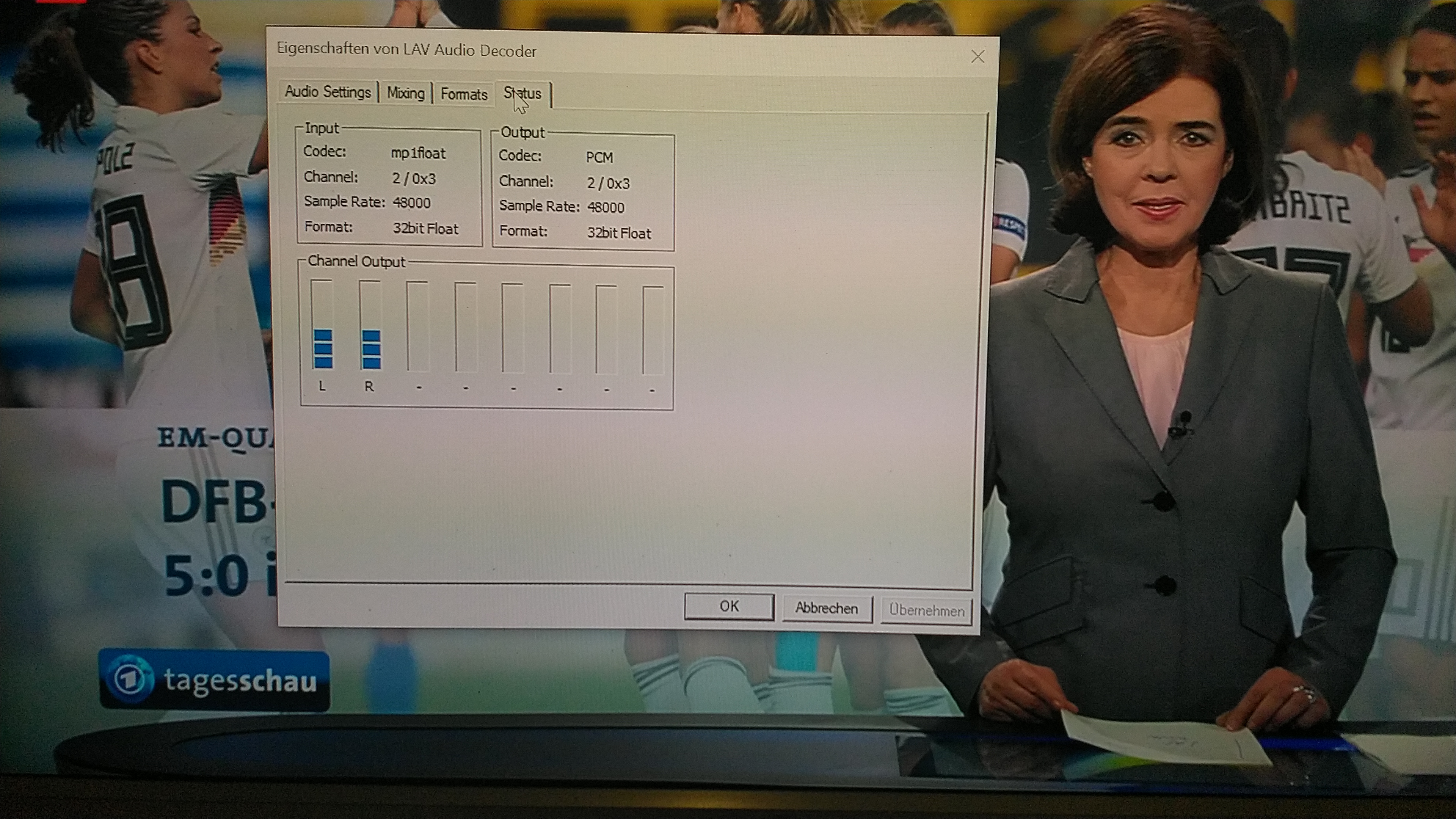
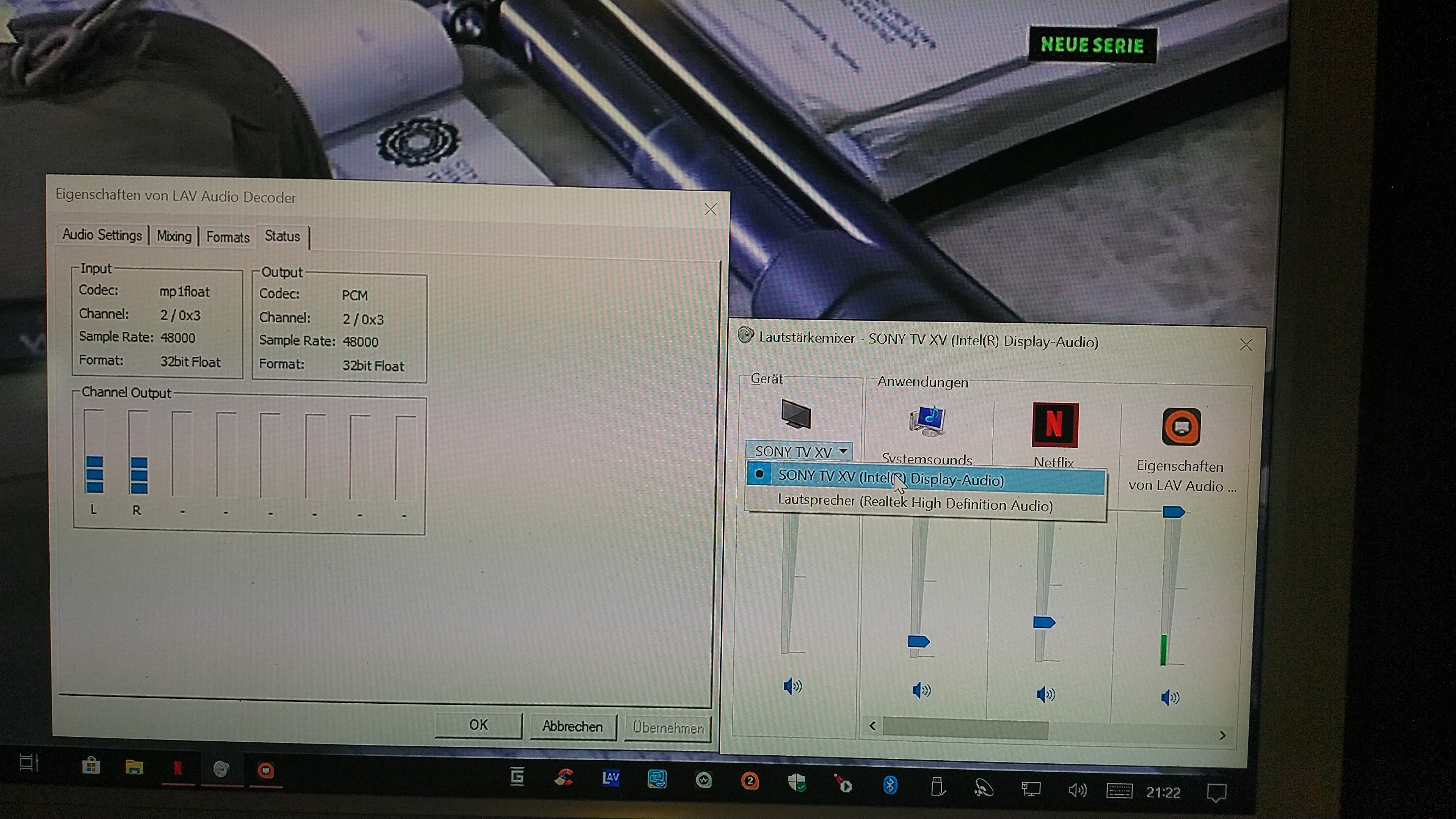
    The tray icon is active and the audio decoder work, but without sound output at the tv.
     

    Attachments

    • IMG_20191008_201426.jpg
      IMG_20191008_201426.jpg
      3.6 MB

    HTPCSourcer

    Retired Team Member
  • Premium Supporter
  • May 16, 2008
    11,382
    2,369
    Home Country
    Germany Germany
    The output is PCM/Stereo, not Bitstream as per your settings.

    What hardware do you expect the sound to be played on? Your TV?

    on your LAV settings you have ticked the option to convert everything to your speaker setup while a HDMI connection should be digital. Maybe that’s the problem.
     

    cbr954rr

    Portal Pro
    October 31, 2016
    121
    7
    52
    Home Country
    Germany Germany
    It is a build in Intel Display Audio and Realtek High Definition Audio.

    How do I change that in the Filter?
     

    HTPCSourcer

    Retired Team Member
  • Premium Supporter
  • May 16, 2008
    11,382
    2,369
    Home Country
    Germany Germany
    Hhm, my setup looks like this

    Bitstreaming.jpg

    Somehow you've set everything to analogue playback, which won't work through a HDMI connection.
     

    Users who are viewing this thread

    Similar threads

    Fixed, I think. Certainly the vintage MP2 installer that I was using no longer installs the LAV filters. I can only assume that these were never part of the install package itself, but rather downloaded during the install, and that link no longer exists. Shame that the installer doesn't indicate this. Last time when I installed the...
    Fixed, I think. Certainly the vintage MP2 installer that I was using no longer installs the LAV filters. I can only assume that...
    Hi all, I've recently retired my MP2 setup for my main HTPC and gone back to separates, but I wanted to retain the ability to play...
    Replies
    4
    Views
    313
    I don't know about MP2 but as you said you tried MP1 too, how is the MP music config ? MP(1) will only use LAV if you select "Internal DirectShow player" as music output, but then you lose gapless playback. If you you don't have multichannel music you can choose WASAPI as the output and set the number of speakers to stereo. I have...
    I don't know about MP2 but as you said you tried MP1 too, how is the MP music config ? MP(1) will only use LAV if you select...
    Not sure if this a a bug/config/settings problem. I am running a media portal 2.5 server with 2.41 client but it seems I get the...
    Replies
    1
    Views
    826
    PS: But maybe the MP2 team will be back tomorrow, and development and bug fixes will continue. Time will tell.
    PS: But maybe the MP2 team will be back tomorrow, and development and bug fixes will continue. Time will tell.
    Hi, Help Please. I've got several FLAC audio files that play OK on my PC, and my HTPC, via: Media Player / Windows Media Player /...
    Replies
    8
    Views
    795
    Thankyou High_Five, that worked perfectly, I now remember doing that 10 years ago, thanks for jogging my old memory. Cheers Tony
    Thankyou High_Five, that worked perfectly, I now remember doing that 10 years ago, thanks for jogging my old memory. Cheers Tony
    Hi everyone, I have been using it For 16 years now (from V1.1.1) and it has worked flawlessly. I only use TV Series and Moving...
    Replies
    2
    Views
    418
    Sorry, it's my fault -- I did not notice that you are using MP2. :( MP1 has a separate configuration utility, similar to "TV Server Config". I have tried MP2 only a couple of times, and have never used it seriously. I don't know what MP2 supports with regard to adjusting audio delay, but I do know that all of the adjustments of...
    Sorry, it's my fault -- I did not notice that you are using MP2. :( MP1 has a separate configuration utility, similar to "TV...
    Hi. I recently upgraded my home cinema AVR which also meant changed from sending audio from my HTPC as 5.1 using optical to 7.1...
    Replies
    5
    Views
    3K
    Top Bottom