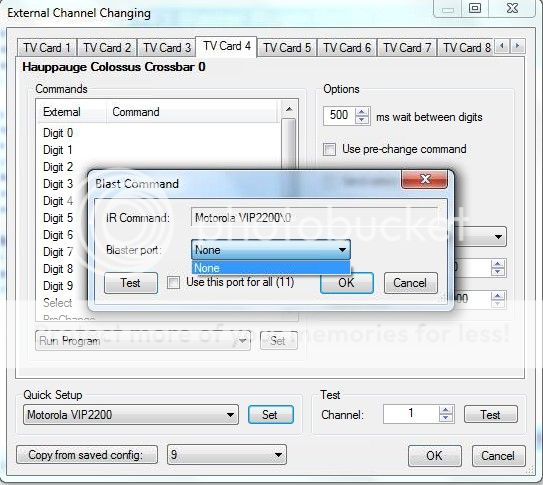
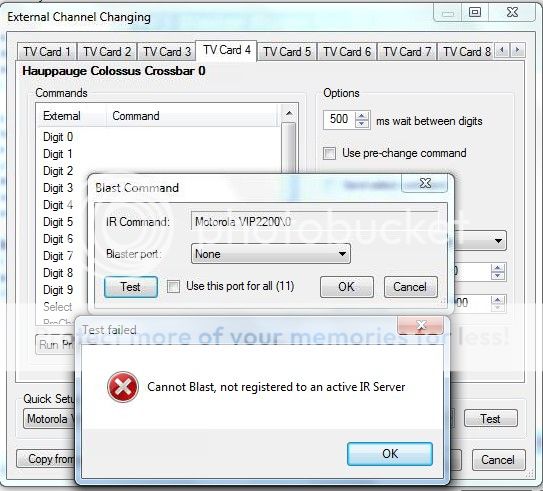
Ok I unselected all other devices, then restarted both IR Server and TV Server.
I went to TV Server Configuration -> TV3 Server plugin
Tried to learn new IR command: No port can be selected, clicking learn INSTANTLY says "Learning failed"
EDIT: I would like IRSS to receive my IRTrans commands too, because MP Tray is not starting my MediaPortal with green button - I used IRSS to do this. But as explained before, neither the remote or blasting is working with new version (1.5.62 remote worked, blasting had same problem).
Is it possible that the USB-UIRT is being used by any other software?
Do you have to learn the commands?
What is the brand and model of your STB, and is there not a compatible STB already in IRSS's STB list?
My box is Motorola VIP1853
Dont know if it is compatible with VIP2200 (that is found on the list) remote, will have to try.
Do I need to select a port for blasting, because I cannot do that in config?
But I might be on to something, I went to IR Server folder and manually run IRServer.exe, now the port selection changed from "None" to "Default". Will report a bit later if I got it to work.
But I might be on to something, I went to IR Server folder and manually run IRServer.exe, now the port selection changed from "None" to "Default". Will report a bit later if I got it to work.
But I might be on to something, I went to IR Server folder and manually run IRServer.exe, now the port selection changed from "None" to "Default". Will report a bit later if I got it to work.
It is working now. I was able to learn the commands etc.
IR Server.exe was running but for some reason wasnt working. Had to ctrl-alt-tab close it and start again.
Thanks for all the help
Just one final question: Is there a way to blast power on before channel selection (I guess this could be done with the pre-select/change option) and power off after recording ends or tv channel is stopped? Didnt see such option yet (though didnt dig that deep, either).
Asking about the power on / off feature because my STB is iptv box and it's just eating up bandwidth if it is left on after recording or watching a channel.
Looks like there's some kind of error regarding translations that I can't pinpoint about Subcentral. You'll find it in the log file I attached to my previous message. I don't understand it because I use MP in english, I search for subtitles in english and not in my native language, so I can't figure out what's translation got to do...
Looks like there's some kind of error regarding translations that I can't pinpoint about Subcentral. You'll find it in the log file...
I don't now what to say, I don't know where to begin. Mediaportal user since 2004. Always a satisfied user, I must add. Lately...
you are right.. I spotted why it's not working. For what ever reason, the 3x recently added / watched for TV series, etc was killing it.. I've removed it for now and it's started working again. I'll have to dig a little deeper as to why it's happened all of a sudden.
you are right.. I spotted why it's not working. For what ever reason, the 3x recently added / watched for TV series, etc was...
Hi Guys... Long time fan. using MP for over 20 years.
Currently running MediaPortal x64 v1.38.3.0 on Win11 with all recent windows...
If you’re planning to submit a pull request, let’s go through the list of issues and their solutions.
I or someone from the team will create a Jira ticket, and for each ticket, you’ll make the changes and submit a pull request.
This will be transparent and straightforward.
If you’re planning to submit a pull request, let’s go through the list of issues and their solutions.
I or someone from the team...
I'm very glad to see that mediaportal 1 is on github, where ordinary devs with github accounts can make contributions.
Please can...

 Canada