When playing an 4k file MP dies (2 Viewers)

mm1352000

Retired Team Member
  • Premium Supporter
  • September 1, 2008
    21,544
    8,236
    Home Country
    New Zealand New Zealand
    Hm - also i have a core i5 (Intel Core i5-7400T) - you think it's not powerfull enough?
    No, not powerful enough for 4k/UHD + HEVC. Just check the CPU usage with Windows task scheduler. ;)
    It might be okay for 4k/UHD + H.264/AVC and HD + HEVC, but not 4k/UHD + HEVC.
    ...and normally you wouldn't want to use your CPU anyway. Using the CPU instead of the GPU will use way more power.
     

    mm1352000

    Retired Team Member
  • Premium Supporter
  • September 1, 2008
    21,544
    8,236
    Home Country
    New Zealand New Zealand
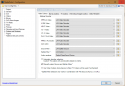
    Please show your new LAV video settings, just to make sure.
     

    pur_berger

    Super User
  • Team MediaPortal
  • Super User
  • May 14, 2007
    1,678
    312
    54
    Vienna
    Home Country
    Austria Austria
    upload_2017-5-14_3-10-56.png
     

    mm1352000

    Retired Team Member
  • Premium Supporter
  • September 1, 2008
    21,544
    8,236
    Home Country
    New Zealand New Zealand
    I note...

    v0.68:
    Fixed: CUVID would crash when playing certain HEVC files

    v0.66:
    NEW: Support for DXVA2-Native decoding of HEVC 10-bit with EVR on supported GPUs

    v0.65:
    Fixed: Improved HEVC DXVA2 decoding on a few samples

    v0.64:
    Fixed: Improved compatibility with a few HEVC streams when using DXVA2
     

    pur_berger

    Super User
  • Team MediaPortal
  • Super User
  • May 14, 2007
    1,678
    312
    54
    Vienna
    Home Country
    Austria Austria
    ok - 0.69 seems to work much better - dxva2 native and hevc enabled and only miniro glitches visble (not 100% perfect but - well - acceptabel). Also what didn't work with tah old lav was FF or starting teh movie where you have left (sound only without picture).

    Result with CUVID is not that good - glithes from begining but no crash anymore.

    So - thx for your input - i think we need to leave it here as this seems to be LAV related so hoping for further improvements :)
     

    joecrow

    Test Group
  • Team MediaPortal
  • August 9, 2012
    2,721
    2,074
    Home Country
    Germany Germany
    I would also suggest giving DXAV2 Copy Back a try, lots of debate over at Doom9 as to which to use in what circumstances but based on my own, albeit limited experience, Copy Back gives me the best PQ with both Nvidia and AMD GPUs that have HEVC hardware acceleration.
     

    daWooky

    MP Donator
  • Premium Supporter
  • April 3, 2012
    783
    871
    Home Country
    Germany Germany
    I do not know what the multi-file parser splitter does but it seems u using it:
    Code:
        <entry name="audiorenderer">MediaPortal - Audio Renderer</entry>
        <entry name="mpeg2audiocodec">LAV Audio Decoder</entry>
        <entry name="mpeg2videocodec">LAV Video Decoder</entry>
        <entry name="h264videocodec">LAV Video Decoder</entry>
        <entry name="vc1ivideocodec">LAV Video Decoder</entry>
        <entry name="vc1videocodec">LAV Video Decoder</entry>
        <entry name="xvidvideocodec">LAV Video Decoder</entry>
        <entry name="aacaudiocodec">LAV Audio Decoder</entry>
        <entry name="splitterfilter">LAV Splitter Source</entry>
        <entry name="splitterfilefilter">Multi-file Parser</entry>
        <entry name="settinglavplitter">yes</entry>
    maybe change your splitter filter to the lav splitter:
    mepo_lav.PNG

    and a bit about lav cuvid in general, pls avoid that method and instead use the dxva c-b for less hassle (and for madvr) or native for performance reasons...
    also even your kaby-cpu should have enough power for hw decoding 4k without problems, with evr as renderer at least.
    btw. you can check the decoding capabilities with dxva checker
     

    Users who are viewing this thread

    Similar threads

    I would have to know more details, and ultimately, I'll have to test it when I get my new display, but an AI answer I got (I don't trust AI and this may not be correct) was that HDR is encoded with the HEVC codec and I know MePo uses the HEVC codec to play 4K UHD Blue-ray discs. So, there is at least the possibility that it will work...
    I would have to know more details, and ultimately, I'll have to test it when I get my new display, but an AI answer I got (I don't...
    Does MePo 1 pass the HDR metadata, Dolby Vision, HDR10, etc., along to the display when playing 4K UHD Blu-ray discs? If not, are...
    Replies
    2
    Views
    1K
    I switched back to MePo 1 some time ago, and havent really used it that much. But i wanted to watch some old movies stored as ISO file. Virtuel Clone drive is installed, and it can mount the ISO file. However when i try to select it from MePo i only get an error that i cannot mount it. [2026-06-07 14:56:35,994] [Error ] [MPMain ]...
    I switched back to MePo 1 some time ago, and havent really used it that much. But i wanted to watch some old movies stored as ISO...
    I switched back to MePo 1 some time ago, and havent really used it that much. But i wanted to watch some old movies stored as ISO...
    Replies
    0
    Views
    359
    PS: But maybe the MP2 team will be back tomorrow, and development and bug fixes will continue. Time will tell.
    PS: But maybe the MP2 team will be back tomorrow, and development and bug fixes will continue. Time will tell.
    Hi, Help Please. I've got several FLAC audio files that play OK on my PC, and my HTPC, via: Media Player / Windows Media Player /...
    Replies
    8
    Views
    729
    i love how subtitles are implemented in the MP2 videoplayer, this is just perfect. 1080p playback is also very good. But video playback in MP2 is buggy when playing 4k material. Therefore: PLEASE add an option for an external video player! I'd LOVE to have VLC back as videoplayer, like in MP1! This works perfectly. You will make a...
    i love how subtitles are implemented in the MP2 videoplayer, this is just perfect. 1080p playback is also very good. But video...
    i love how subtitles are implemented in the MP2 videoplayer, this is just perfect. 1080p playback is also very good. But video...
    Replies
    0
    Views
    1K
    Are the media/video folders on the Mint host?
    Are the media/video folders on the Mint host?
    I've used Mediaportal for years on a Windows Host with restricted online-access. Lately I reinstalled...
    Replies
    1
    Views
    1K
    Top Bottom