Xface Skin Version 1.6 ready for download 09.06.2008 (2 Viewers)

Harley

Retired Team Member
  • Premium Supporter
  • May 7, 2004
    2,053
    1,993
    Germany
    Home Country
    Germany Germany
    Hi level20peon,

    many thanks for your help, would be great if you can atached the overworked files, so i can easy add them to the skin.

    If you have a good working TVseries xml, would be great if you can atached it also. I not use the TV Series stuff, so i can not realy say what is working good.

    Greetings Harley
     

    Doodles

    Portal Pro
    September 9, 2006
    84
    14
    Home Country
    United Kingdom United Kingdom
    Hi Harley, Is ther a way to edit the skin xml to make the EPG guide have more lines, as it was in the earlier release. in version 1.3 I just replaced mytvguide.xml from the earlier version. I didn't want to use the same mytvguide.xml file with 1.4 just in case it broke something. How can I fix it please?

    Kind regards,
    Kev.

    Hi Metropolis. See this thread https://forum.team-mediaportal.com/xface-251/tv-guide-number-channels-displayed-35586/#post236951 for details of how to get more lines in the EPG.

    Cheers!
     

    Tirade

    Portal Member
    January 22, 2008
    38
    1
    Tried Xface out for this first time last night and it looks great. Quick question though, am I missing an easy way to force it to 1920X1080 resolution? Everything looks like its 800X600 on my end with all the words overlapping each other and very large.
     

    level20peon

    MP Donator
  • Premium Supporter
  • January 4, 2007
    1,082
    102
    44
    Aachen
    Home Country
    Germany Germany
    Sure, I thought you want to insert the lines yourself after evaluating their correctness.


    Well Harvey, if you have some sparetime, install the TV-Series plugin. I haven't looked over the code, yet but the view REALLY is screwed up. Can you tell me what you changed beside my proposed moving the big scrolling text ?


    -level20peon
     

    Attachments

    • common.facade.video.xml
      30.7 KB

    Harley

    Retired Team Member
  • Premium Supporter
  • May 7, 2004
    2,053
    1,993
    Germany
    Home Country
    Germany Germany
    Sure, I thought you want to insert the lines yourself after evaluating their correctness.


    Well Harvey, if you have some sparetime, install the TV-Series plugin. I haven't looked over the code, yet but the view REALLY is screwed up. Can you tell me what you changed beside my proposed moving the big scrolling text ?


    -level20peon


    ..many thanks for the files, will add them to the update.

    Can you make a test with the atached TVSeries file, if it is working better with that ?

    Greetings Harley
     

    Attachments

    • TVSeries.xml
      30.6 KB

    whatisk

    Portal Pro
    May 21, 2007
    242
    12
    Brisbane
    Home Country
    Australia Australia
    Sure, I thought you want to insert the lines yourself after evaluating their correctness.


    Well Harvey, if you have some sparetime, install the TV-Series plugin. I haven't looked over the code, yet but the view REALLY is screwed up. Can you tell me what you changed beside my proposed moving the big scrolling text ?


    -level20peon

    level20peon,

    Part of the problem with the TVSeries initial view in the bottom left corner where the actors, etc are displayed is that there is a graphic file missing from the skin install. I noticed the same last night when I installed the new version of the skin (lucky I backed up the original XFace folder I had).

    You need a copy of tvseries_detailback.png in the media folder. It can be found back on page 93 if you no longer have it. That is a larger grey background that the actors, etc are displayed on.
     

    level20peon

    MP Donator
  • Premium Supporter
  • January 4, 2007
    1,082
    102
    44
    Aachen
    Home Country
    Germany Germany
    Harley: Yes this works better... I'm not surprised it does since it's the old version ;). I attached a reworked version of the 1.4 release since the view just hurt my eyes too much :D.
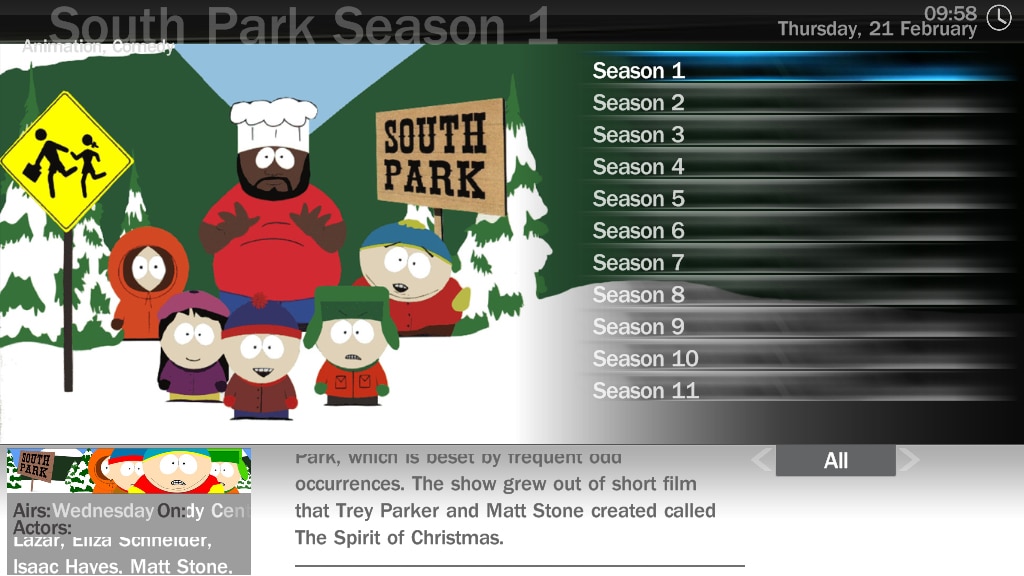
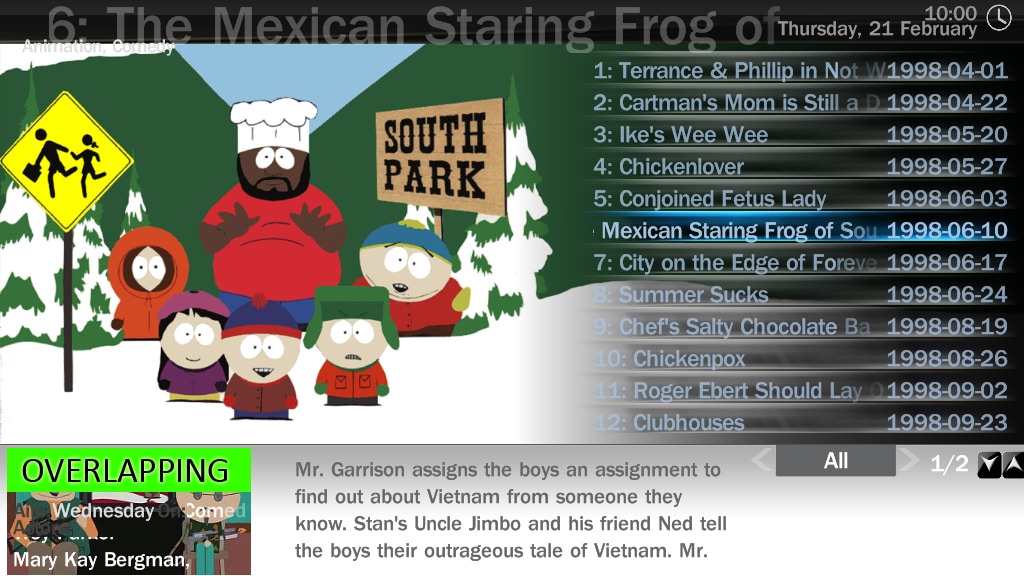
    There is however something I cannot fix: See attached screenshots for a view on this. On TVSeries1.jpg you can see the season-list. Everything is displayed fine in the box on the bottom left. When I enter a season the view switches to episode-list (TVSeries2.jpg). As you can see there is now a picture displayed for the specific episode. Since the Series-banner is now longer shown on the top so the text is shown in the middle of the picture without any logical position (The green part is not visible, I just inserted this to show what I mean).
    Is it possible to move the text in episode-list-view (To the top of the box) ? Even better would be to NOT display the text at all in episode-list-view so only the episode-picture is shown here... My programming skills are rather weak so can you give me a hint ?


    Another thing: You updated the TV-Series thumbnail in the Menu-List but on the right side the Plugin thumbnail is still displayed. I attached an update to fix this (hover_my tv series.png). Just replace the .png inside the "Media" folder... that's all.


    btw: Per incidence I read about "SVN Versions of your skin"... where can I get them ?


    whatisk: Erm... I really don't get why I need to manually add a .png to use the "new" version at all but you are right... it helped (except I still had to work on the attached .xml :rolleyes:).


    -level20peon
     

    Attachments

    • TVSeries1.jpg
      TVSeries1.jpg
      321.8 KB
    • TVSeries2.jpg
      TVSeries2.jpg
      424.1 KB
    • hover_my tv series.png
      hover_my tv series.png
      126.1 KB
    • TVSeries.xml
      30.6 KB

    level20peon

    MP Donator
  • Premium Supporter
  • January 4, 2007
    1,082
    102
    44
    Aachen
    Home Country
    Germany Germany
    One change in line 83 of "common.facade.video.xml" to remove overlapping scrolling text in thumbnail view.


    -level20peon
     

    Attachments

    • common.facade.video.xml
      30.7 KB

    Super!Geek

    New Member
    August 19, 2007
    4
    0
    Home Country
    United States of America United States of America
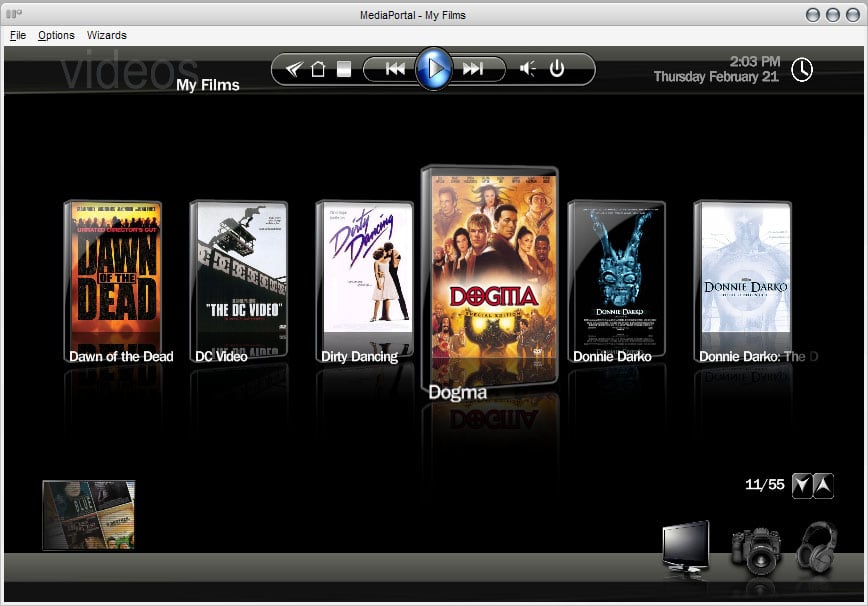
    Hey, I really like the skin, but I have a quick question. I've looked through about 20 pages of this thread (which is frick'n huge) and didn't see an answer, so I'm asking. Are the cool angled pics for the My Films filmstrip view something we have to do ourselves, or did I not install something properly? I use AMC and just put in head-on shots of the DVD covers, which look awkward in the neat-o slanted cases in this theme. I've attached an example of what I'm talking about.

    I'm currently using 0.2.3.0 stable release and xface.685.zip, uploaded the other day--though I have tried this with last night's SVN with the same result.

    Great skin, btw. :D

    Hrm... now that I look at the images on the first page again, it appears that my images are just too small to fill the void. :(
     

    Attachments

    • xfacemyfilms.jpg
      xfacemyfilms.jpg
      107 KB

    jucaso

    Portal Member
    September 4, 2006
    8
    0
    Home Country
    United States of America United States of America
    Filmstrip cover art issue

    I apologize if this is not the right place or format for my question. Great skin!!
    Is there a way to fill up the DVD covers with the artwork in the filmstrip view? I'm using the default images downloaded from IMDB which I believe are low res. The image only fills up 3/4 of the DVD case leaving a blank space on top. I browsed most of the postings but I could not find one addressing this issue.

    I'm running the latest version 0.2.3.0 with Xface 1.4.

    Thank you in advance.
     

    Users who are viewing this thread

    Top Bottom