[WiP] madVR support in MP1 (129 Viewers)

daWooky

MP Donator
  • Premium Supporter
  • April 3, 2012
    783
    871
    Home Country
    Germany Germany
    :Dthen nobody gets confused:p

    @Kotik i cant reproduce the new pause thingy either but remembered similar things with tv usage on a older version...
    it was similar with zap sound from old channel on a client, on it tv was set with bufferdelay and unc path ... so i reverted back to defaults and rtps.
    since then no problems with bad zap spotted so far but maybe i was just lucky...:p
     

    Sebastiii

    Development Group
  • Team MediaPortal
  • November 12, 2007
    16,514
    10,467
    France
    Home Country
    France France
    @daWooky :)

    I have looked again about the subtitle for Auto3D based on explanation from Auto3D forum thread :

    Automatic subtitle corrections
    For the correct display of subtitles it is necessary to know if the subtitles are generated from text or from images. In this case Auto3D can decide how to display them correct. Prior versions of Auto3D had problems with subtitles based on images, because they were displayed wrong:
    auto3d_subtitle_x4-jpg.159854


    From 1.10 on Auto3D checks if there are files with the name of the movie plus the extension SRT (text) or the extension IDX/SUB (images) and displays them correct:
    auto3d_subtitle_x2-jpg.159856

    So now it act like EVR but the detection of subtitle is not full proof :)
    Let me explain, Auto3D assume that all images based subtitle are directly 3D subtitles and then external TEXT subtitle are only 2D.
    So with my latest change, all external TEXT subtitle (.srt etc.) are duplicated like it is now and all image based subtitle are not (this mean on Xmen sample, the first subtitle in yellow is displayed correctly because not doubled but the 2 others internal (based on image are not doubled but those are needed to be doubled).

    The best would be that image based subtitle need to be analysed too but not sure if it's possible and doable.

    So the question is maybe add an option in context menu of auto3D to enable or not the double subtitle :)
    What do you think ?
     

    Sebastiii

    Development Group
  • Team MediaPortal
  • November 12, 2007
    16,514
    10,467
    France
    Home Country
    France France
    This is it :)
    V350 that support like explain above :p and attached modified Auto3D that permit a toggle 3D/2D subtitle.
    Need to have a feedback for testing and wording :p

    This is the new entry :)

    upload_2017-10-16_21-19-3.png


    So Auto3D assume a subtitle imagebased = subtitle already in 3D but in fact it's not, we can change the mode in live :p
     
    Last edited:

    daWooky

    MP Donator
  • Premium Supporter
  • April 3, 2012
    783
    871
    Home Country
    Germany Germany
    correction* its more like a superbly nice sub fix:LOL:
    tried it briefly this morning, so only little time but it worked perfectly (y)(y)
    damn busy day (hardly any time to even write this) but as always theres time for a few screens^^
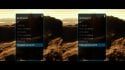
    2d sub to 3d sub:
    madVR - 07-50-31.jpg madVR - 07-50-41.jpg madVR - 07-50-48.jpg
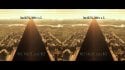
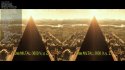
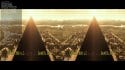
    and with 3d sub (orig), 3d sub (quadruples ^^ ok), 3d sbs->2d (orig), 3d sbs->2d (doubles also ok^^)
    madVR - 08-03-08.jpg madVR - 08-03-54.jpg madVR - 08-04-42.jpg madVR - 08-05-45.jpg
    more with the 3d tv tonight :p
     

    Sebastiii

    Development Group
  • Team MediaPortal
  • November 12, 2007
    16,514
    10,467
    France
    Home Country
    France France
    Thanks for testing this :p
    Yep i think it's good to have :)
    Just need to have input about the language or it can stay like this too.
    For now, the subtitle mode 3D/2D goes back to default (based on Text or image subtitle) as soon as we are displaying the Auto3D context menu and when starting a video. I think it's ok to do it like this but i can only let it on movie start, like this if we change the subtitle mode it will stay like this until a new action from this menu.

    What do you think ?
    Good luck for work too lol.
     

    daWooky

    MP Donator
  • Premium Supporter
  • April 3, 2012
    783
    871
    Home Country
    Germany Germany
    Yeah, definitely a nice to have one and pretty unique. Also with that cinematic ratio;)
    About language idk for sure but I think its ok too, if u mean the scales or what exactly you mean...hehe.
    sub selection is also ok like this and guess I already seen the weirdness by chance e.g. as I switched to 3d sub the previous sub was still there a short period but I think its harmless if experienced once ;)


    Gesendet von meinem HTC One_M8 mit Tapatalk
     

    joecrow

    Test Group
  • Team MediaPortal
  • August 9, 2012
    2,715
    2,078
    Home Country
    Germany Germany
    Hi
    I finally got round to trying out Auto3d but can't seem to get beyond the basics. If I play a 3D SBS I get an info text on the display saying it is SBS etc, so it seems the plugin is active, but I can't get the menu, either with Cntrl D or if I tick the "Always show menu un MP". The display is not 3D and I have used the "Generic TV option in the Auto 3D setup, I had assumed I could still use the SBS to 2D option?? Madvr is 0.92.6 Lav is a recent nightly and I'm using copy-back, V349 and Auto3d from page 1.
    Help;)
     

    Sebastiii

    Development Group
  • Team MediaPortal
  • November 12, 2007
    16,514
    10,467
    France
    Home Country
    France France
    Hi :)
    CTRL+D or what ever Key you set should always appear the Auto3D context menu to select mode we want if autodetection didn't work well :p
    You can try first with EVR :p

    So if you get the info text it's SBS, you should be able to watch the OSD correctly if the TV goes to 3D or if display stay 2D, you should see image and OSD/GUI doubled :p
    Explanation on how it should works : Auto3D plugin for MediaPortal 1.2 - 1.12 (GUI & TV/Beamer)

    This is my setup on a non 3D display that i have on DEV :p

    upload_2017-10-18_12-27-14.png


    upload_2017-10-18_12-27-22.png


    upload_2017-10-18_12-27-29.png


    upload_2017-10-18_12-27-37.png


    upload_2017-10-18_12-27-52.png


    upload_2017-10-18_12-28-3.png


    upload_2017-10-18_12-28-12.png
     

    Users who are viewing this thread

    Top Bottom