[WiP] madVR support in MP1 (37 Viewers)

daWooky

MP Donator
  • Premium Supporter
  • April 3, 2012
    783
    871
    Home Country
    Germany Germany
    wondered where the hell that option is:sneaky:
    but so back to tv and hdr, nothing's changed on my side. still as in my last video. :p
    if i want to switch from hdr to sdr and so deactivate hdr to have the correct sdr colors again.. that only works with the second zap or tuner change.
    used settings:
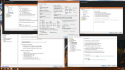
    Screenshot (502).png mepo-start_resume defaults.PNG
     
    Last edited:

    daWooky

    MP Donator
  • Premium Supporter
  • April 3, 2012
    783
    871
    Home Country
    Germany Germany
    hi seb,
    on my htpc there's a new damn side effect with tv zap and the new 484 core:p
    prob is that i have a much longer switching time especially when changing the tuner... e.g. when i zap channels on different tuners, part of the sound of the currently tuned station is played with a short interruption without a picture before switching to the new station.
    reverted back to v483 and instantly fast again:) so do you have any idea what it may is?:p
     

    Sebastiii

    Development Group
  • Team MediaPortal
  • November 12, 2007
    16,514
    10,467
    France
    Home Country
    France France
    So you mean the delay is present when madVR is used all along?
    Also with the option for EVR for LiveTV with madVR?
    And when used EVR all along too?
    :)

    The code introduces in V484 is only executed when we use madVR as video renderer and the EVR for LiveTV and not for the other mode, so this is strange if it happens for EVR (video renderer settings) or with madVR only.

    C#:
            // Check if need to set EVR for LiveTV when using madVR
            if (UseMadVideoRenderer)
            {
              if (UseEVRMadVRForTV && g_Player.IsTimeShifting)
              {
                GUIGraphicsContext.VideoRenderer = GUIGraphicsContext.VideoRendererType.EVR;
                // Keep current RenderTarget to trying to restore D3D GUI from madVR but release it if already init previously
                if (GUIGraphicsContext.MadVrRenderTargetVmr9 != null && !GUIGraphicsContext.MadVrRenderTargetVmr9.Disposed)
                {
                  GUIGraphicsContext.DX9Device?.SetRenderTarget(0, GUIGraphicsContext.MadVrRenderTargetVmr9);
                  GUIGraphicsContext.MadVrRenderTargetVmr9.Dispose();
                  GUIGraphicsContext.MadVrRenderTargetVmr9 = null;
                }
              }
              else

    That part :
    C#:
                if (GUIGraphicsContext.MadVrRenderTargetVmr9 != null && !GUIGraphicsContext.MadVrRenderTargetVmr9.Disposed)
                {
                  GUIGraphicsContext.DX9Device?.SetRenderTarget(0, GUIGraphicsContext.MadVrRenderTargetVmr9);
                  GUIGraphicsContext.MadVrRenderTargetVmr9.Dispose();
                  GUIGraphicsContext.MadVrRenderTargetVmr9 = null;
                }
     

    daWooky

    MP Donator
  • Premium Supporter
  • April 3, 2012
    783
    871
    Home Country
    Germany Germany
    So you mean the delay is present when madVR is used all along?
    Also with the option for EVR for LiveTV with madVR?
    And when used EVR all along too?
    yep,very strange but it was present with madvr and also with evr option set. didnt try evr all along..i'll try again this evening. thanks:p
     

    grabi_2001

    Portal Pro
    May 8, 2009
    283
    107
    in den Alpen
    Home Country
    Germany Germany
    Hi all,
    on the V483 I have a black screen from MadVR to EVR TV.
    In the V484, EVR TV works by MadVR, but I have the same synonym as daWooky.
    From EVR to EVR .... I forgot to test now, sorry.
    I can not do it now either.
    greetings
    Dirk
     

    Users who are viewing this thread

    Top Bottom