[solved] No sound after clean install? (1 Viewer)

cbr954rr

Portal Pro
October 31, 2016
121
7
51
Home Country
Germany Germany
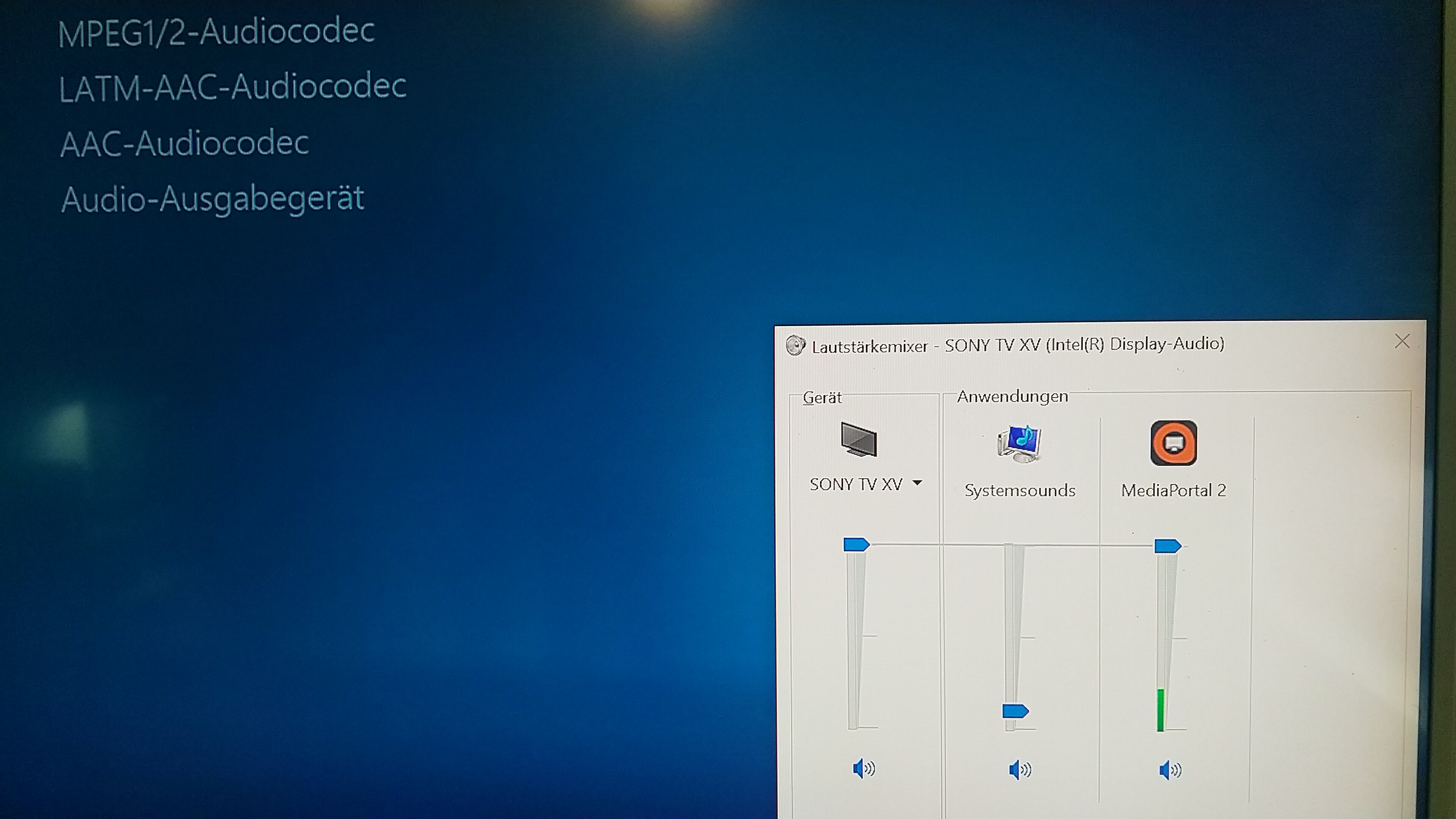
Hi, anything is wrong with my MP. I do a clean install and now MP has no sound (no skin effekts, no audio sound, no tv sound). In the Volume Mixer of my audio card it seems ok, but why mp has no sound output?
 

Attachments
  • IMG_20191008_121233.jpg
    IMG_20191008_121233.jpg
    4 MB
  • MediaPortal2-Logs-2019-10-08-12.19.48.zip
    158.3 KB
Last edited:

cbr954rr

Portal Pro
October 31, 2016
121
7
51
Home Country
Germany Germany
Here is a log for tv, music and Video. All without sound output :(
 

Attachments

  • MediaPortal2-Logs-2019-10-08-14.28.19.zip
    2.9 MB

cbr954rr

Portal Pro
October 31, 2016
121
7
51
Home Country
Germany Germany
Is your PC itself having sound?

Yes, all system Sounds are working and I have sounds in all other apps like netflix, but no sound in mp2. Further that is my server, on all clients in the network I have a sound in Mp, but not on that server. The hdmi connection plays all system sounds on my tv, only the mp is quiet.
 

HTPCSourcer

Retired Team Member
  • Premium Supporter
  • May 16, 2008
    11,382
    2,369
    Home Country
    Germany Germany
    Have you tried to change the audio device in MP2? You are currently using Default Direct Sound. What happens if you change this to a hardware device such as your TV?
     

    cbr954rr

    Portal Pro
    October 31, 2016
    121
    7
    51
    Home Country
    Germany Germany
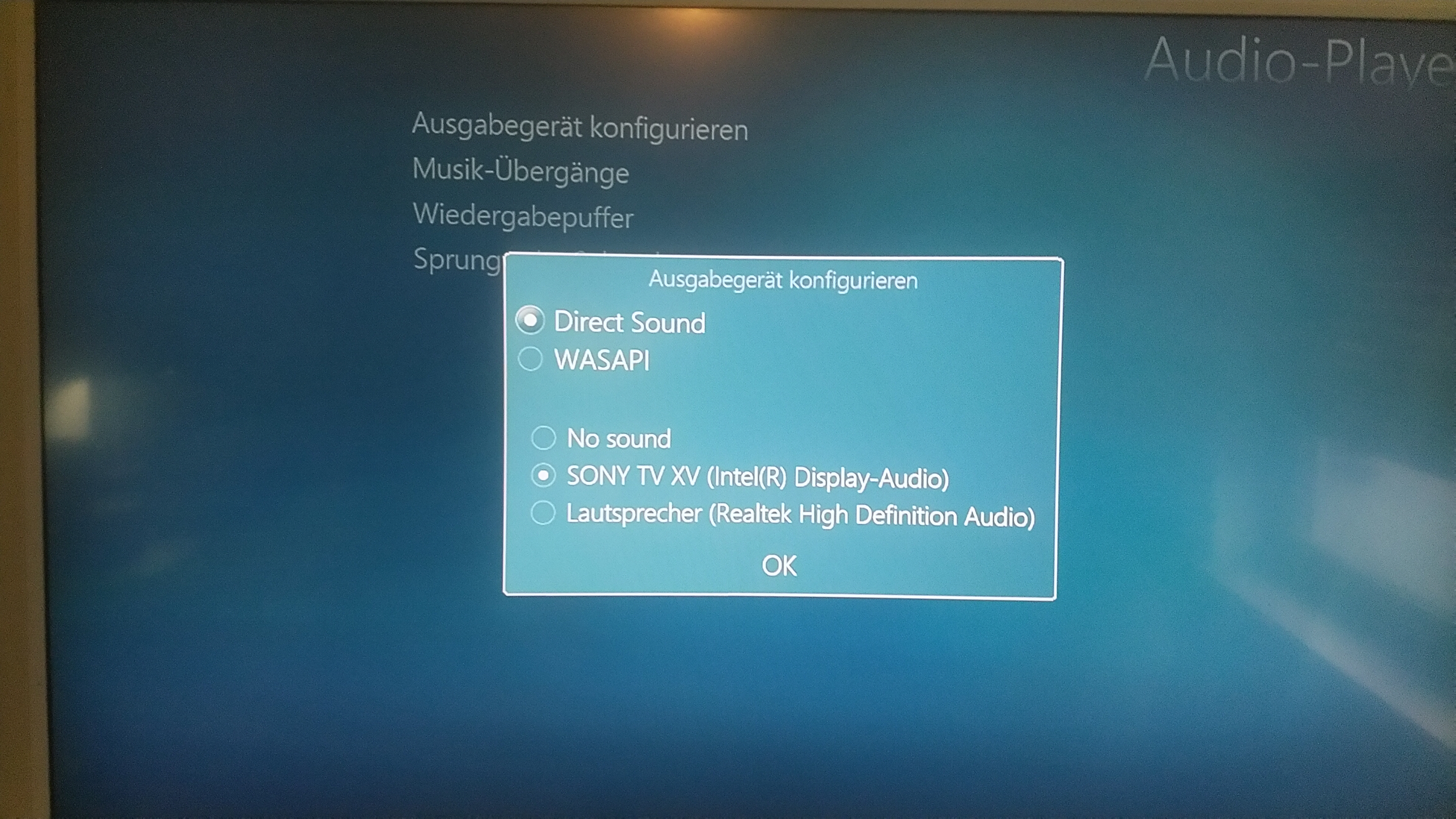
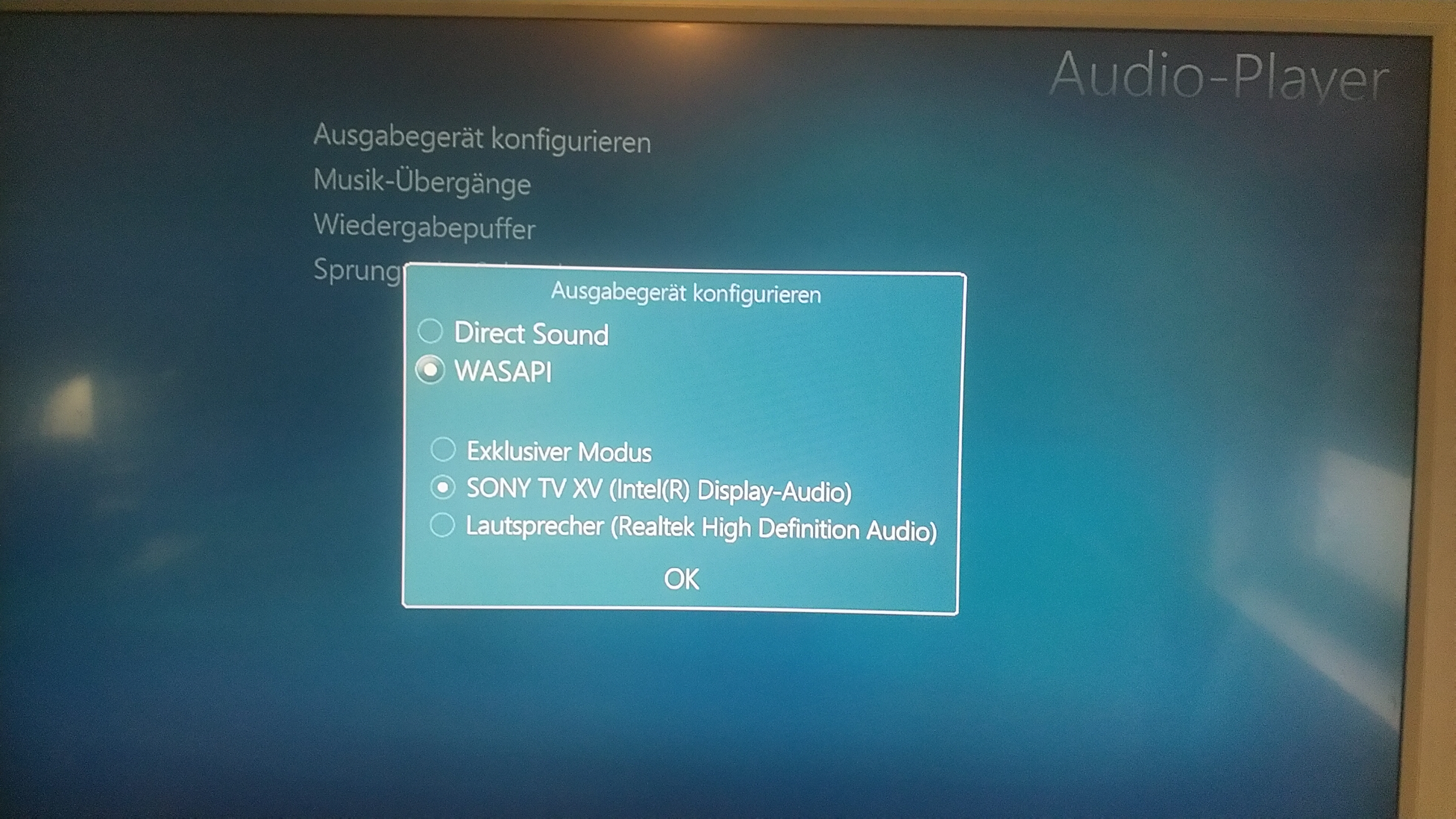
    Yes I have, with no result:

    Default Direct Sound Device: No sound
    Direct Sound and HDMI: No sound
    Wasapi and hdmi: No sound

    I was wondering why that happens after I deleted all files in appdata. All other Apps Play the Sound on TV over hdmi and I hear also the system Sounds, but MP is still quiet.
     

    Attachments

    • IMG_20191008_144756.jpg
      IMG_20191008_144756.jpg
      5.3 MB
    • IMG_20191008_144814.jpg
      IMG_20191008_144814.jpg
      5.4 MB
    Last edited:

    HTPCSourcer

    Retired Team Member
  • Premium Supporter
  • May 16, 2008
    11,382
    2,369
    Home Country
    Germany Germany
    Hhm, no real idea. That is nothing specific to MP2. Did you already run Windows audio troubleshooter?

    If everything fails, you could delete all audio devices in the device manager and let Windows recognize the hardware again after a reboot.
     

    cbr954rr

    Portal Pro
    October 31, 2016
    121
    7
    51
    Home Country
    Germany Germany
    Yes I run the audio trouble shooter and it found no problems. At the moment I watch netflix on that server with sound, but I like to have MP with sounds :(
     

    cbr954rr

    Portal Pro
    October 31, 2016
    121
    7
    51
    Home Country
    Germany Germany
    If everything fails, you could delete all audio devices in the device manager and let Windows recognize the hardware again after a reboot.

    I will try that, but I have uninstalled the drivers before, also with no result.
     

    HTPCSourcer

    Retired Team Member
  • Premium Supporter
  • May 16, 2008
    11,382
    2,369
    Home Country
    Germany Germany
    If the PC has sound, it should be possible to teach MP2 to stop being speechless.

    I trust that you have tried to switch off the PC (really off) and starting it again, have you?
    What drivers are you using in MP2 for the audio player? LAV? Then the LAV settings may be wrong.
     

    Users who are viewing this thread

    Similar threads

    Sorry, it's my fault -- I did not notice that you are using MP2. :( MP1 has a separate configuration utility, similar to "TV Server Config". I have tried MP2 only a couple of times, and have never used it seriously. I don't know what MP2 supports with regard to adjusting audio delay, but I do know that all of the adjustments of...
    Sorry, it's my fault -- I did not notice that you are using MP2. :( MP1 has a separate configuration utility, similar to "TV...
    Hi. I recently upgraded my home cinema AVR which also meant changed from sending audio from my HTPC as 5.1 using optical to 7.1...
    Replies
    5
    Views
    1K
    Ok, thanks much. I will look into the instructions above. For the moment, I turned off the "Automatic channel logo update" in Settings (which somehow I had missed, I think because it wasn't an option previously), and the deleted everything in the Flat-default folder and populated it with my own logos. Works, so far.
    Ok, thanks much. I will look into the instructions above. For the moment, I turned off the "Automatic channel logo update" in...
    Hi-- I have to revisit an old issue, unfortunately. I just downloaded MP 2.5, a fresh installation, on a new computer (reluctantly...
    Replies
    5
    Views
    1K
    Hi This is a general question about OnX. I have been using the TvWishList plugin for a while and have recently updated (update install) from MP 1.36 x86 to 1.37 x86 and found there seemed to be no Onx menu in the TV guide. I then configured the onx.presets.xml file like I would normally do with updates or fresh installs, but still...
    Hi This is a general question about OnX. I have been using the TvWishList plugin for a while and have recently updated (update...
    Hi This is a general question about OnX. I have been using the TvWishList plugin for a while and have recently updated (update...
    Replies
    0
    Views
    506
    Hi CyberSimian (and others) just a bit along the coast from me (near Exeter) - I know you are very long-standing! Not going to make this long winded or anything, but just to point out over the @15 years I've overall donated several hundred quid. And I begrduge NONE of it, not a penny - I do wish MP well - 100%. It is an awesome...
    Hi CyberSimian (and others) just a bit along the coast from me (near Exeter) - I know you are very long-standing! Not going to...
    ONGGGG term MP user (and donator - why wouldn't you?) and leaving somewhat reluctantly. Few reasons, some that just seem...
    Replies
    4
    Views
    3K
    Thanks very much, Jasmeet. Worked. But note that this setting has moved, apparently, to: Settings > TV (not Plugins)
    Thanks very much, Jasmeet. Worked. But note that this setting has moved, apparently, to: Settings > TV (not Plugins)
    I recently did a fresh install of 2.5 on a new Windows 11 PC. My previous (Windows 10) version of 2.5 gave my broadcast TV channel...
    Replies
    2
    Views
    2K
    Top Bottom