Bugreports here please (2 Viewers)

pilehave

Community Skin Designer
  • Premium Supporter
  • April 2, 2008
    2,566
    521
    Hornslet
    Home Country
    Denmark Denmark
    If you have something NOT working the way it should, please post here, screenshots or logs will make it easier to fix the problem.

    :D
     

    Benjo

    Portal Member
    January 26, 2008
    6
    0
    Hi, first of all i wat to do you many compliments for the skin that i have used without any problem from a month. Today ia have installed the final version (1.0) of Mediaportal and i used it with your ultimate update, but, Mediaportal crashes immediately when it opens. With the RC4 this never happen, why?

    Thanks
     

    pilehave

    Community Skin Designer
  • Premium Supporter
  • April 2, 2008
    2,566
    521
    Hornslet
    Home Country
    Denmark Denmark
    • Thread starter
    • Moderator
    • #3
    Hi, first of all i wat to do you many compliments for the skin that i have used without any problem from a month. Today ia have installed the final version (1.0) of Mediaportal and i used it with your ultimate update, but, Mediaportal crashes immediately when it opens. With the RC4 this never happen, why?

    Thanks

    :D

    Did you use the installer? I had my MediaPortal crash on me last night after I used the installer, and it seems like the 3 fonts in the package was corrupted. When I replaced them with the ones from the zip-file it all worked.

    And, does the crashing occur very fast while the splash-screen is showing, or is it more of a "hang"?
     

    Benjo

    Portal Member
    January 26, 2008
    6
    0
    Thanks for the help, the problem was in the fonts. I have done as suggest you and it's all right. Thanks again, bye
     

    arryo

    Portal Pro
    July 12, 2008
    162
    4
    When mouse control is enabled, I won't be able to glide the timing bar back and forth while watching movie. I mean the position of mouse cursor has to be precise, a little bit higher than the bar to gilde, otherwise I can;t do anything
     

    nmt1978

    Portal Pro
    October 14, 2008
    95
    1
    Hi

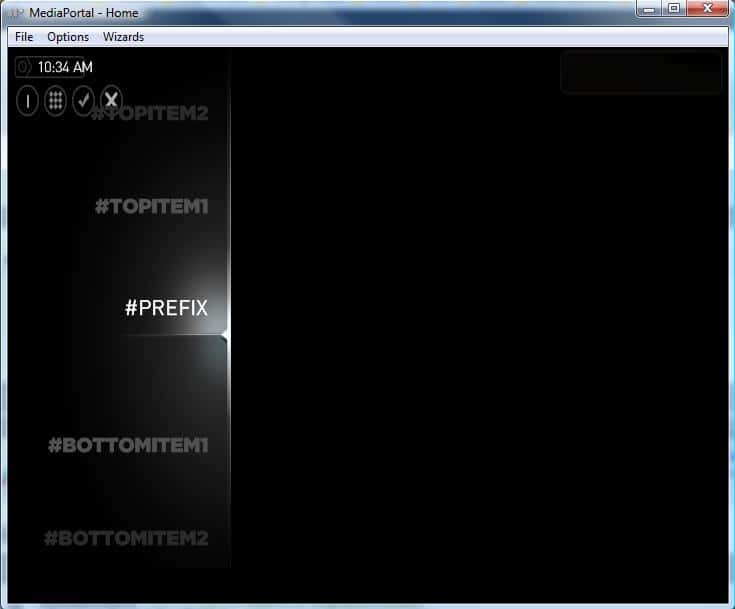
    My screen after starting MP was like that even i already replaced the three fonts in installer by three fonts in zip file.
     

    Attachments

    • Untitled.jpg
      Untitled.jpg
      26 KB

    freezer90

    New Member
    October 1, 2006
    4
    0
    Home Country
    Austria Austria
    hi,

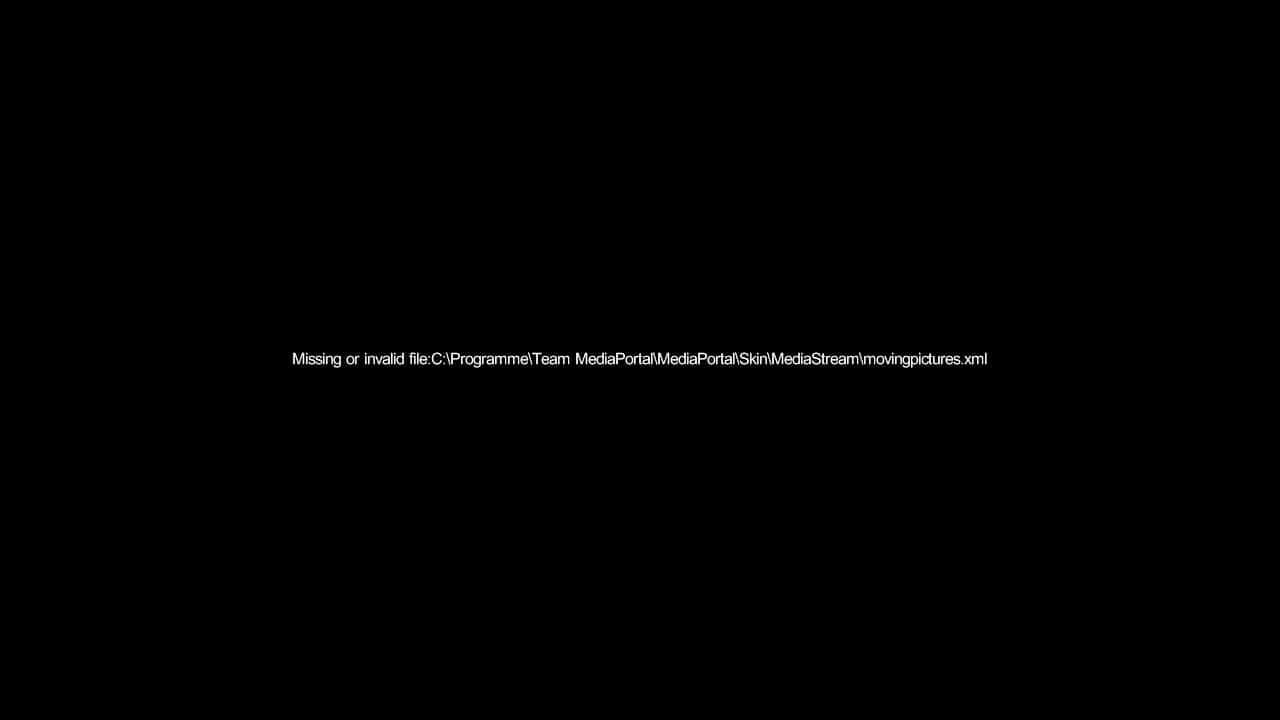
    i get following error from time to time (restarting mp helps) -> see attached thumb.

    error occurs in tvseries plugin also (same error other skinfile). as movingpictures and tvseries are the only plugins i'm using, i don't know if this error applies to other plugins ....
    as a restart normally helps, i don't think it's a problem with the xml file itself (and it is definitely not missing nor corrupt).

    mp v1.0.0.0 + movingpictures v0.6.5 + tvseries v2.0.3296 + mediastream (14/01/2009)

    *tia* and keep up the beautiful work :)

    freezer90
     

    Attachments

    • mediastream.missing.skinfile.JPG
      mediastream.missing.skinfile.JPG
      20.6 KB

    lemelisk

    MP Donator
  • Premium Supporter
  • January 1, 2008
    12
    2
    Aachen
    Home Country
    Germany Germany
    Hi,

    my MP version: 1.0 final on XP SP3
    my mediastream version: MediaStream by pilehave v9.zip (14/01/09)

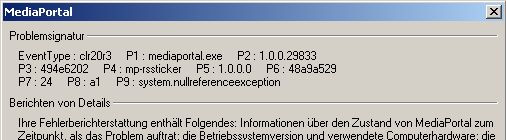
    I did some testing (on two XP systems) and found the following errors:

    - MP-RSSTicker
    - Using MP-RSSTicker version from V8 or V9 -> MP crash (after some seconds) when using Weather
    - Using MP-RSSTicker version from V8 or V9 -> disable Weather -> no MP crash
    - Using current MP-RSSTicker version -> no MP crash but no Weather informations are displayed

    - Media
    - defect image (V8 and V9), top (1/3) of image is black
    - albumnocover.png
    - defaultAudioBig.png
    - defaultdvdcover.png
    - defaultVideoBig.png
    - missing_coverart.png

    - TV-Series
    - Wrong backgroud image is shown
    (tv_bg.png is shown and not my in config selected one)

    - Moving Pictures
    - mark as watched not working -> no change from *UnWatched.png to *watched.png

    - Sudoku
    - Enter Sudoku and click the left icon (Back to last screen?) in topbar -> not working
    - Enter Sudoku and click "new game" and than the left icon in tapbar -> working

    Lemelisk
     

    Attachments

    • mp_crash.jpg
      mp_crash.jpg
      20.1 KB

    pilehave

    Community Skin Designer
  • Premium Supporter
  • April 2, 2008
    2,566
    521
    Hornslet
    Home Country
    Denmark Denmark
    • Thread starter
    • Moderator
    • #10
    Hi,

    my MP version: 1.0 final on XP SP3
    my mediastream version: MediaStream by pilehave v9.zip (14/01/09)

    I did some testing (on two XP systems) and found the following errors:

    - MP-RSSTicker
    - Using MP-RSSTicker version from V8 or V9 -> MP crash (after some seconds) when using Weather
    - Using MP-RSSTicker version from V8 or V9 -> disable Weather -> no MP crash
    - Using current MP-RSSTicker version -> no MP crash but no Weather informations are displayed

    - Media
    - defect image (V8 and V9), top (1/3) of image is black
    - albumnocover.png
    - defaultAudioBig.png
    - defaultdvdcover.png
    - defaultVideoBig.png
    - missing_coverart.png

    - TV-Series
    - Wrong backgroud image is shown
    (tv_bg.png is shown and not my in config selected one)

    - Moving Pictures
    - mark as watched not working -> no change from *UnWatched.png to *watched.png

    - Sudoku
    - Enter Sudoku and click the left icon (Back to last screen?) in topbar -> not working
    - Enter Sudoku and click "new game" and than the left icon in tapbar -> working

    Lemelisk

    Thank you for the detailed list :)

    RSS-Ticker works fine here and there's really nothing in the skin that should make RSS-Ticker crash or not work, as none of the labels have changed and works here, on two XP Pro machines and one Vista?

    Also using latest skin and latest RSS version.

    Has anyone else had this problem?

    Now, for the "broken" media, that is simply how the icons look :) This is straight from the original skin (well, added a shadow but overall the same) so this is how they're supposed to look :D

    The background in TV-series is hardcoded in the skin-file (and doesn't follow the background choosen in the main-menu) but you can edit it in the XML-file, look for tv_background.png and change it to whatever you want.

    Regarding Moving Pictures I'll have a version ready this week with updated watched/unwatched icons. The ID was apparantly changed from 9200 to 9 so that didn't work.

    :D
     

    Users who are viewing this thread

    Similar threads

    If you’re planning to submit a pull request, let’s go through the list of issues and their solutions. I or someone from the team will create a Jira ticket, and for each ticket, you’ll make the changes and submit a pull request. This will be transparent and straightforward.
    If you’re planning to submit a pull request, let’s go through the list of issues and their solutions. I or someone from the team...
    I'm very glad to see that mediaportal 1 is on github, where ordinary devs with github accounts can make contributions. Please can...
    Replies
    7
    Views
    1K
    I was just tinkering with a few settings in the MediaPortal configuration and am happy to have found the cause of the problem. Disabling the option "Single seat setup: force RTSP usage" under "TV/Radio", "Advanced Options" resolved the issue. After I disabled this option, I was able to delete the recordings the first time...
    I was just tinkering with a few settings in the MediaPortal configuration and am happy to have found the cause of the problem...
    Deleting recordings sometimes doesn't work. Neither the 0 button nor the Info/Delete button works. Nothing happens at all with...
    Replies
    6
    Views
    499
    i love how subtitles are implemented in the MP2 videoplayer, this is just perfect. 1080p playback is also very good. But video playback in MP2 is buggy when playing 4k material. Therefore: PLEASE add an option for an external video player! I'd LOVE to have VLC back as videoplayer, like in MP1! This works perfectly. You will make a...
    i love how subtitles are implemented in the MP2 videoplayer, this is just perfect. 1080p playback is also very good. But video...
    i love how subtitles are implemented in the MP2 videoplayer, this is just perfect. 1080p playback is also very good. But video...
    Replies
    0
    Views
    1K
    DOH.....another senior moment for me, as I've been here before some years ago! Thanks again :)
    DOH.....another senior moment for me, as I've been here before some years ago! Thanks again :)
    After some time working seamlessly....have run into a brick wall with this! Have tried switching from MadVr to EVR....and problem...
    Replies
    4
    Views
    3K
    MP1 MP2 Spell Check gone? DE
    Got it.:) I clicked on the box highlighted in the attached screenshot and also added English GB to that and removed the existing English EN. Misspellled words (like that one) are now underlined with red wavy line.:)
    Got it.:) I clicked on the box highlighted in the attached screenshot and also added English GB to that and removed the existing...
    Up untill recently I'm sure there was a spell checker on new posts, (misspelled words were highlighted). It does not seem to be...
    Replies
    8
    Views
    2K
    Top Bottom