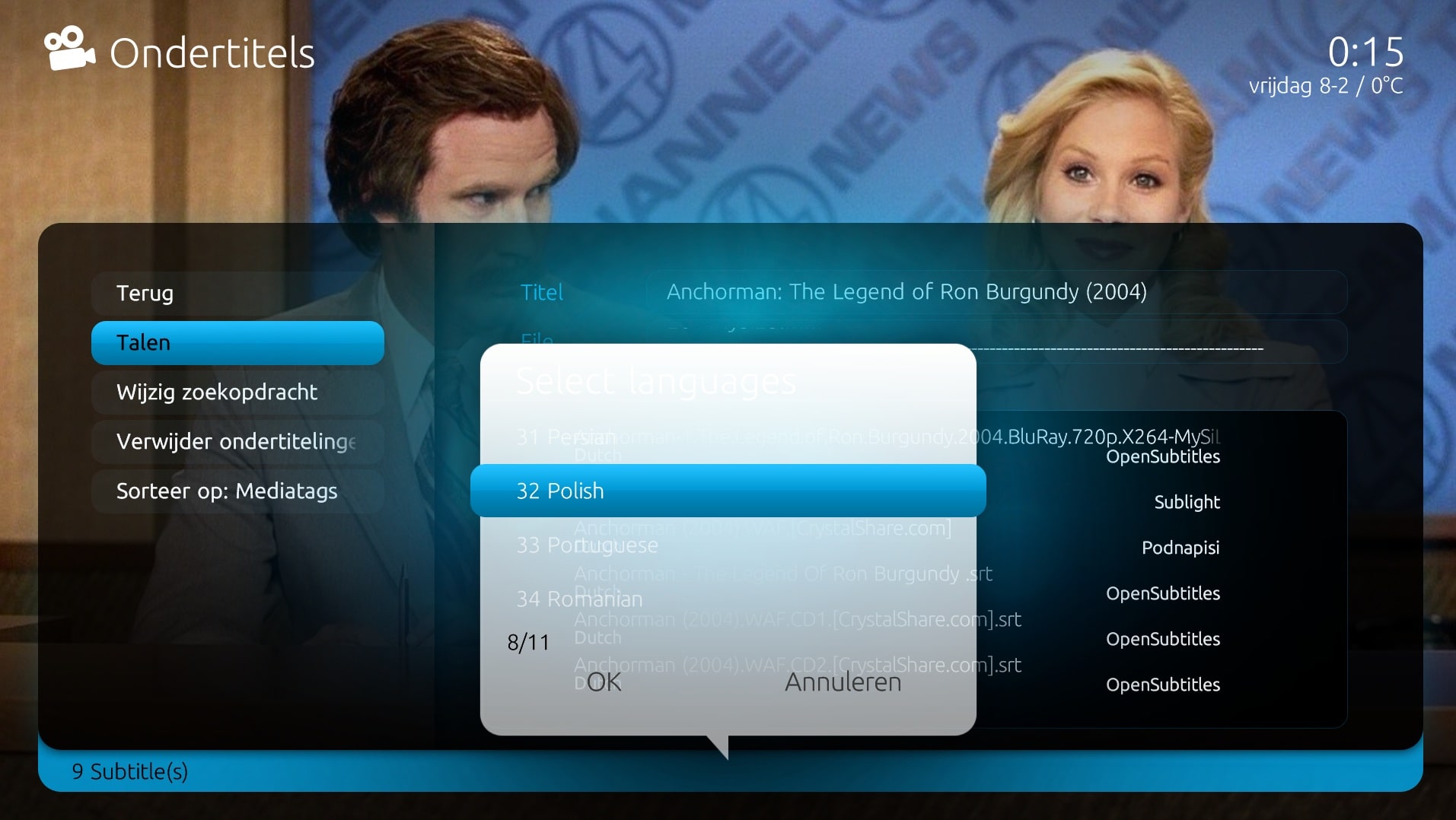
To reproduce:
Start TITAN
Go to TV-Series
Select an episode and bring up the F9 menu then select Subtitles (assuming you have the plugin)
Repeat this for a couple of episodes and check the log
I'm at work still, so this is the best I can do right now.
To reproduce:
Start TITAN
Go to TV-Series
Select an episode and bring up the F9 menu then select Subtitles (assuming you have the plugin)
Repeat this for a couple of episodes and check the log
I'm at work still, so this is the best I can do right now.
Aaaah, I see them.. Well I'm at work now, but I will check it asap for you.. Really anoying indeed! I didn't have the issue at this moment.. It really doesn't sound like a skin issue, but as you have test it and it only happend with Titan it could be.. Strange!
Aaaah, I see them.. Well I'm at work now, but I will check it asap for you.. Really anoying indeed! I didn't have the issue at this moment.. It really doesn't sound like a skin issue, but as you have test it and it only happend with Titan it could be.. Strange!
I still cannot start MP with Titan skin. Am i the only one? Windows popup with message that skin files cannot be loaded and out of memory message. In the cache dir only the Titan dir with empty fonts dir are visable.
Now working with Default Wide skin until i find a solution
Try this:
Start MePo using another skin
Change skin to TITAN
In skin settings, change all TITAN settings (Theme etc) to the defaults
Restart MePo and see if this helps
@emphatic: I have tried to reproduce your bug.. Personally I don't have any problems with the out-of-memory error.. What I did was open a tv serie season, and did for 10 episodes- > F9 -> subtitles -> search and than go back, etc..
That's what you mean?
Well, no errors in the logs for me..
Really strange that it is Titan related.. You're shure it never happend when using another skin? Did you've tried to clear you skincache allready? And otherwise, remove Titan, and re-install it again?
@powermarcel10 Yes, I've tried removing the cache etc.
I've gotten the Out Of Memory error with some times with skins like Avallonis and Maya too, but since an argument is that TITAN is supposed to be a "lightweight skin" compared to StreamedMP, and I never had the problem with TITAN before quite recently, it's made me think that maybe something's up with the current revision of the skin.
So, no errors in your logs suggest that there's something wrong with my installation. I guess I'll have to do a clean install then.
Emph
The only configuration that is certain to work is when the MP client and MP server are from the same release.
It is sometimes possible to use MP clients from a release that is different to the MP server, but whether it works depends on the specific changes that were made between the two releases.
-- from CyberSimian in the UK
The only configuration that is certain to work is when the MP client and MP server are from the same release.
It is sometimes...
Before you create this bug report:
Make sure that your system (Windows, codecs and drivers) is up to date, matching the...
Before you create this bug report:
Make sure that your system (Windows, codecs and drivers) is up to date, matching the Requirements and you've filled in your System Specs.
Have a look at our MediaPortal Wiki! Maybe the solution is already there.
Have a look at our Jira (Bug and Issue Tracker)and the threads in this section, maybe...
Before you create this bug report:
Make sure that your system (Windows, codecs and drivers) is up to date, matching the...
Before you create this bug report:
Make sure that your system (Windows, codecs and drivers) is up to date, matching the...
Before you create this bug report:
Make sure that your system (Windows, codecs and drivers) is up to date, matching the Requirements and you've filled in your System Specs.
Have a look at our MediaPortal Wiki! Maybe the solution is already there.
Have a look at our Jira (Bug and Issue Tracker)and the threads in this section, maybe...
Before you create this bug report:
Make sure that your system (Windows, codecs and drivers) is up to date, matching the...
Before you create this bug report:
Make sure that your system (Windows, codecs and drivers) is up to date, matching the...
If you’re planning to submit a pull request, let’s go through the list of issues and their solutions.
I or someone from the team will create a Jira ticket, and for each ticket, you’ll make the changes and submit a pull request.
This will be transparent and straightforward.
If you’re planning to submit a pull request, let’s go through the list of issues and their solutions.
I or someone from the team...
I'm very glad to see that mediaportal 1 is on github, where ordinary devs with github accounts can make contributions.
Please can...

 New Zealand