Failed schedule recording (1 Viewer)

gonzo90017

Portal Pro
September 3, 2012
238
26
26
Home Country
United States of America United States of America
TVService.exe is running in the background.

I scheduled a recording for 10:30 am and put the pc to standby at around 10:15am. But the pc failed to wake up for the recording.
It only started recording the 10:30 am show after I manually woke the pc up at 10:32 am.

-I enabled PowerScheduler in both TV Server Configuration> Plugins and in MediaPortal Configuration> Plugins
-In PowerScheduler> General> I enabled both "Wakeup Server for various wake events" and "Shutdown server after being idle".
-Under "Advanced" I set "Pre Wakeup time in seconds" to 120
 
Last edited:

HomeY

Test Group
  • Team MediaPortal
  • February 23, 2008
    6,418
    4,717
    50
    ::1
    Home Country
    Netherlands Netherlands
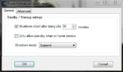
    The missing recording might be related to the fact that you manually put the PC into standby. I had this also in the past. Make sure you also use the PowerScheduler plugin to put the PC to sleep.

    My settings (client):
    Power_Scheduler.JPG

    And make sure you've set the same 'shutdown mode' for both the client and the server plugin.
     
    Last edited:

    gonzo90017

    Portal Pro
    September 3, 2012
    238
    26
    26
    Home Country
    United States of America United States of America
    Well I tried your suggestion and it still doesn't work.
    I installed the PowerScheduler plugin to see if I had better luck. I set the profile to HTPC and plug and play. Set the standby time to 2 minutes. It goes to standby after 2 minutes properly but it doesn' wake up the pc to record. Recording only starts after I wake up the pc manually.
     

    RonD

    Test Group
  • Team MediaPortal
  • December 20, 2011
    911
    278
    SillyValley CA
    Home Country
    United States of America United States of America
    gonzo,

    try rebooting the computer or use TV Server Config -> manual control to stop and start the TV Server. Some setting changes don't seem to work unless you make the server restart
     

    gonzo90017

    Portal Pro
    September 3, 2012
    238
    26
    26
    Home Country
    United States of America United States of America
    Thanks everyone for your help. Turns out that was it! I stopped and restarted TV server using Manual control and now the pc wakes up properly to record.
     

    Users who are viewing this thread

    Similar threads

    I did a check of MP 1.36 x64 on Win11 and I can confirm, that the TV server correctly detects running MediaPortal.exe process.
    I did a check of MP 1.36 x64 on Win11 and I can confirm, that the TV server correctly detects running MediaPortal.exe process.
    Hi, I am using MP in a client-only setup including DVB-S card for over 10 years now. And regularily scheduling records waking up...
    Replies
    9
    Views
    2K
    It is present, but not with that name. It is called Scheduler, viz: Interesting. I had never noticed that when the "command" is "ACTION", the "cmdproperty" is the actual window id, but it makes sense that it is. Try this for yourself. First backup your working profile for the remote, then in the "Mapping" panel make a change to...
    It is present, but not with that name. It is called Scheduler, viz: Interesting. I had never noticed that when the "command" is...
    I would like to be able to go directly to the Scheduled recordings window without having to first go to the home menu. I saw this...
    Replies
    1
    Views
    1K
    Result, it works on the two PC's we use for watching TV :D I've not lost anything by the looks of it either, all channels etc still setup. Just my office PC won't connect, which I only use for testing things anyway (I tried updating that this morning as well), but I'll uninstall and install fresh on that. PS. Exported all settings...
    Result, it works on the two PC's we use for watching TV :D I've not lost anything by the looks of it either, all channels etc still...
    I tried to install MP 1.35 this morning, but I couldn't get any further with the installation on the TV server, see error message...
    Replies
    13
    Views
    3K
    I used to use the grabber but a few years back it disappeared on FreeSat DVBS. That is when I changed to EPG Collector. The extra benefit is that it collects from the Sky platform so it will give EPG for all the FreeSat channels plus the unencrypted movie channels on the Sky platform. It also allows me to pick the channels dedicated...
    I used to use the grabber but a few years back it disappeared on FreeSat DVBS. That is when I changed to EPG Collector. The extra...
    Hi everyone, I hope you are all well My Mum's Mediaportal lost it's marbles thanks to Microsoft update, (even though I had update...
    Replies
    2
    Views
    1K
    So, you're power cycling the TV, but not putting the PC to sleep ? In General => Startup/Resume settings, try checking "Ignore Windows resolution/size changes" In Codecs and Render, try selecting the specific audio device rather than "Default DirectSound device" Just ideas, no guarantee this will do anything. If this doesn't work, I...
    So, you're power cycling the TV, but not putting the PC to sleep ? In General => Startup/Resume settings, try checking "Ignore...
    I'm running MP1 as a client only on this: https://www.amazon.com/dp/B0DZX5DWS5?ref_=pe_123509780_1038749300_t_fed_asin_title&th=1...
    Replies
    4
    Views
    665
    Top Bottom