@2BitSculptor@TLD
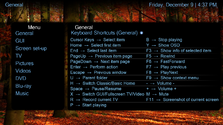
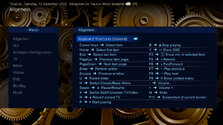
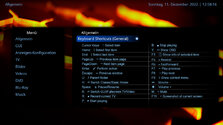
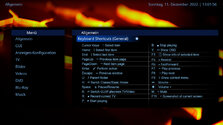
After adding some more icons and replacing the arrows with colons, the new screen look like this:
The attached XML has the coloured topbar commented out (this will be the official screen in next release), but you can remove the tags and let the topbar show
Hope you´ll like it
BTW: Should we change the orden of the items, e.g. first all playing items, then all navigation items, then the rest - or e.g. alphabetically?
What do you think?
Thanks for explaining. I found a passing reference to this here:
https://www.team-mediaportal.com/wiki/display/MediaPortal1/HID%20Profiles
which I had overlooked in the past. I would find it logical for a created custom profile to be automatically activated, but until that happens, I will try to create a wiki page for the current...
Thanks for explaining. I found a passing reference to this here...
I have used custom actions in the "Mapping" section of "HID" since moving to a FLIRC as a remote receiver a couple of years ago...
that really sounds like an authorization issue. do you already have an OpenSubtitlesConfiguration.xml in the programfiles\tean mediaportal\subtitledownloaders folder? there you can fill in your credentials. I'm sure it is documented somewhere...
that really sounds like an authorization issue. do you already have an OpenSubtitlesConfiguration.xml in the programfiles\tean...
I'm having a strange issue with Subcentral & Subtitle Downloader. Everytime I try to download subtitles the list come out empty...

 Germany