
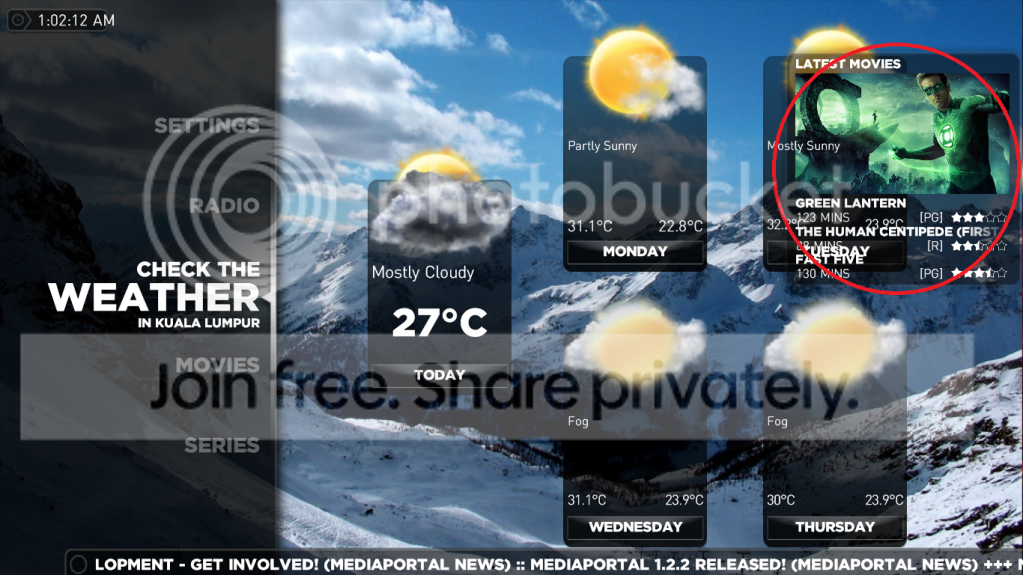
Latest Movie screen pop put on weather and radio home screen (1 Viewer)
- Thread starter leggo_86
- Start date


 Netherlands

Users who are viewing this thread
Similar threads
Hi.
I was probably being a bit fast and loose with my terminology. I meant "somewhere within the files that MP2 uses in its database".
Anyway, I found a way to do this which was far from automated but relatively low effort. I found what looked like all the images (CD covers, DVD covers, backgrounds etc all lumped together in...
Hi.
I was probably being a bit fast and loose with my terminology. I meant "somewhere within the files that MP2 uses in its...
I am in the process of setting up a legacy media player (Mede8er) which I happened to have laying around into my home cinema setup...

As Alexander Pope said:
A little learning is a dangerous thing,
and Dr Google explains this as:
The quotation warns that superficial knowledge of a subject can make people arrogant or foolish, suggesting one should either learn deeply or not at all.
"Superficial", and "arrogant or foolish" would be me :eek: . However...
I would...
As Alexander Pope said:
A little learning is a dangerous thing,
and Dr Google explains this as:
The quotation warns that...
I have just discovered that I can no longer receive any of the independent radio channels broadcast on DVB-T in the UK. In...
Thankyou High_Five, that worked perfectly, I now remember doing that 10 years ago, thanks for jogging my old memory. Cheers Tony
Thankyou High_Five, that worked perfectly, I now remember doing that 10 years ago, thanks for jogging my old memory. Cheers Tony
Hi everyone,
I have been using it For 16 years now (from V1.1.1) and it has worked flawlessly.
I only use TV Series and Moving...
That was the correction I made in BasicHome for the 1.35 Prerelease which you adddd to repo ;)
That was the correction I made in BasicHome for the 1.35 Prerelease which you adddd to repo ;)
I'm going bananas here!!
Used MP1 since MP1.10 or so.....an haven't had problems for years!
Am using latest Dune...

It is present, but not with that name. It is called Scheduler, viz:
Interesting. I had never noticed that when the "command" is "ACTION", the "cmdproperty" is the actual window id, but it makes sense that it is.
Try this for yourself. First backup your working profile for the remote, then in the "Mapping" panel make a change to...
It is present, but not with that name. It is called Scheduler, viz:
Interesting. I had never noticed that when the "command" is...
I would like to be able to go directly to the Scheduled recordings window without having to first go to the home menu.
I saw this...