Avalon community Mods (4 Viewers)

Paranoid Delusion

Moderation Manager
  • Premium Supporter
  • June 13, 2005
    13,062
    2,978
    Cheshire
    Home Country
    United Kingdom United Kingdom
    Hi mbuzina

    Using your Avalon files with 0.29RC, I get no geoclock with a failed to load message, defaultwide works fine, any clue you could give me, deleted cached skin files.
     

    Dragy

    Portal Pro
    April 27, 2009
    778
    333
    33
    Home Country
    Netherlands Netherlands
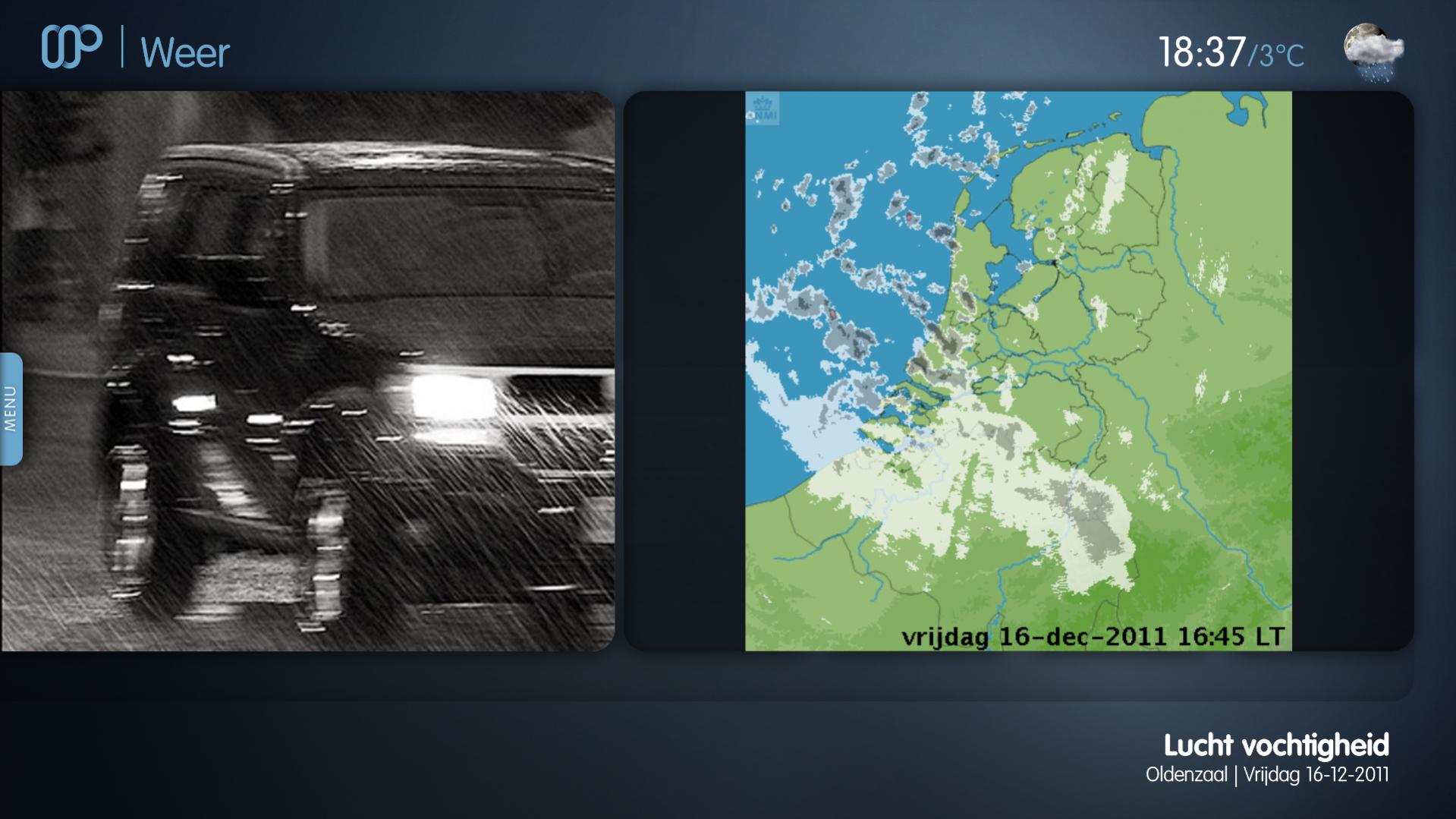
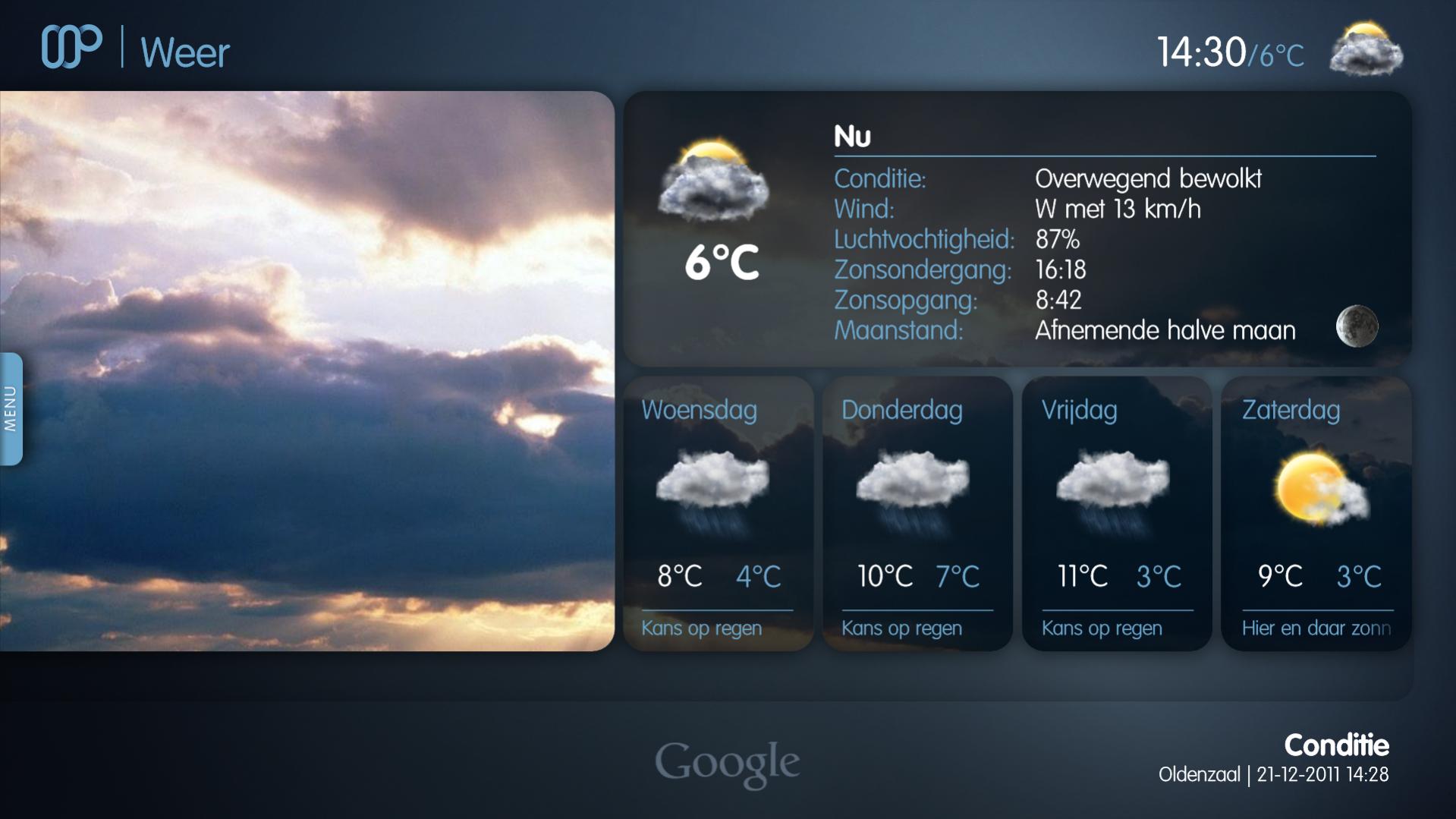
    As I promised, here the WorldWeather skin files by me.

    Changing images works now by pressing up or down on your remote.

    Changelog 0.3.1 (21-12-11):
    - added providerimage
    - added image for world, webcam and precipation
    - fixed the pollencount image not being displayed
    - added updatetime to right bottom
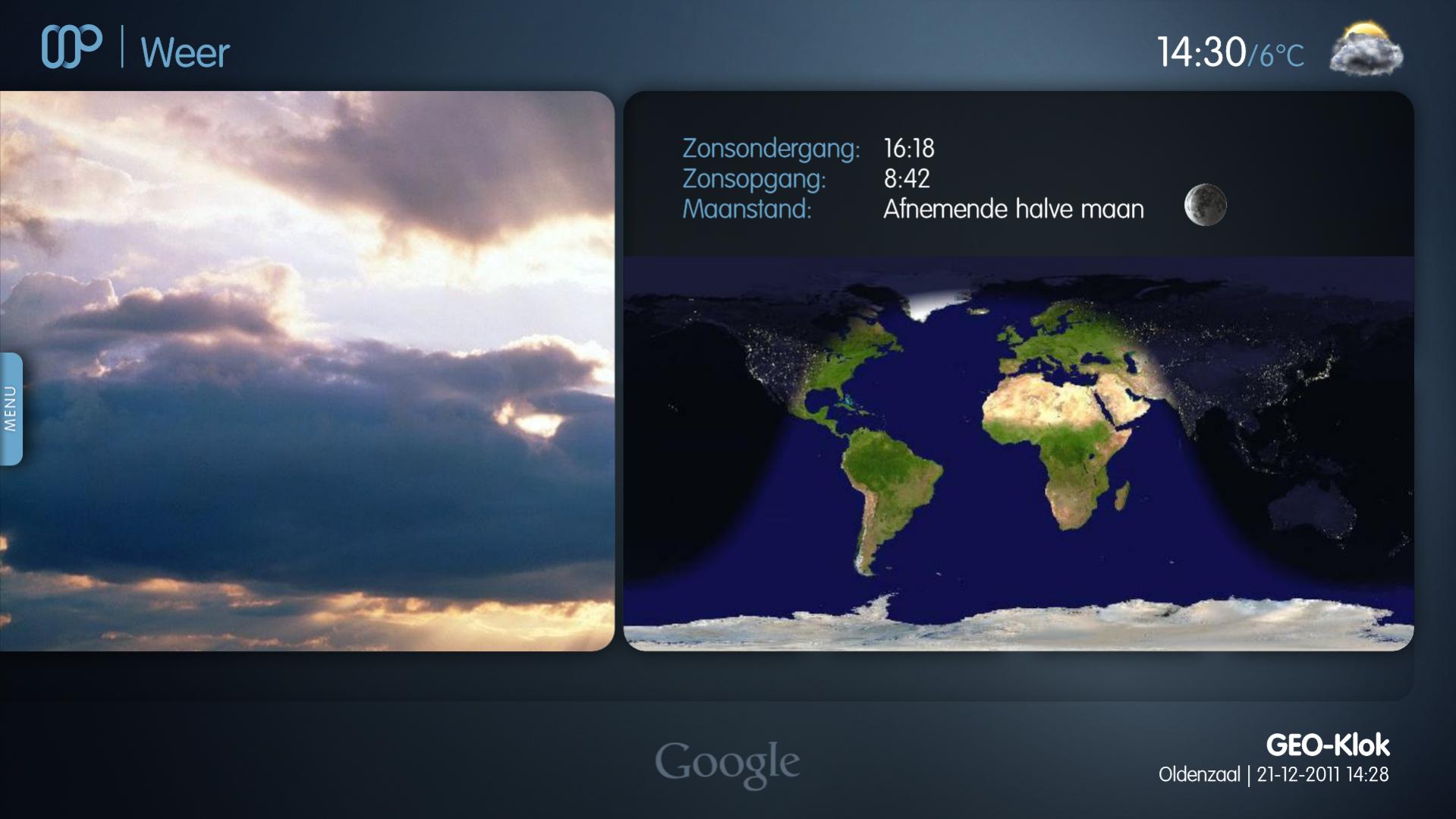
    - changed geoclock view with additional info
    - added overlay to prevent images from having their corners out of the "box" (see geoclock screenshot)
    - changed on basichome, fadelable to textbox for current condition

    Changelog 0.3.3 (23-12-11):
    - Support for latest plugin features

    update 23-12-11: You need the latest WorldWeather nightly (0.3.3) for this! Oh and clear your cache :)
     

    Attachments

    • 18-37-00.jpg
      18-37-00.jpg
      176.8 KB
    • 14-30-09.jpg
      14-30-09.jpg
      136 KB
    • 14-30-19.jpg
      14-30-19.jpg
      128.1 KB
    • WorldWeather - Avalon.zip
      759.4 KB

    mbuzina

    Retired Team Member
  • Premium Supporter
  • April 11, 2005
    2,839
    726
    Germany
    Home Country
    Germany Germany
    Hi mbuzina

    Using your Avalon files with 0.29RC, I get no geoclock with a failed to load message, defaultwide works fine, any clue you could give me, deleted cached skin files.

    I forgot to add the night & day pics to the media folder (will update a bit later). You can quickly remedy this by copying the "animations" folder from the Media Folder in Default Wide to AValon.
     

    mbuzina

    Retired Team Member
  • Premium Supporter
  • April 11, 2005
    2,839
    726
    Germany
    Home Country
    Germany Germany
    I can't get the moonphase images to work.. I removed my cache already.

    Hi Dragy,

    Did you add the Moon subfolder to the Media folder with the images 0-7 ? You can get them from Default or from the ZIP I uploaded.

    cu
    Marc
     

    Dragy

    Portal Pro
    April 27, 2009
    778
    333
    33
    Home Country
    Netherlands Netherlands
    Yes I did :)
    Also no errors in the log.. I will investigate this later :)
    Did you try my files and did the moonphase images work?
     

    Dragy

    Portal Pro
    April 27, 2009
    778
    333
    33
    Home Country
    Netherlands Netherlands
    I've updated the WorldWeather files.
    Fixed video overlay being visible when menu is open
    Now you can only run through images you actually have enabled. So, no empty places anymore when you don't have specified an image.

    You can find them here: https://forum.team-mediaportal.com/821567-post63.html
     

    mbuzina

    Retired Team Member
  • Premium Supporter
  • April 11, 2005
    2,839
    726
    Germany
    Home Country
    Germany Germany
    Hi Dragy:

    I tested your mods and they work fine, and they include a functioning moonphase (either you changed something or the issue is the location of the moon images. It should be skins\AValon\Media\Moon\
    64x64\0-7.png and
    128x128\0-7.png

    As you beat me to include the update and only show pics if they are available, I might stick with your implementation. One suggestion to the Geo Clock (I would have done that): Why don't you add the daylight as a taxt label above / below the image?
     

    Users who are viewing this thread

    Similar threads

    Pushed to Github https :// github.com / MPExtended / Skins / commit / 541cd57a89b85e1971d0a6086e3dc650cb9ab60f
    Pushed to Github https :// github.com / MPExtended / Skins / commit / 541cd57a89b85e1971d0a6086e3dc650cb9ab60f
    Hi there I've recently tried to get the Bootstrap 0.7.255 skins working in a new WebMediaPortal environment but ran into several...
    Replies
    6
    Views
    2K
    https://forum.team-mediaportal.com/threads/tv-movie-epg-import-mssql-error.141463/post-1303569
    https://forum.team-mediaportal.com/threads/tv-movie-epg-import-mssql-error.141463/post-1303569
    Hi, after updating to MP 1.37 TVMovie EPG Import doesn´t work anymore. I´ve found this error in the log: TV Movie importer ERROR -...
    Replies
    9
    Views
    3K
    I solved it myself, by modifying the host IP-address in the server table of the database, MariaDB [(none)]> use mptvdb; Database changed MariaDB [mptvdb]> SELECT * FROM Server; +----------+----------+--------------+----------+ | idServer | isMaster | hostName | rtspPort | +----------+----------+--------------+----------+ |...
    I solved it myself, by modifying the host IP-address in the server table of the database, MariaDB [(none)]> use mptvdb; Database...
    Hello everyone, I'm going to need help from the community to resolve a TV server crash issue. I encountered a problem with my...
    Replies
    4
    Views
    2K
    MP1 MP2 MyLyrics issues DE
    To ensure that everyone had access, that repository was duplicated in the team repository: https://github.com/Mediaportal-Plugin-Team/mediaportal-mylyrics
    To ensure that everyone had access, that repository was duplicated in the team repository...
    Could some dev pls have a look into MyLyrics plugin? Since a long time it does no longer find lyrics (at least here) THX in advance ;)
    Replies
    10
    Views
    3K
    DOH.....another senior moment for me, as I've been here before some years ago! Thanks again :)
    DOH.....another senior moment for me, as I've been here before some years ago! Thanks again :)
    After some time working seamlessly....have run into a brick wall with this! Have tried switching from MadVr to EVR....and problem...
    Replies
    4
    Views
    3K
    Top Bottom