Live TV Stutter since Win 10 upgrade (2 Viewers)

mm1352000

Retired Team Member
  • Premium Supporter
  • September 1, 2008
    21,544
    8,236
    Home Country
    New Zealand New Zealand
    I agree - this is painful.

    For me it's quite difficult to continue to offer advice for two reasons. The first reason is that I have no idea what's wrong; the second is that I don't have direct access to your environment, so it's much harder and slower to search for the clues and patterns that should lead to a solution.

    Please can you open Resource Monitor, reproduce the problem, wait for 30 seconds (or until the graphs fill), then provide screenshots of the CPU, memory, disk and network tabs in Resource Monitor. Please sort the processes and services by usage from most to least (ie. for the CPU tab, click on the CPU column) so that I can clearly see the top consumers. Please also make the window as large as possible so that I can see as many processes and services as possible.

    Second, please use LatencyMon to check the DPC/ISR latency on the system. In theory if the hardware and driver versions are truly identical to the other clients then LatencyMon shouldn't show a problem. However all assumptions need to be tested. If LatencyMon does identify a problem, please grab screenshots of each of the sections. Again, please make the window as large as possible, and where relevant apply sorting (eg. in the drivers section, sort by highest execution).
     

    Bernie_W

    Portal Member
    May 16, 2016
    26
    6
    Home Country
    Germany Germany
    Hi Groovemaze,

    sorry to hear that this didn't work for you. But as MM said, there are so many dependencies, so it was only one try out of so many. For me only a old VISTA driver made the difference, the latest ones caused stuttering.
    Actually I also remember now, that I had issues with my system when I had the supporting software for my SSD installed. Mine is a sandisk and this ssd dashboard caused plenty of problems. Not directly related to MP, but i caused my whole system sound to stutter. I read a couple of posts that uninstalling this SW - of course assuming you have an SSD - improved a lot as well.

    Sorry if this sounds like nonsense, I only remembered my problems with this SW as well.
     

    Groovemaize

    Portal Pro
    November 14, 2013
    53
    10
    Home Country
    United Kingdom United Kingdom
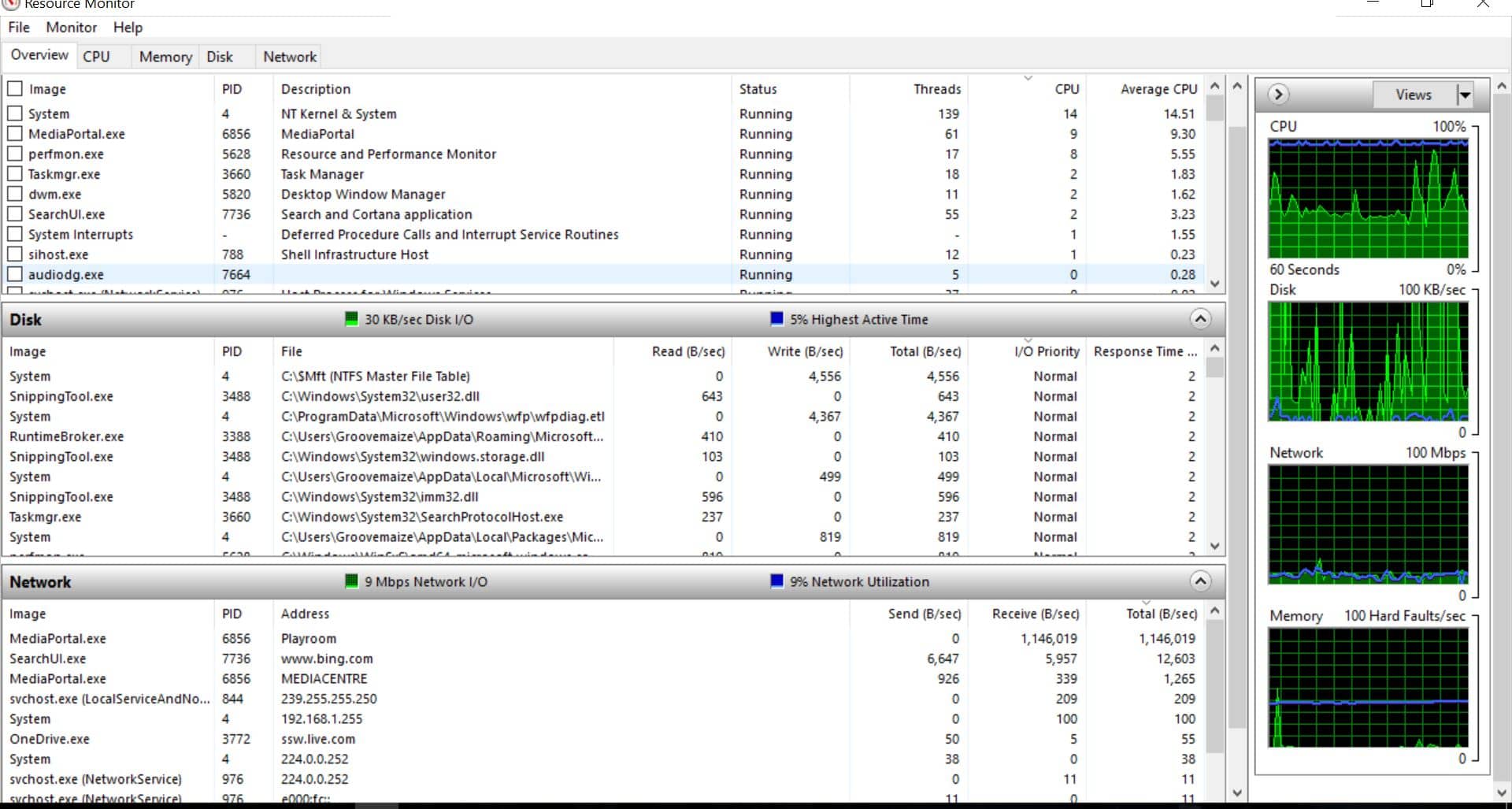
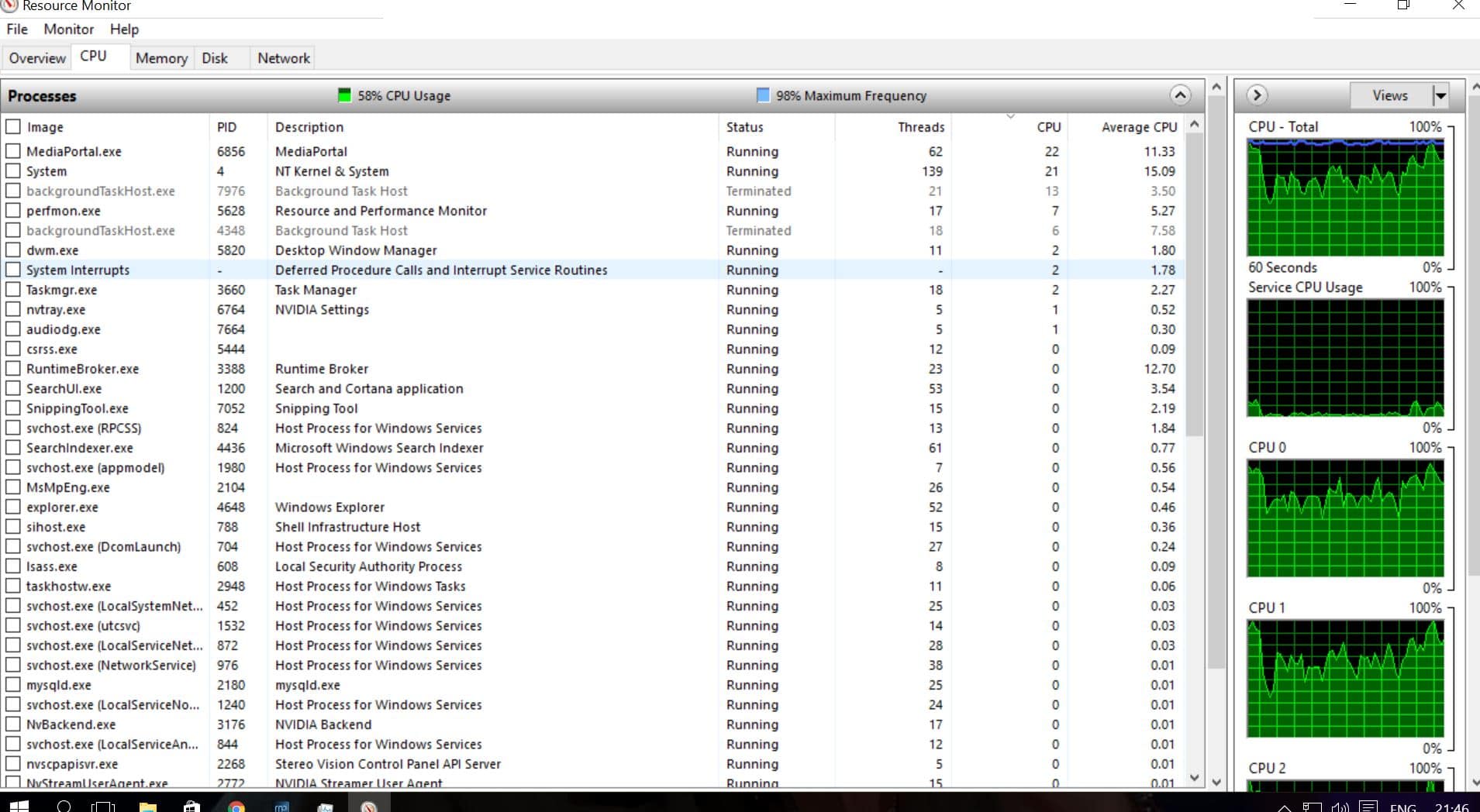
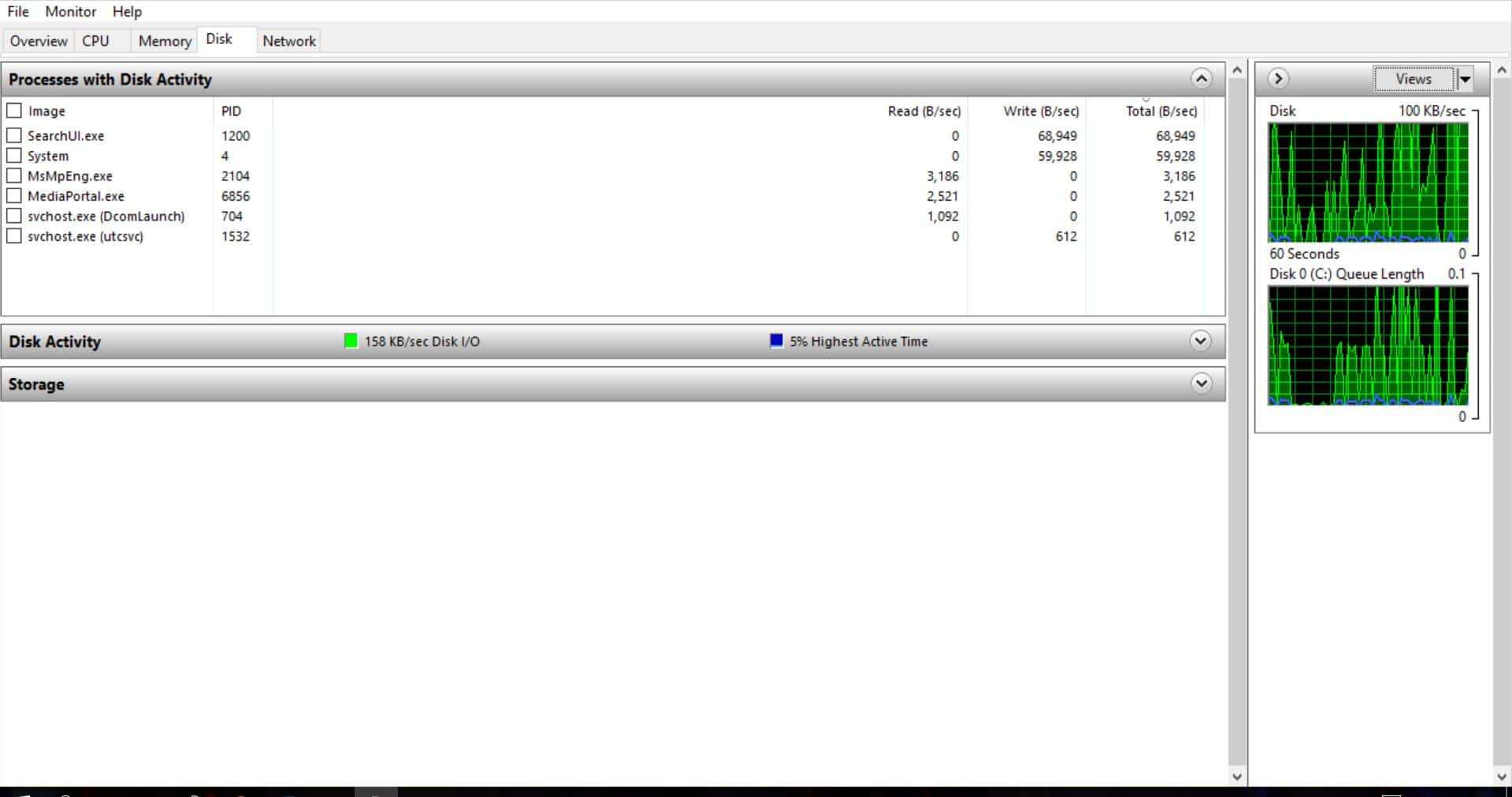
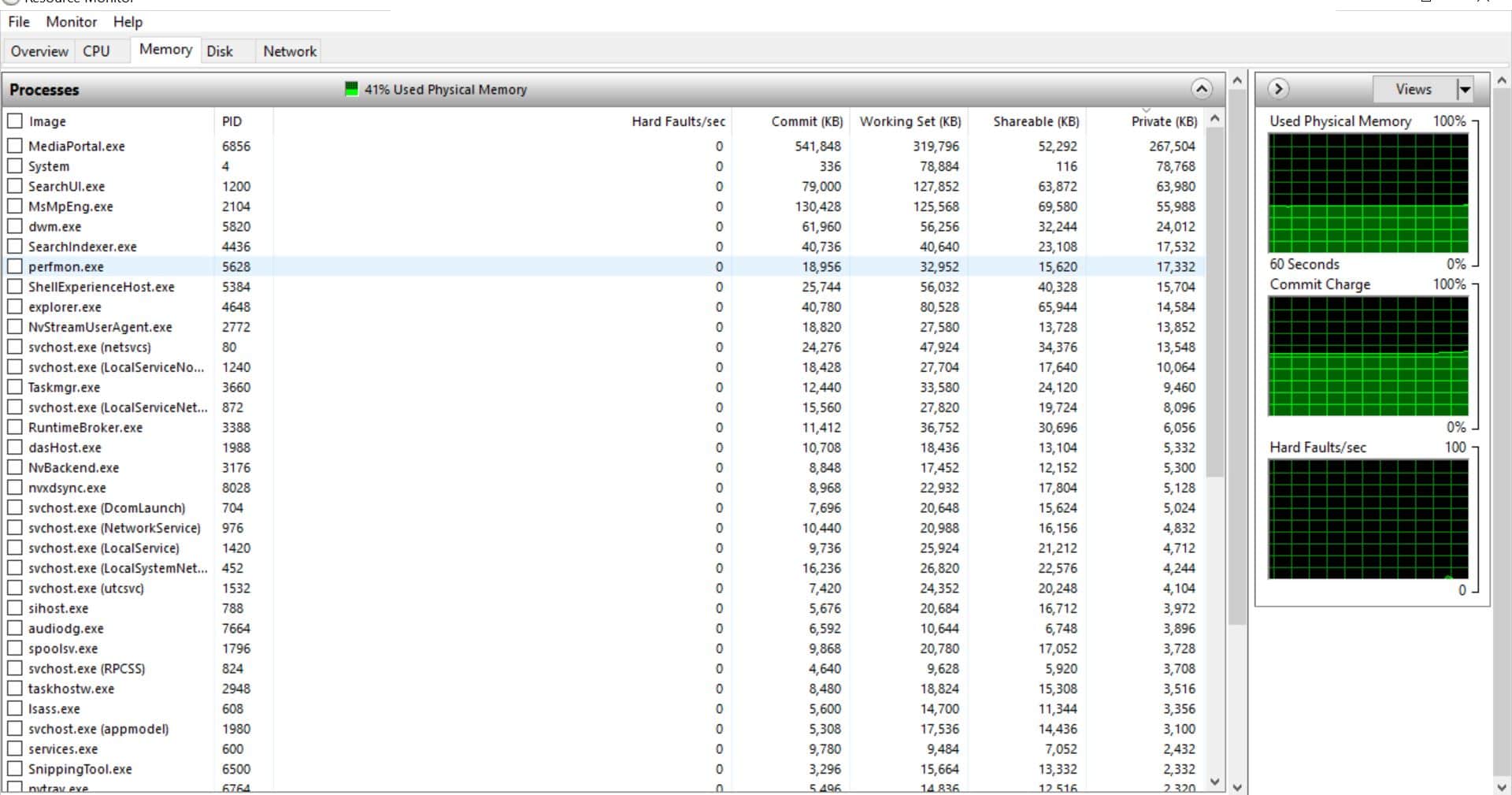
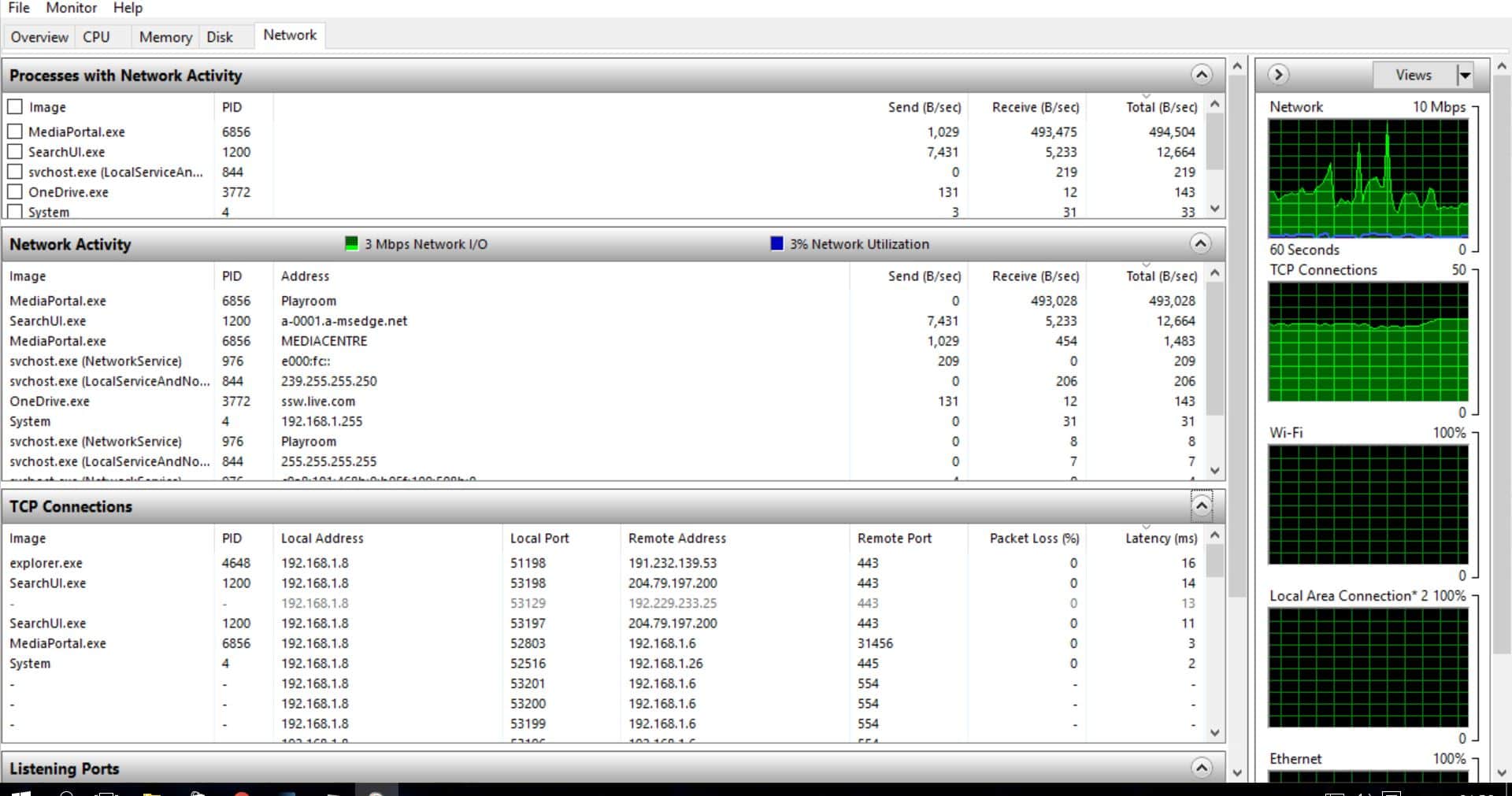
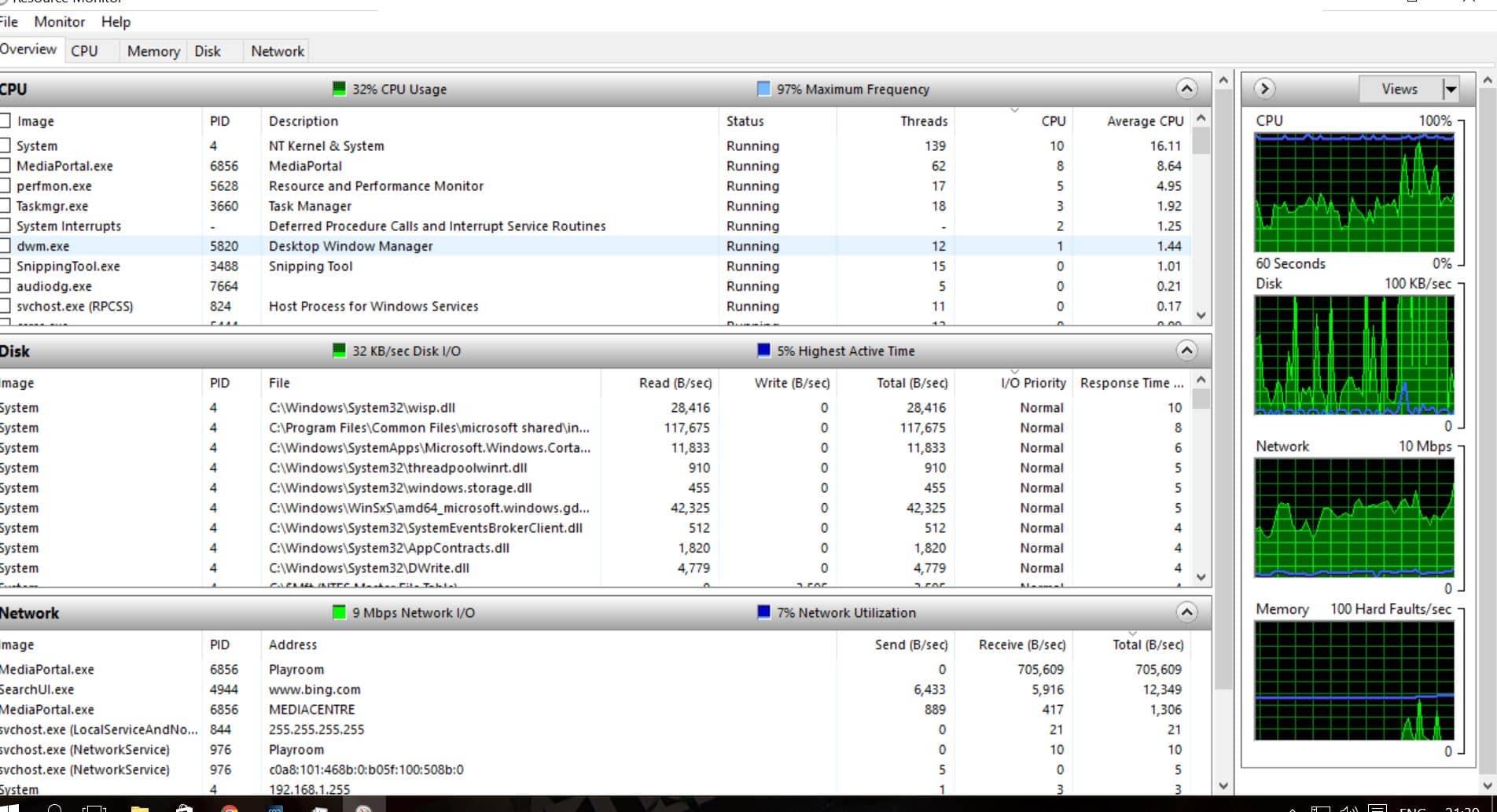
    Thanks for the continued input guys, please see attached screen shots for the first stage MM, working on the rest next...
     

    Attachments

    • Capture1.JPG
      Capture1.JPG
      281.5 KB
    • Capture2.JPG
      Capture2.JPG
      280.9 KB
    • CPU..JPG
      CPU..JPG
      284.2 KB
    • Disk.JPG
      Disk.JPG
      144.1 KB
    • Memory.JPG
      Memory.JPG
      235.1 KB
    • Network.JPG
      Network.JPG
      249.3 KB

    Groovemaize

    Portal Pro
    November 14, 2013
    53
    10
    Home Country
    United Kingdom United Kingdom
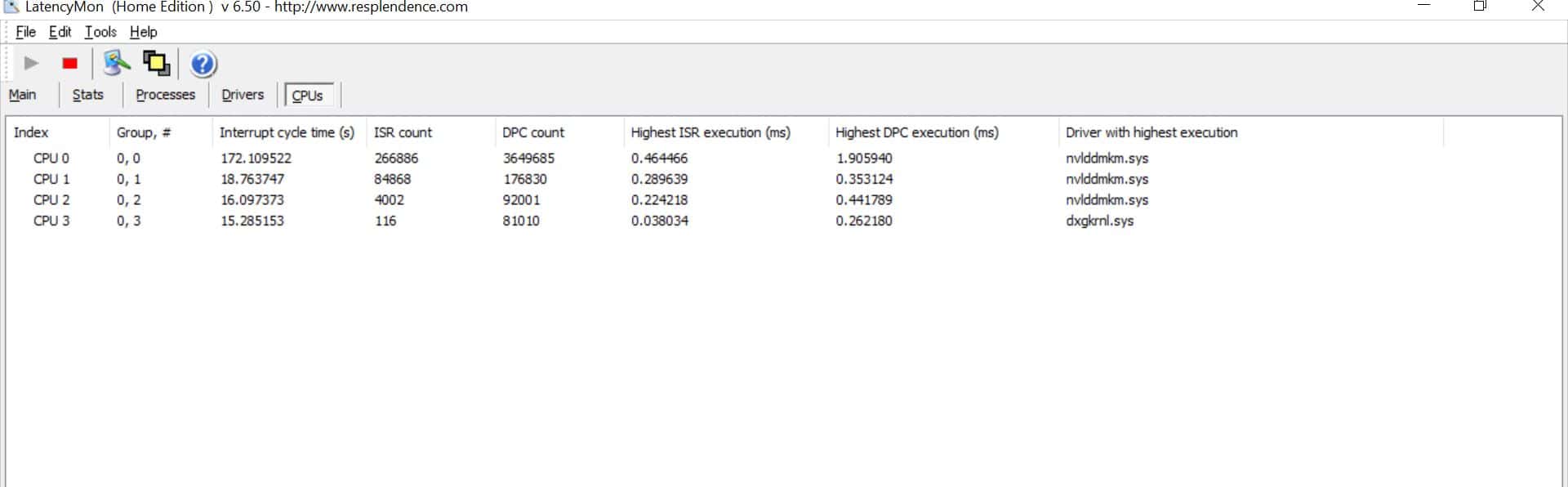
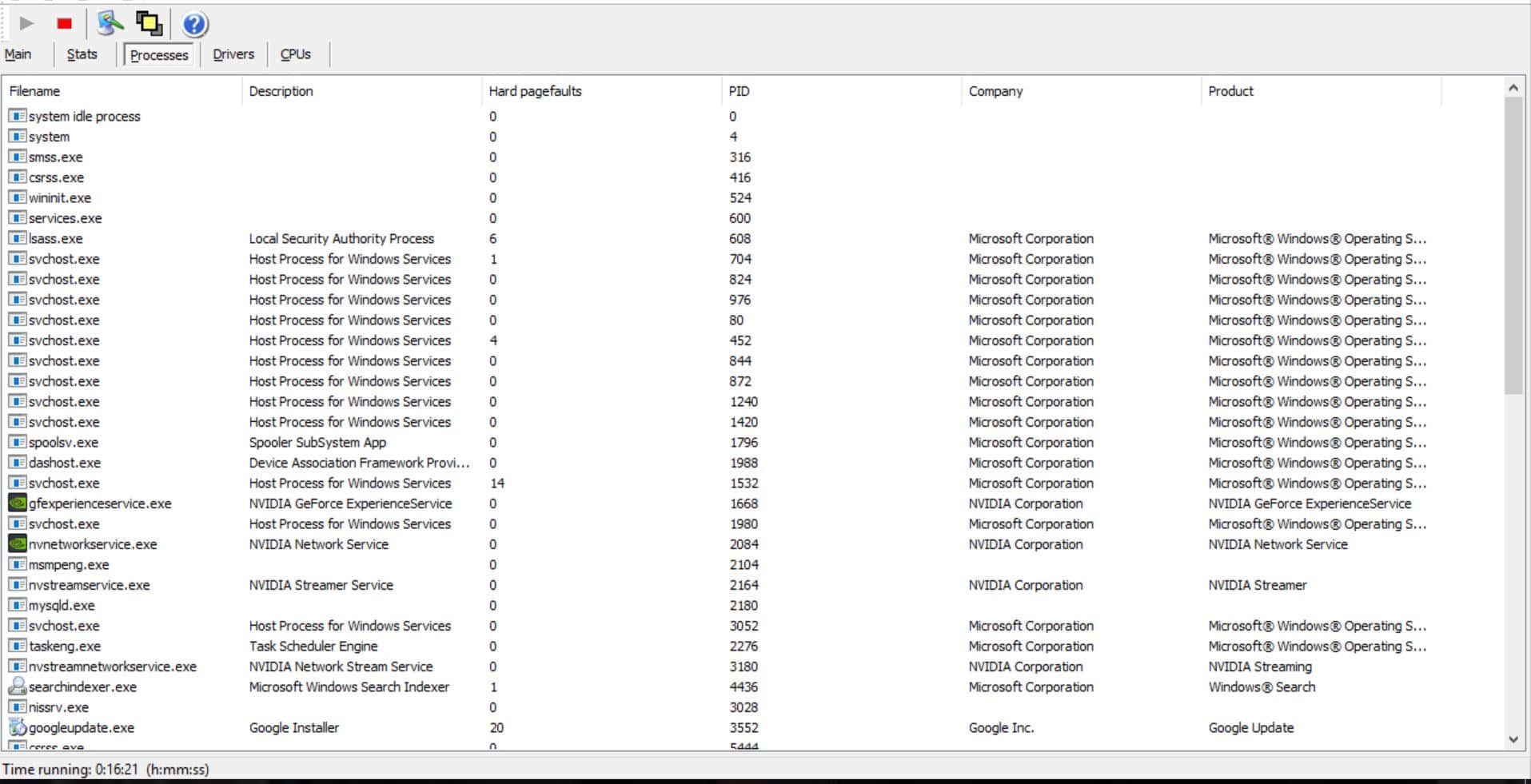
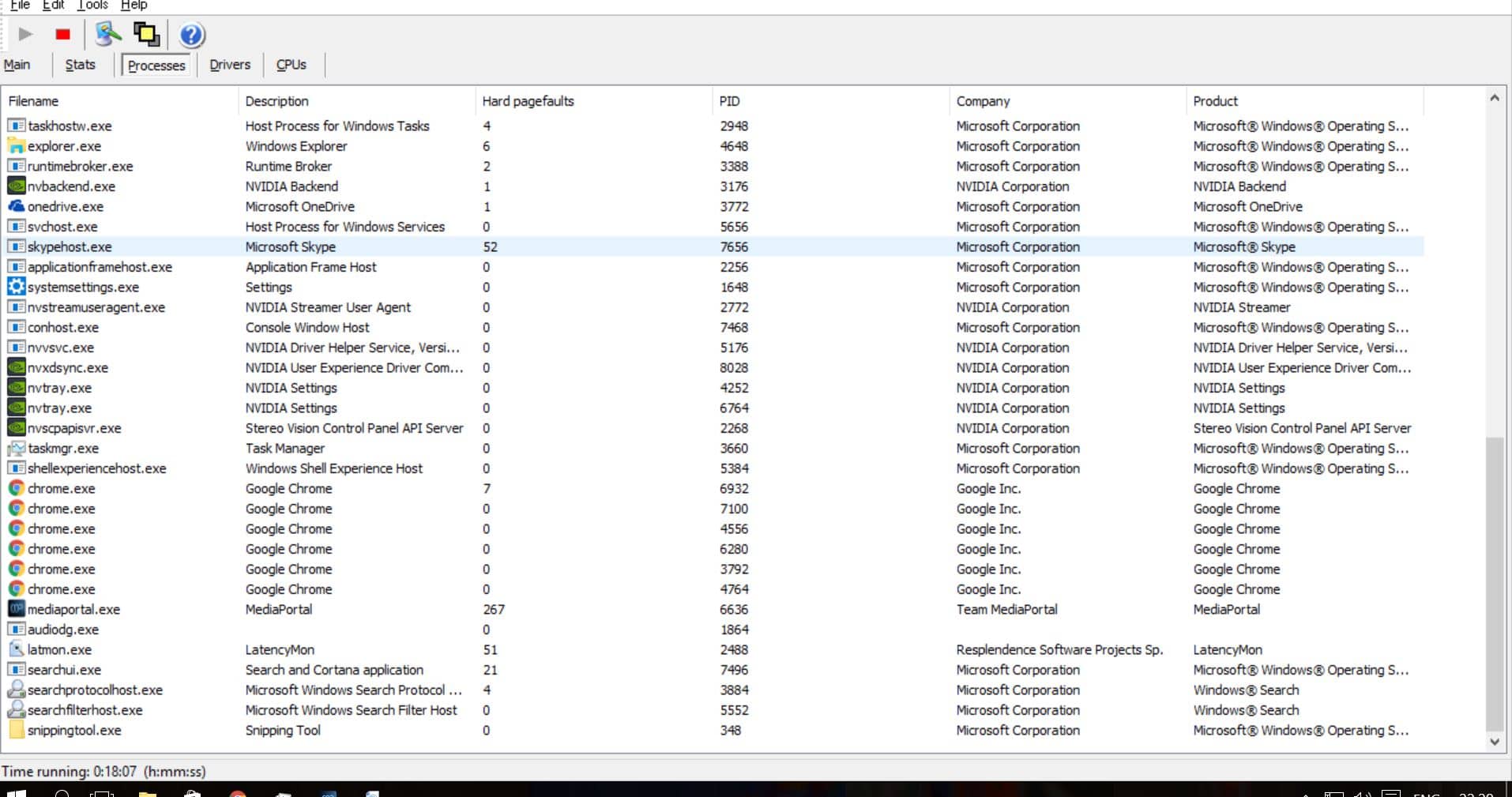
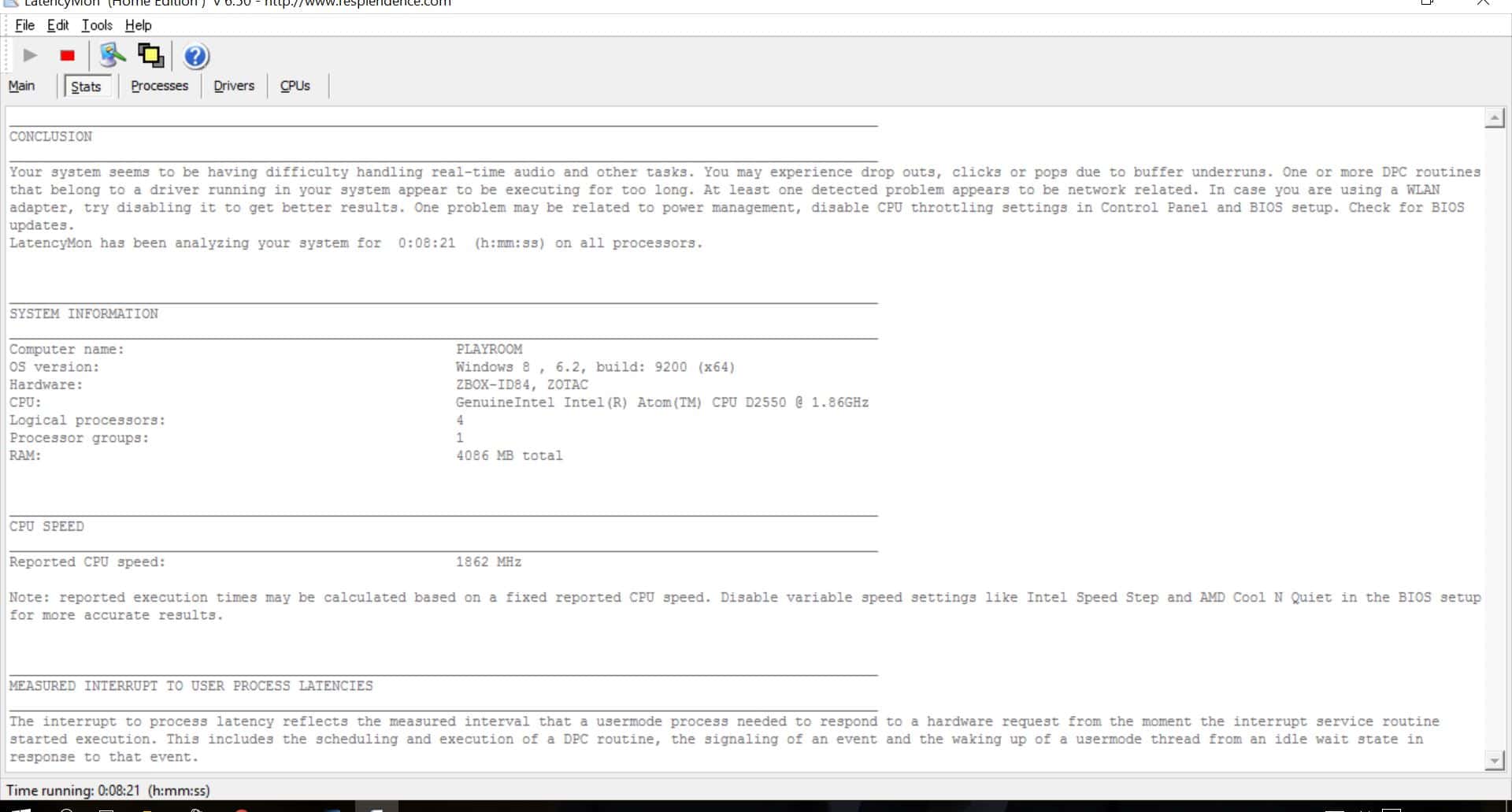
    Ok MM I've used the Latency Mon app and I think you are getting closer at it has identified issues. Its my first time looking at this so please forgive if I'm slightly naive but is appears that the driver for the network card is giving the biggest issues. I'm slightly confused as it was fully updated recently and manually. There are also other issues so I'll await your prognosis before diving in head first! Please see attached screen shots...
     

    Attachments

    • Latency Mon Drivers.JPG
      Latency Mon Drivers.JPG
      219 KB
    • Latency Mon CPUs.JPG
      Latency Mon CPUs.JPG
      73.9 KB
    • Latency Mon Main.JPG
      Latency Mon Main.JPG
      218.8 KB
    • Latency Mon Processes 1.JPG
      Latency Mon Processes 1.JPG
      225.6 KB
    • Latency Mon Processes 2.JPG
      Latency Mon Processes 2.JPG
      245.8 KB
    • Latency Mon Stats.JPG
      Latency Mon Stats.JPG
      168.5 KB

    mm1352000

    Retired Team Member
  • Premium Supporter
  • September 1, 2008
    21,544
    8,236
    Home Country
    New Zealand New Zealand
    First, thank you for your patience and for collecting all that data - it's much appreciated. (y)

    If you're slightly confused, I'm very confused! :)
    Like I said in my previous reply, LatencyMon was intended to be a way to test the validity of the assumption that hardware, BIOS and drivers are identical. Anyhow, let's dive into the results.

    Starting with the task manager results...
    Memory and network look fine. Disk is a little more bursty than I'd have expected, but not greatly concerning. However my problem radar was well and truly going off the moment I saw the "system" process using so much CPU. I don't think that's normal at all.

    Coming to the LatencyMon results...
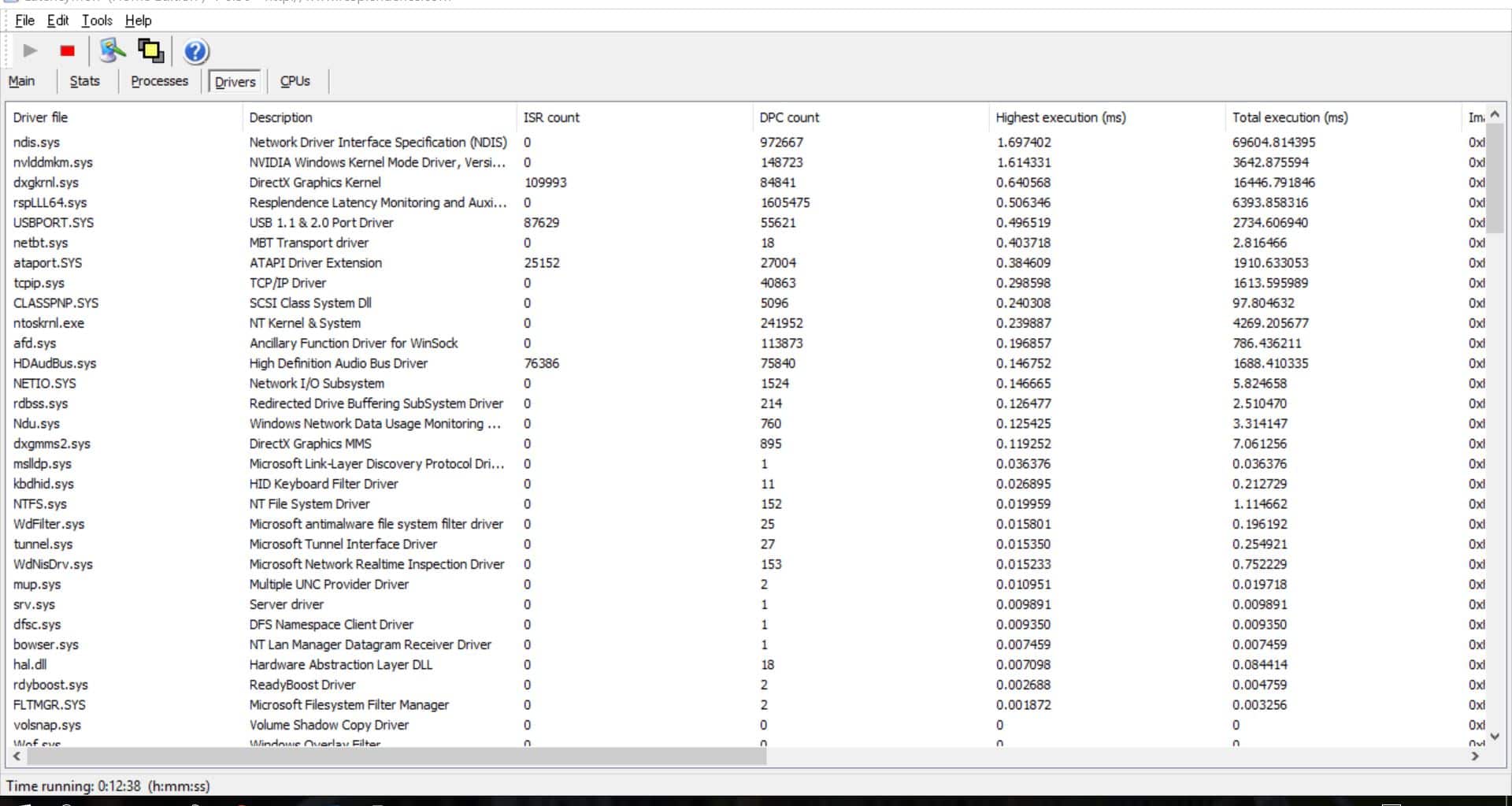
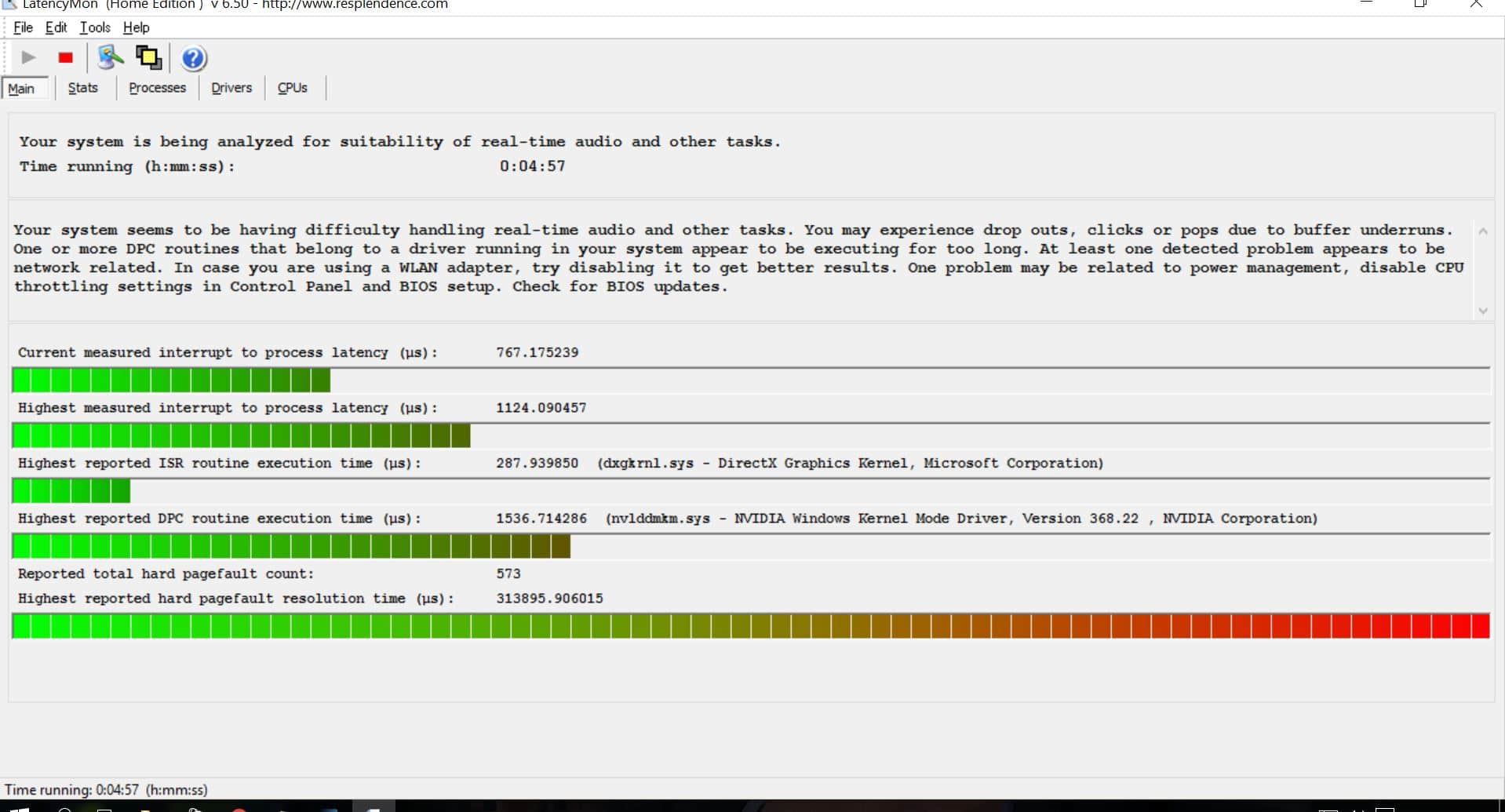
    Given the details in the "drivers" section, it certainly does appear like there's a network-related issue. When analysing I look first to the "highest execution" column. For a well behaving driver, that value shouldn't be over 500 us. nds.sys - part of the Windows networking stack - has definitely exceeded that... but then so has the NVidia GPU driver.

    Based on the DPC count and total execution time we can calculate an average DPC execution time. nvlddmdkm.sys comes out at ~0.03 ms, whereas nds.sys comes out with ~0.07 ms. Given that result and the fact that the nds.sys DPC count is more than 6 times the nvlddmkm.sys count (which implies it has a much higher influence overall), the natural conclusion would be that first priority should be looking at the NIC driver. That's not to say that the GPU driver is okay.

    Side-note for just a moment...
    The hard page-fault resolution time from the "main" section stands out like a sore thumb. I have to confess that I'm not exactly sure what it means, and I've never seen anything like that before. LatencyMon manual gives a little guidance:
    http://www.resplendence.com/latencymon_using

    Based on that, I'd suggest to focus on the DPC latency issues for now.
    ...though I did wonder whether your SSD might need a trim?
    According to your older log files you only had 13.6 GB free.

    Back to network-related stuff...
    Looking back at your older log files it appears like you have 2 NICs:
    Name: Realtek PCIe GBE Family Controller
    Device ID: PCI\VEN_10EC&DEV_8168&SUBSYS_816819DA&REV_07\4&314741E0&0&00E0
    Driver: n/a

    Name: Intel(R) Centrino(R) Wireless-N 2230
    Device ID: PCI\VEN_8086&DEV_0887&SUBSYS_40628086&REV_C4\4&3919A947&0&00E3
    Driver: n/a

    Do you use both NICs?
    If no, please disable the one you don't use. That alone can make a difference. Hopefully you don't use the WiFi one. WiFi drivers are notorious for causing problems.

    Which driver versions do you have for each NIC?
    Where did you get the drivers from?

    (Please answer for all your clients.)
    Normally I'd recommend to get the latest drivers direct from Realtek and Intel rather than using Microsoft Update or mobo/system vendor (ie. Zotac in your case) drivers. However in some cases the latest driver is actually not the best... and/or the driver from the mobo/system vendor can perform better.
     

    HTPCSourcer

    Retired Team Member
  • Premium Supporter
  • May 16, 2008
    11,382
    2,369
    Home Country
    Germany Germany
    truly going off the moment I saw the "system" process using so much CPU. I don't think that's normal at all.
    A permanent system load of 20%+ is not normal at all. Something is happening in the background. This additional load can well explain the observed effects.

    Besides running a driverscan "(sfc /scannow) from an administrative command window, a look at some discussions around fixing NT kernel CPU and RAM usage issues might be helpful. For example at: http://www.ibtimes.co.uk/windows-10-how-fix-system-ntoskrnl-exe-memory-leak-high-cpu-usage-1514316
     

    Groovemaize

    Portal Pro
    November 14, 2013
    53
    10
    Home Country
    United Kingdom United Kingdom
    Have completed most of these things now, the nic drivers were the same across all clients (latest from intel). The graphics drivers on the problem client were the latest but I went back 3 releases to make them the same as the other clients. I have completed the suggestion in ibtimes from HTPCSourcer although not run sfc scan yet. I have cleaned up the drive and have about 30Gb (50%) free, and switched off the wifi adapter. There appears to be some improvement where streaming lasts about 15 mins before stuttering starts now. I noticed that recorded files suffer the same although other formats including mp4, avi and mkv play fine throughout. Should i be considering alternative graphics drivers other than LAV?
     

    HTPCSourcer

    Retired Team Member
  • Premium Supporter
  • May 16, 2008
    11,382
    2,369
    Home Country
    Germany Germany
    Should i be considering alternative graphics drivers other than LAV?
    I don't believe that the codecs are to be blamed. Unless it's the system, which is overheating, which would be a consequence of LAV not using hardware decoding. You should be able to see this when checking the total CPU load. Does this change when you start observing stutteringh?

    There appears to be some improvement where streaming lasts about 15 mins before stuttering starts now. I noticed that recorded files suffer the same although other formats including mp4, avi and mkv play fine throughout
    Live TV is displayed through RTSP while video and music files are being played via a different mode, which is not time-critical.

    There appears to be some improvement where streaming lasts about 15 mins before stuttering starts now
    This makes me think about third party software. Did you exclude the MP directories from being scanned by Defender? Make also sure that the timeshift and recording paths are added to the list of exclusions.
     

    Groovemaize

    Portal Pro
    November 14, 2013
    53
    10
    Home Country
    United Kingdom United Kingdom
    Hi HTPCSourcer, cpu load does increase when stuttering starts, yes i excluded the MP directories in defender.
     

    HTPCSourcer

    Retired Team Member
  • Premium Supporter
  • May 16, 2008
    11,382
    2,369
    Home Country
    Germany Germany
    cpu load does increase when stuttering starts
    It's rather the opposite: stuttering starts because CPU load is increasing.

    I think that we are narrowing the issue down here: Some process must be running on your machine, which, when launched, leads to increased CPU load. You could use the task manager to try to identify the programme. Alterantively have a look at Process Explorer (Microsoft Sysinternals), which allows you to continuesly log information about all process running. However, it's going to produce tons of logs.

    The one thing that you could also try is to see if there is any scheduled task that starts at the time of stuttering. Windows 10 has a multitude of tasks scheduled, some of them can be legacy from he previous WIndows version that you updated from (unless you made a frsh install of Windows 10).
     

    Users who are viewing this thread

    Similar threads

    Sorry, I didn't get email notifications on these latest replies. I just came here to report I solved the problem after adjusting power settings for "Intel Graphics". I set it to Maximum Performance. I tried many other things so it could be a combination of them, but this was the last thing I did and I haven't had the problem return...
    Sorry, I didn't get email notifications on these latest replies. I just came here to report I solved the problem after adjusting...
    I'm running MP1 as a client only on this: https://www.amazon.com/dp/B0DZX5DWS5?ref_=pe_123509780_1038749300_t_fed_asin_title&th=1...
    Replies
    5
    Views
    2K
    Just those I attached. I messed about with task priorities MP/TV-Server/SQL-Server and the issue changed to the skin.. I would do something, but it would be 10's of seconds before the action happened. Doing an Alt-Tab would flush the actions. Too weird lol!! So, with some flak from the family, I had to give in. I just did a...
    Just those I attached. I messed about with task priorities MP/TV-Server/SQL-Server and the issue changed to the skin.. I would do...
    So, this one has me quite stumped. Have tried ) and a few things - driver updates, kicking the box, threatening it with a static...
    Replies
    8
    Views
    2K
    I compliment you on the thoroughness of your investigations. (y) Unfortunately, I don't have any ideas what the problem might be. :( Perhaps someone else will post with some suggestions. :unsure: -- from CyberSimian in the UK
    I compliment you on the thoroughness of your investigations. (y) Unfortunately, I don't have any ideas what the problem might be...
    Would appreciate it if someone could solve (or point me in the right direction to resolve) this issue. I have “MultiSeat”...
    Replies
    4
    Views
    1K
    All sorted now with images attached as above. The problem attaching the images was the dugh brain user as well as the image size being too big
    All sorted now with images attached as above. The problem attaching the images was the dugh brain user as well as the image size...
    I have just updated my mobo and installed Win 10. I then imported all my old settings that were working ok on my old Win 7 system...
    Replies
    14
    Views
    5K
    Well, the log doesn't show any problems. I can see correctly tuned channels in the log. It seems to me that the tuner works fine. Can you copy the created ts file(located in your timeshift folder) somewhere else while in channel preview and try to play it in VLC or MPC-HC? PS: You can also try to make short record
    Well, the log doesn't show any problems. I can see correctly tuned channels in the log. It seems to me that the tuner works fine...
    I've been successfully using MediaPortal1 and TV Server 1.17 on Win7 for years, using first a HDHomerun tuner, when that died, a...
    Replies
    4
    Views
    2K
    Top Bottom