Titan - Bug Reports & Issues (9 Viewers)

loutheo

Portal Pro
May 9, 2010
52
34
Melbourne
Home Country
Australia Australia
Just installed 1.3 Beta and selected Titan Extended to install, but I can not see the Extended plugin in the configuration dialog. When I try to install Titan Extended via the Extensions Manager, I get the error message:
"Package loading error ! Install aborted!

Is Titan Extended needed for Moving Pictures? I get an skin error message, when I try to go into Moving Pictures.

--Alex

Try updating titan manually from within the plugins tab of mediaportal configuration. I had issues with mov pics until I did this.
 

TheBatfink

MP Donator
  • Premium Supporter
  • June 11, 2007
    1,286
    222
    Nottingham
    Home Country
    United Kingdom United Kingdom
    I am having the exact same problem..
    Just installed 1.3 Beta and selected Titan Extended to install, but I can not see the Extended plugin in the configuration dialog. When I try to install Titan Extended via the Extensions Manager, I get the error message:
    "Package loading error ! Install aborted!

    Is Titan Extended needed for Moving Pictures? I get an skin error message, when I try to go into Moving Pictures.

    --Alex
     

    TheBatfink

    MP Donator
  • Premium Supporter
  • June 11, 2007
    1,286
    222
    Nottingham
    Home Country
    United Kingdom United Kingdom
    Just installed 1.3 Beta and selected Titan Extended to install, but I can not see the Extended plugin in the configuration dialog. When I try to install Titan Extended via the Extensions Manager, I get the error message:
    "Package loading error ! Install aborted!

    Is Titan Extended needed for Moving Pictures? I get an skin error message, when I try to go into Moving Pictures.

    --Alex
    Try updating titan manually from within the plugins tab of mediaportal configuration. I had issues with mov pics until I did this.
    How do you do this if the plugin isn't shown? Is there a menu option somewhere?
     

    loutheo

    Portal Pro
    May 9, 2010
    52
    34
    Melbourne
    Home Country
    Australia Australia
    I'm really not sure but perhaps try installing titan extended manually. The download link for it is at the the start of the titan extended section.

    In my fumbling attempt to get mine working a did this. Sorry I don't have more solid advice.
     

    markus_g

    Portal Pro
    August 12, 2006
    104
    42
    Home Country
    Australia Australia
    I have found one thing, when i change the rows at 11 the live is over the guide... see screen

    And another one is with the guide genre colors, may guide have the same color with and without the genre settings.. See screens

    I am also having this problem with rows set to 11. I also hope that the program info bar can be fiitted onto the screen that has 11 rows.

    By the way great job on Titan.

    Cheers,

    Markus_g
     

    cbleek

    Portal Pro
    May 8, 2007
    66
    0
    Home Country
    Germany Germany
    I got the same error message...
    I'm really not sure but perhaps try installing titan extended manually. The download link for it is at the the start of the titan extended section.
    That's how i did it and it works...

    But here is my problem!
    I have problems using Titan with a touchscreen/mouse in the Basic Homescreen:
    When i click the TV field with a mouse (or tap it on my touchscreen) the besided optionfield on the right appears for a short milisecond and disappears immediately. When I use the field with keyboard-navigation or remote, everything works normal.
    Can someone fix this behaviour, so that it becomes usable with mouse/touchscreen?
     
    Last edited:

    HTPCSourcer

    Retired Team Member
  • Premium Supporter
  • May 16, 2008
    11,382
    2,369
    Home Country
    Germany Germany
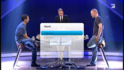
    Some color contrast and transparency issues:

    1. Menu during TV
    Frame is pretty transparent, which makes reading difficult
    Unmarked entry font is light and barely readable when watched on my plasma from some distance
    10-11-06.png

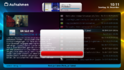
    2. TV / Recordings menu
    Recorded TV shows entries' font should have stronger contrast for both watched and unwatched shows
    Color of watched/unwatched should be reversed
    When deleting an entry the yes/no dialogue comes up. "No" is marked in red, "yes" in blue - should be the other way round.
    10-11-54.png (for some reason the yes/no doesn't show on the screenshot)

    Regards, HTPC_Sourcer
     

    TheBatfink

    MP Donator
  • Premium Supporter
  • June 11, 2007
    1,286
    222
    Nottingham
    Home Country
    United Kingdom United Kingdom
    I think the brightness of some of the fonts could use some increasing too. Its also probably something I just need to get used to but it definitely feels like Media that is marked watched, is unwatched, and vice versa - as if watched media font is more prominent.
    I would of expected this the other way around. But then, maybe its just from using Avalon/Avalonnis I have become used to what they offered.

    Thanks
     

    D3ltoroxp

    MP Donator
  • Premium Supporter
  • June 1, 2008
    3,272
    212
    Home Country
    Germany Germany
    I have found some more bugs...

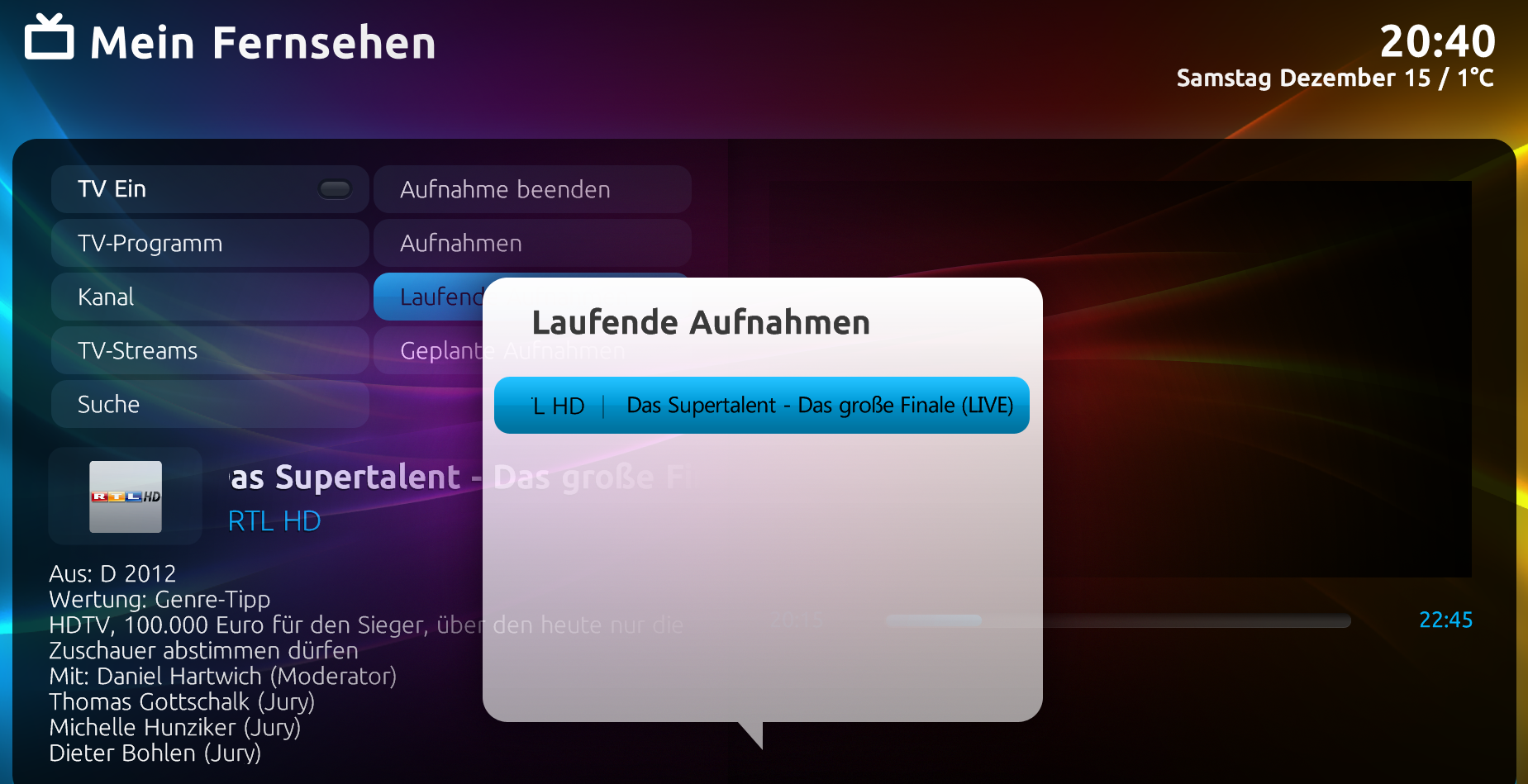
    My HTPC is wakeup for recording, later i switch on my htpc but i see no red circle for show me that mepo is recording. But when i click record the actuall program the red circle is there...

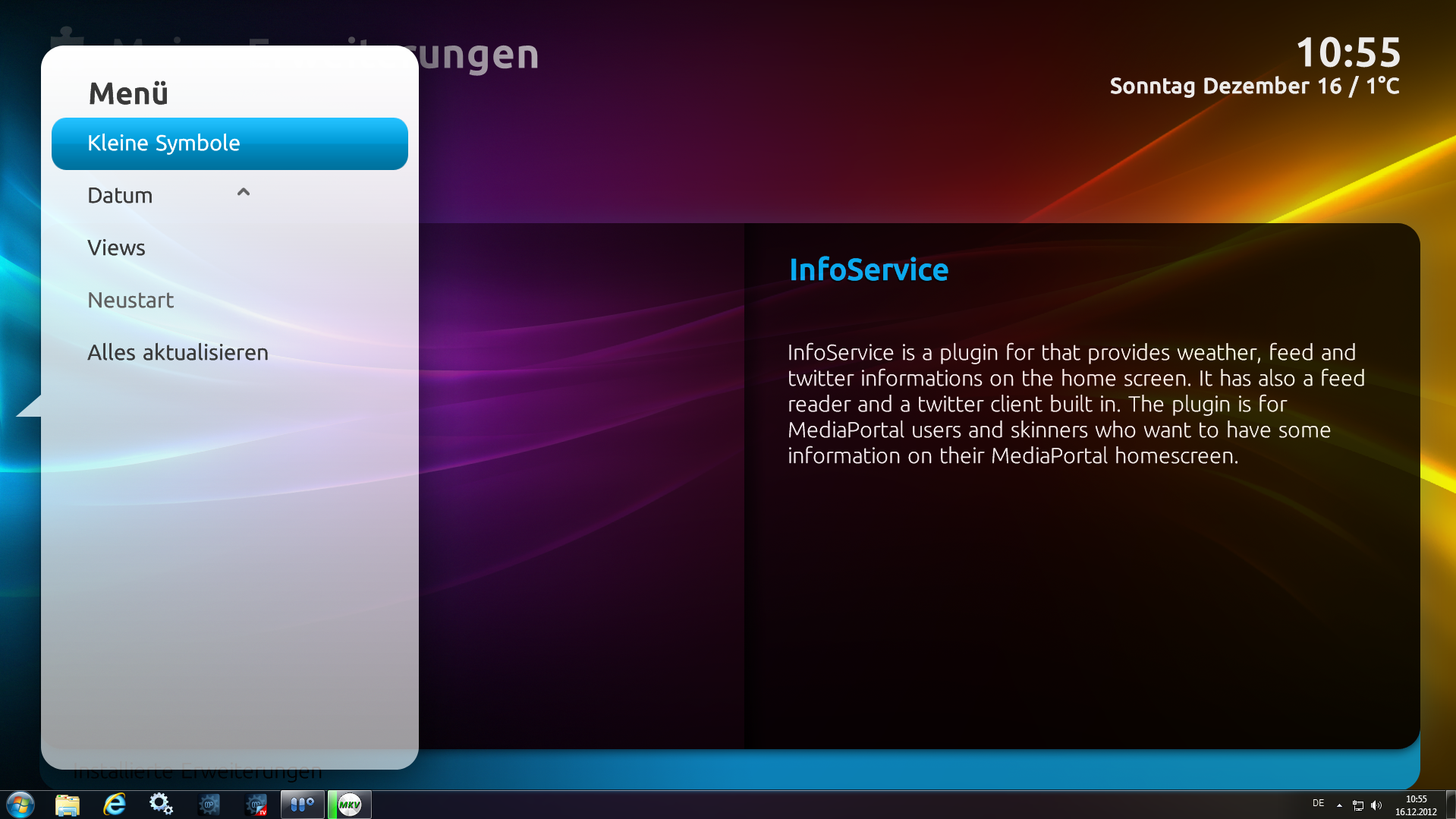
    Next one ... On Extension, when i click on small or large symbols there aren't symbols only in list view.

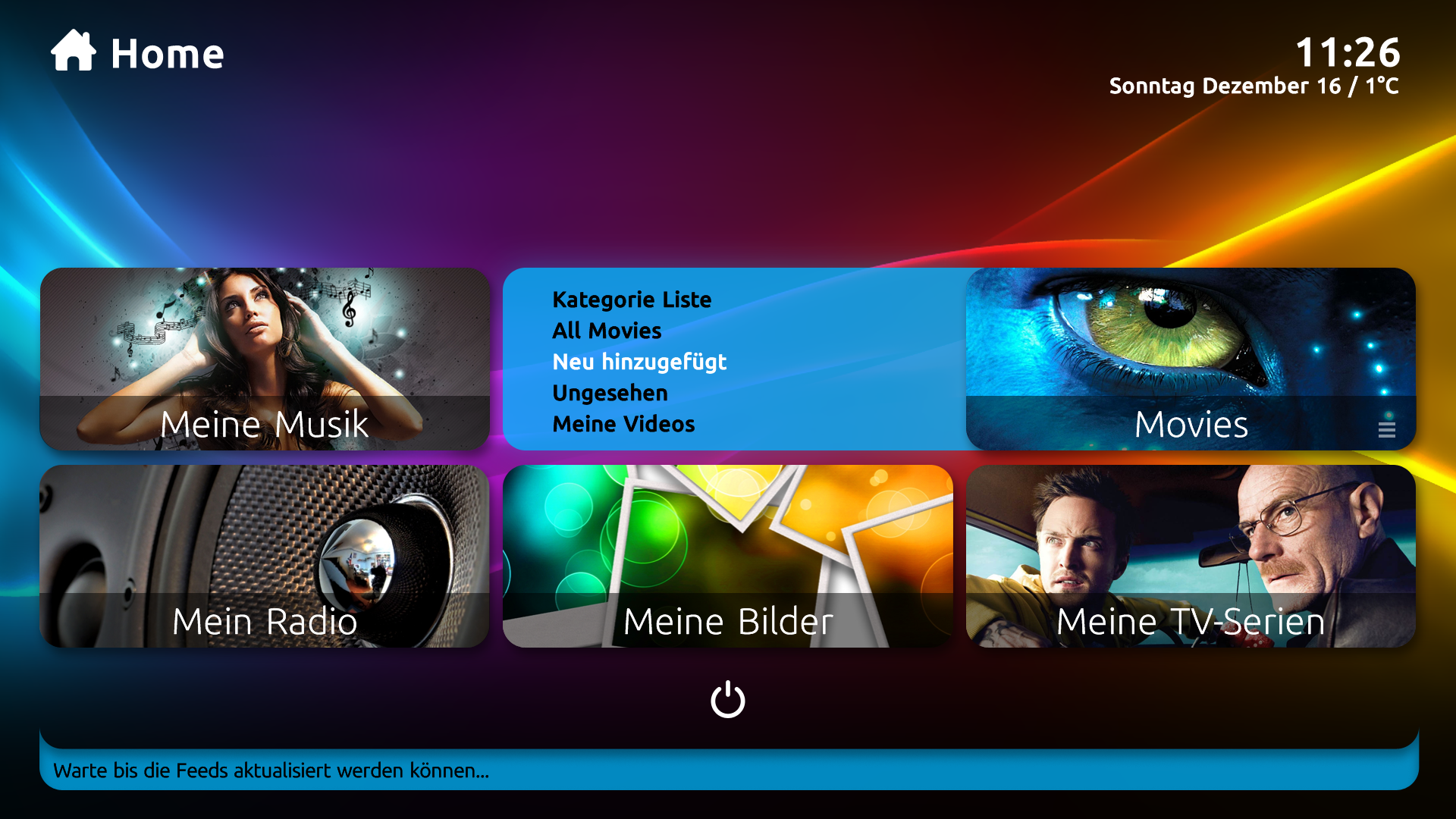
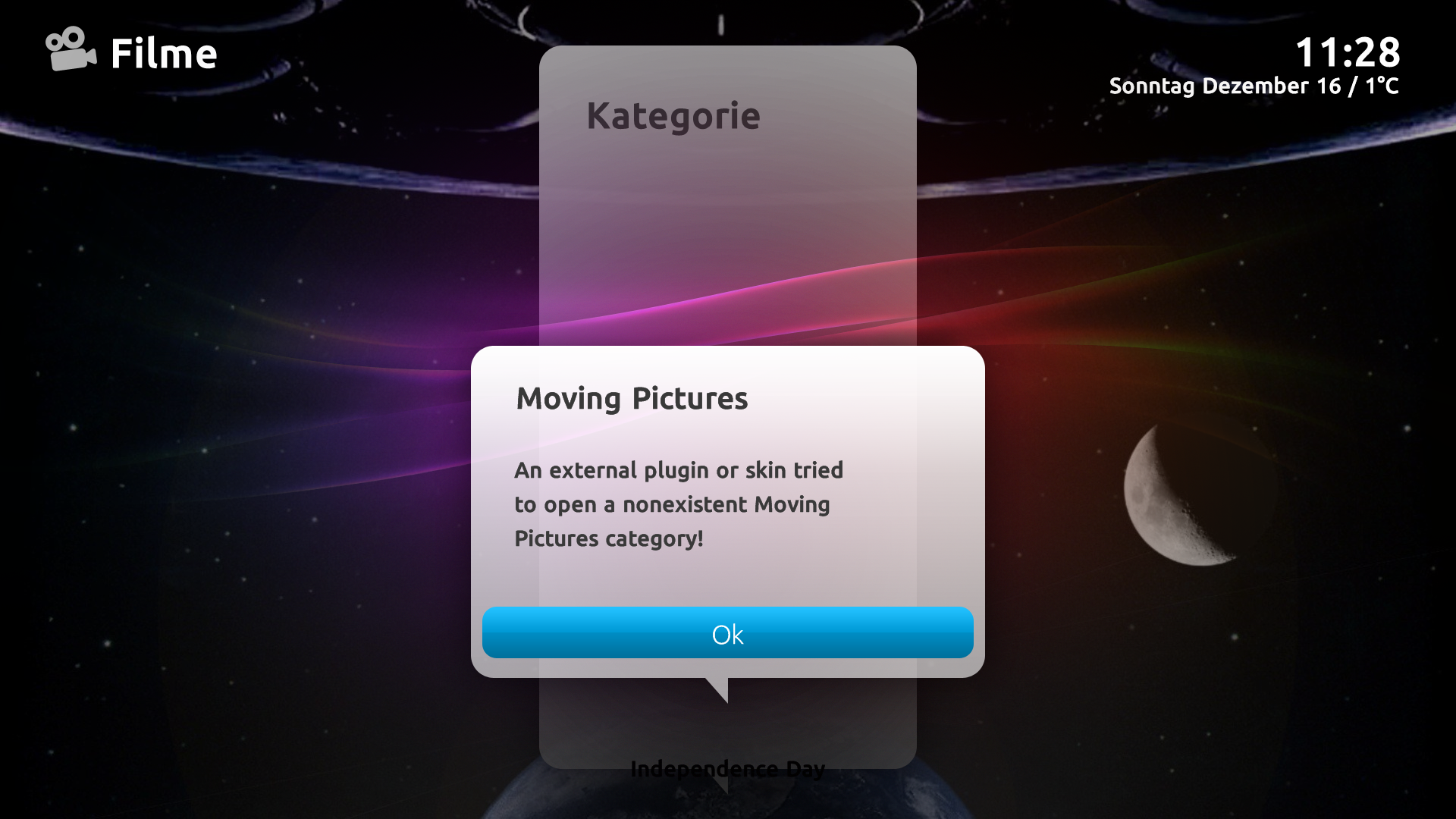
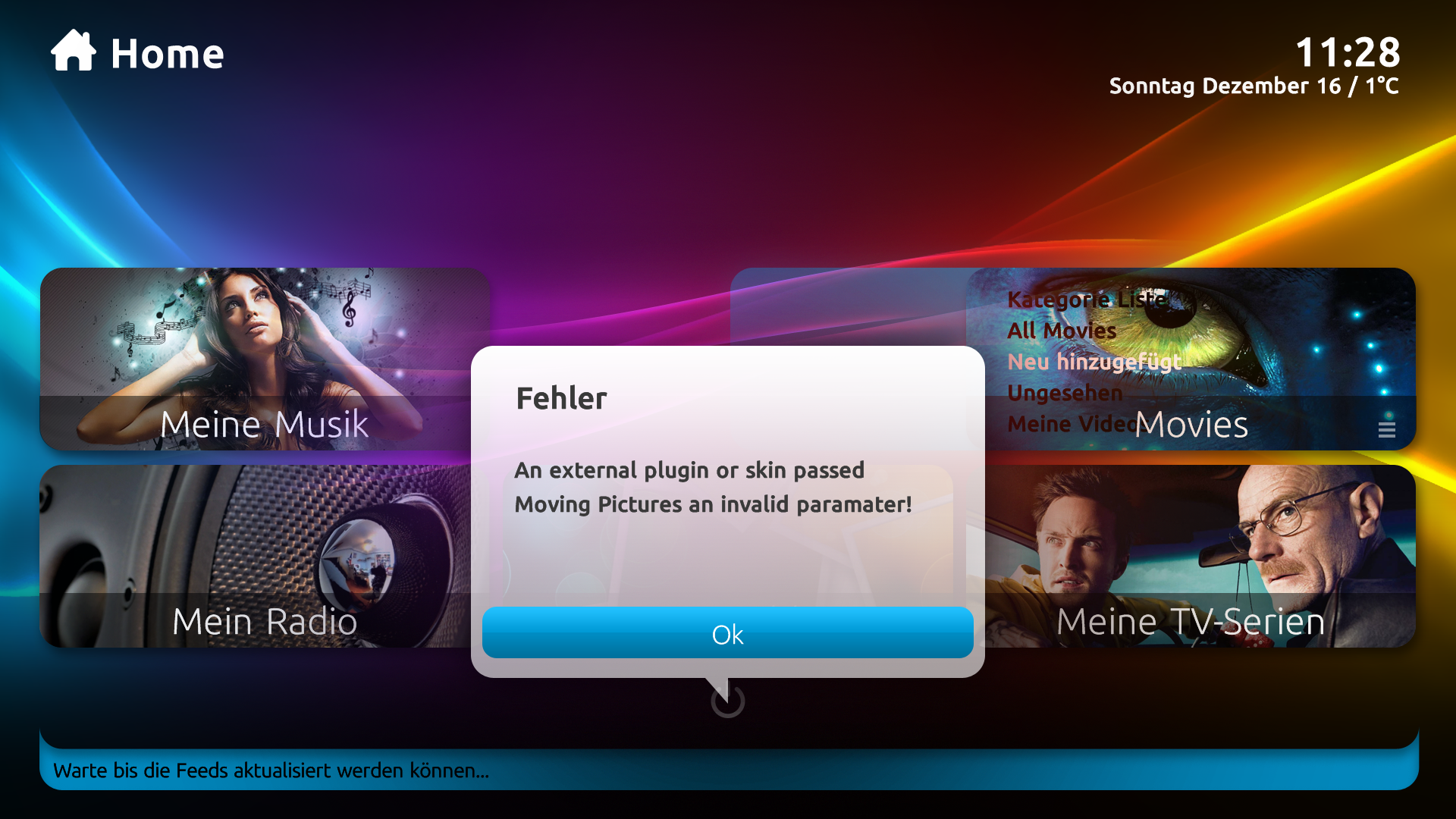
    Another Bug is with the moving picture button... When i click on new added files 2 erros comes, see screen...
     

    Attachments

    • no rec symbohl.PNG
      no rec symbohl.PNG
      2 MB
    • no symbo.PNG
      no symbo.PNG
      2.2 MB
    • 11-26-50.png
      11-26-50.png
      1.5 MB
    • 11-28-41.png
      11-28-41.png
      1.7 MB
    • 11-28-49.png
      11-28-49.png
      2 MB
    Last edited:

    cbleek

    Portal Pro
    May 8, 2007
    66
    0
    Home Country
    Germany Germany
    Another missing feature:
    The up/down arrows for mouse Navigation in multiple pages. (See Picture)
    Without them it is impossible to scroll Down to the other tracks when your are using a mouse or a touchscreen...
    ImageUploadedByTapatalk1355665466.428107.jpg
     

    Users who are viewing this thread

    Similar threads

    MP1 MP2 MP2 - V2.3 EPG has stopped DE
    The only configuration that is certain to work is when the MP client and MP server are from the same release. It is sometimes possible to use MP clients from a release that is different to the MP server, but whether it works depends on the specific changes that were made between the two releases. -- from CyberSimian in the UK
    The only configuration that is certain to work is when the MP client and MP server are from the same release. It is sometimes...
    Before you create this bug report: Make sure that your system (Windows, codecs and drivers) is up to date, matching the...
    Replies
    10
    Views
    4K
    Before you create this bug report: Make sure that your system (Windows, codecs and drivers) is up to date, matching the Requirements and you've filled in your System Specs. Have a look at our MediaPortal Wiki! Maybe the solution is already there. Have a look at our Jira (Bug and Issue Tracker)and the threads in this section, maybe...
    Before you create this bug report: Make sure that your system (Windows, codecs and drivers) is up to date, matching the...
    Before you create this bug report: Make sure that your system (Windows, codecs and drivers) is up to date, matching the...
    Replies
    0
    Views
    1K
    Before you create this bug report: Make sure that your system (Windows, codecs and drivers) is up to date, matching the Requirements and you've filled in your System Specs. Have a look at our MediaPortal Wiki! Maybe the solution is already there. Have a look at our Jira (Bug and Issue Tracker)and the threads in this section, maybe...
    Before you create this bug report: Make sure that your system (Windows, codecs and drivers) is up to date, matching the...
    Before you create this bug report: Make sure that your system (Windows, codecs and drivers) is up to date, matching the...
    Replies
    0
    Views
    867
    I do not know why this xml was in my theme folders, it must have sneaked in some time ago (years?). I simply removed the file. The Latest Media Handler plugin seems to be working as expected. I've had no lock-ups.
    I do not know why this xml was in my theme folders, it must have sneaked in some time ago (years?). I simply removed the file. The...
    Before you create this bug report: Make sure that your system (windows, codecs and drivers) is up to date, matching the...
    Replies
    13
    Views
    2K
    Attached are new TV service logs with your latest DLL. I see lots of EPG events and none of the messages from earlier. Congratulations!
    Attached are new TV service logs with your latest DLL. I see lots of EPG events and none of the messages from earlier. Congratulations!
    I have some weird behavior trying to operate the MP GUI in a new installation of MP 1.36 under Windows 11 Pro. Some of the remote...
    Replies
    33
    Views
    6K
    Top Bottom