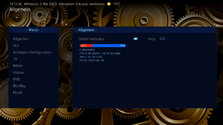
Red dots and the inscription that the drive is not activated in my opinion look at least strange, not activated drive, you should not output it at all.
Here in my opinion would be better List, 3 lines and a progress bar, but for this probably need to rewrite the plugin, but you can display and icons, etc.
Nope, it's your skin.
Do what you want, it's only a reflection on my part, it's what I would do if I was the skinner, in no way an obligation on your part.
Red dots and the inscription that the drive is not activated in my opinion look at least strange, not activated drive, you should not output it at all.
The red dot is actually the left texture of progressbar - not sure whether I can remove it if drive is not visible
And ofc I can remove the text for not activated drives...
@ajs: Didn't find any configuration in the DFS plugin to define which drive should be shown in the screens other than the new one in settings general.
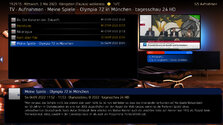
Would be great if user could select only that drive that should be shown e.g. in TV recordings (with less properties) than in the settings general screen.
So if the source code is available, I´d ask for that property e.g. %drivenameSelected%.
That way we can display the full info in DFS screen in settings general and reduced info in the other screens
Didn't find any configuration in the DFS plugin to define which drive should be shown in the screens other than the new one in settings general.
Would be great if user could select only that drive that should be shown e.g. in TV recordings (with less properties) than in the settings general screen.
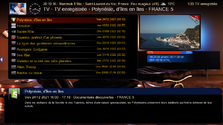
I don't understand infos in red/blue bar.
Not the correct available for C: nor E:
Comestic ?
I would put infos a bit down (red/blue bar too high) and, more on the left side...
Would be great if user could select only that drive that should be shown e.g. in TV recordings (with less properties) than in the settings general screen.
So if the source code is available, I´d ask for that property e.g. %drivenameSelected%.
That way we can display the full info in DFS screen in settings general and reduced info in the other screens
The changelog v0.5 of the plugin lists the following: added #DriveFreeSpace.Enabled and #DriveFreeSpace.X.Enabled properties - first will contain true/false strings depending on weather any drive has been selected, second will contain true/false strings depending on weather drive X is selected.
After many hours of troubleshooting I've given up and accepted that it's just "one of these things" when using madVR for watching live TV. I've now ticked the box to "Use EVR for LiveTV", with a default display refresh rate of 50Hz. In combination with tweaking some of the Nvidia 3D settings for the MP executable only, I now have a...
After many hours of troubleshooting I've given up and accepted that it's just "one of these things" when using madVR for watching...
Every so often, when I switch to a TV channel, my MP client stops accepting user inputs, either from the remote or keyboard/mouse...
When I rebooted this morning, the same problem came back. But I did find my error, it turned out I had accidently clicked on "Filtering: On startup filter by: Unwatched Movies" in "Moving Pictures Configuration". Don't know how I did that. (n)
When I rebooted this morning, the same problem came back. But I did find my error, it turned out I had accidently clicked on...
About a 2 months ago I was having problems with filtering for unwatched movies. I couldn't find the filter for it. So I tried...
Fixed, I think.
Certainly the vintage MP2 installer that I was using no longer installs the LAV filters. I can only assume that these were never part of the install package itself, but rather downloaded during the install, and that link no longer exists. Shame that the installer doesn't indicate this.
Last time when I installed the...
Fixed, I think.
Certainly the vintage MP2 installer that I was using no longer installs the LAV filters. I can only assume that...
Hi all,
I've recently retired my MP2 setup for my main HTPC and gone back to separates, but I wanted to retain the ability to play...
Looks like there's some kind of error regarding translations that I can't pinpoint about Subcentral. You'll find it in the log file I attached to my previous message. I don't understand it because I use MP in english, I search for subtitles in english and not in my native language, so I can't figure out what's translation got to do...
Looks like there's some kind of error regarding translations that I can't pinpoint about Subcentral. You'll find it in the log file...
I don't now what to say, I don't know where to begin. Mediaportal user since 2004. Always a satisfied user, I must add. Lately...
If you’re planning to submit a pull request, let’s go through the list of issues and their solutions.
I or someone from the team will create a Jira ticket, and for each ticket, you’ll make the changes and submit a pull request.
This will be transparent and straightforward.
If you’re planning to submit a pull request, let’s go through the list of issues and their solutions.
I or someone from the team...
I'm very glad to see that mediaportal 1 is on github, where ordinary devs with github accounts can make contributions.
Please can...

 Germany